Support Agent Improvements
Last updated: October 30, 2026
Use Improvements to review evidence-backed proposals for fixing gaps in your Support Agent's knowledge, Skills, or Guidance. Start with the issue evidence, review the proposed change, and test it before relying on it.
Open your Support Agent and select Improvements. Use Filter to narrow the queue by the options available in your workspace. Select a proposal to review its evidence and suggested change.
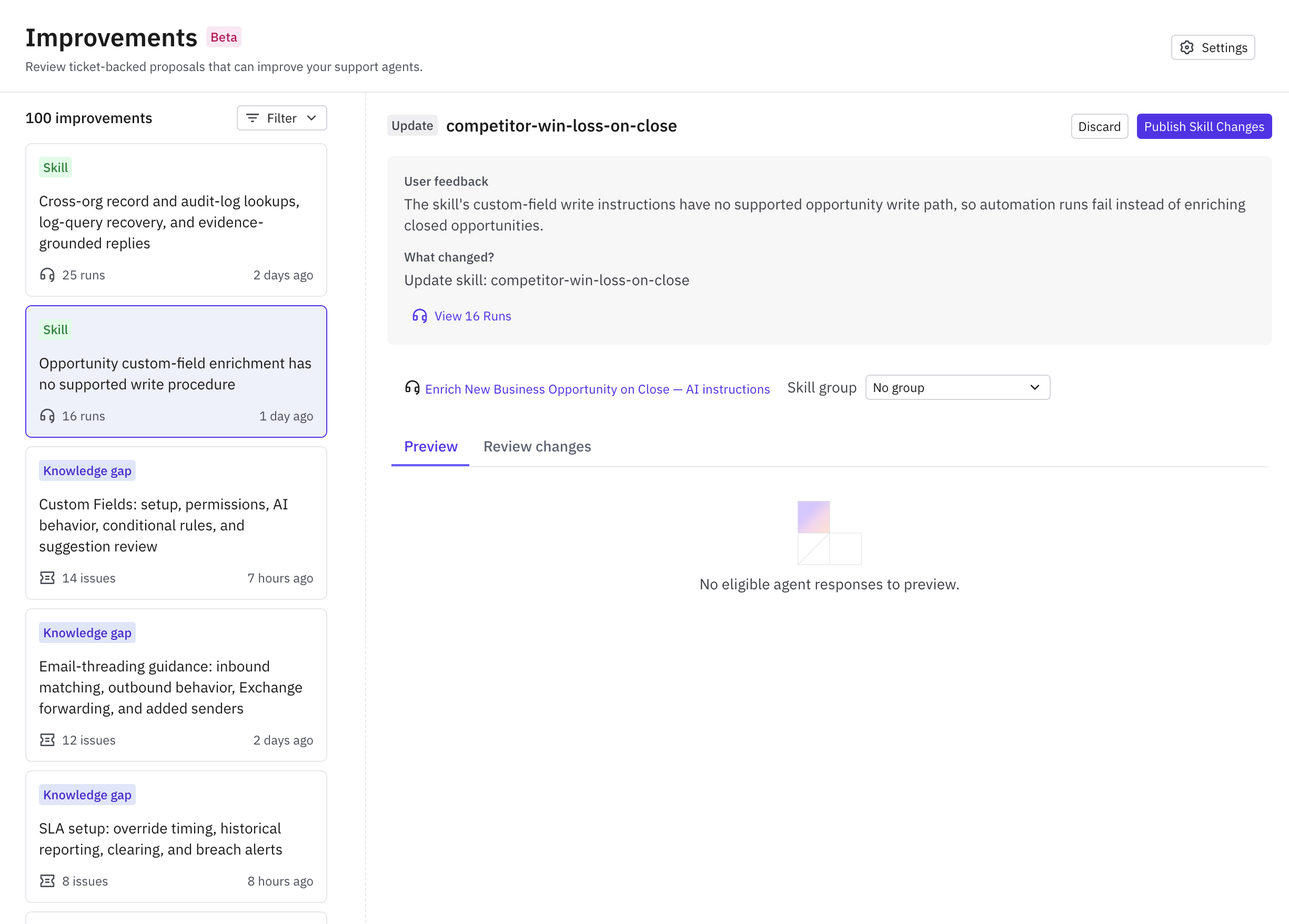
2. Review an Improvement proposal
There are 3 main types of improvements that will be suggested
Knowledge Base updates
Skill updates
Guidance updates
Knowledge Base improvements will only suggest updates to existing articles.
When reviewing a suggested improvement:
Confirm the diagnosis is supported by what actually resolved the request.
Check the proposed article, Skill, or Guidance text for incorrect generalizations.
Verify the target knowledge base/collection or agent configuration.
Check whether current content already covers the answer.
Review customer-specific details and remove them when they do not belong in reusable instructions.
A product bug, missing permission, or one-off account correction does not automatically justify a new global rule.
4. Preview and edit
Preview will allow you to compare the before and after of how the Agent responded to the issue with and without the improvement recommendation. Review whether it fixes the original case and still handles a nearby nonmatching case.
5. Apply or dismiss
Use the proposal's apply/accept action only after checking the target and final content. For a proposal you do not want, use Dismiss and record the reason when prompted.