Support Agent Variations
Last updated: October 30, 2026
Use a variation to prepare and compare an alternative Support Agent configuration before making it the main configuration. Give each candidate a specific purpose, such as clarifying a workflow or changing a handoff rule.
1. Create a candidate
Open your Support Agent and select Variations.
Identify the current Active configuration.
Select Create Variation to copy the current source, or Duplicate on the specific configuration you want to use.
Enter a descriptive variation name.
Confirm the source named in the dialog, then select Create.
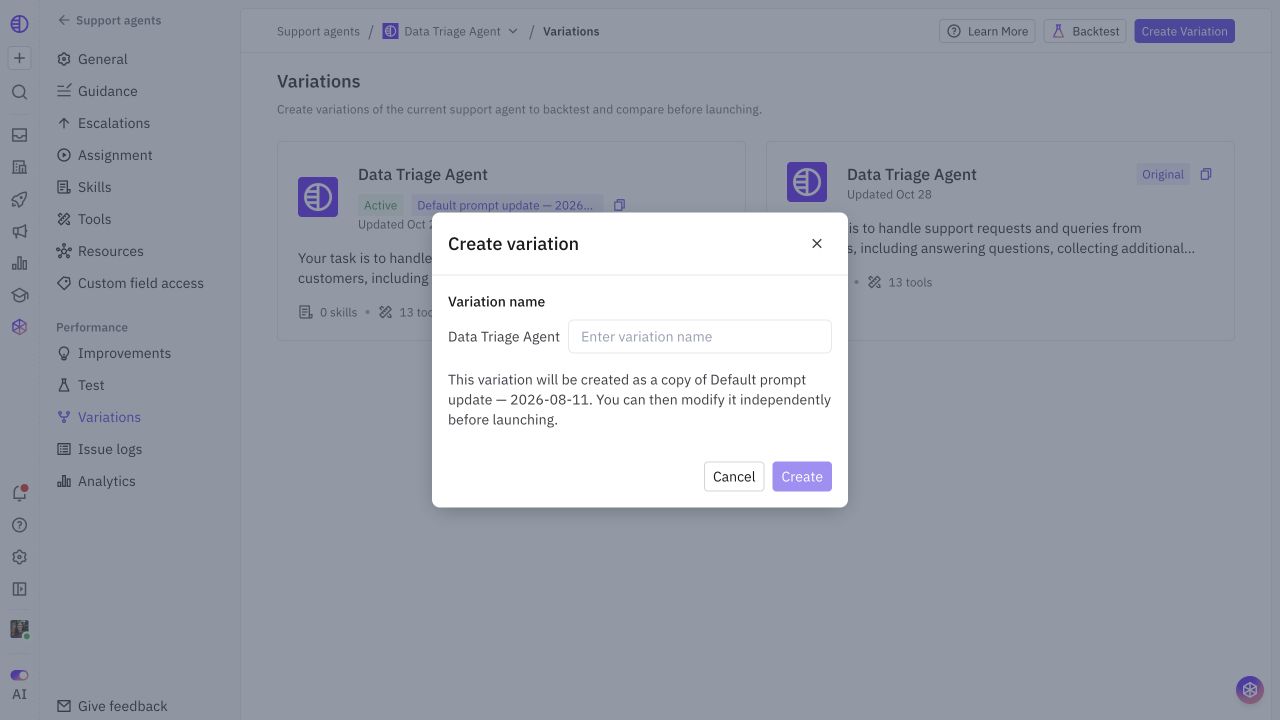
Creating the candidate does not launch it. Record its starting point so reviewers know what the comparison means.
2. Edit the intended settings
Open the candidate and change the relevant supported pages, such as Guidance, Resources, Skills, Tools, or Escalations. Use the page's save controls where shown and verify the result.
Change one focused behavior at a time when diagnosing a problem. A large candidate with several unrelated changes makes it difficult to identify which one improved or regressed a result.
Agent name, avatar, and operating mode are shared across variations. A variation is not an independently deployed second agent. Do not change the main agent's mode merely to label a candidate as a test.
3. Check shared dependencies
A variation can select a set of Resources, but the underlying documentation and external systems may be shared. Editing a source document, connector credential, or shared Skill can affect other uses too.
Record shared changes alongside the candidate. Copy or isolate content when your experiment requires it, then verify which version the test actually used.
4. Compare with the baseline
Use Backtest and select baseline and candidate against the same dataset. Keep the same rubric and review the initial response and handoff outcome case by case.
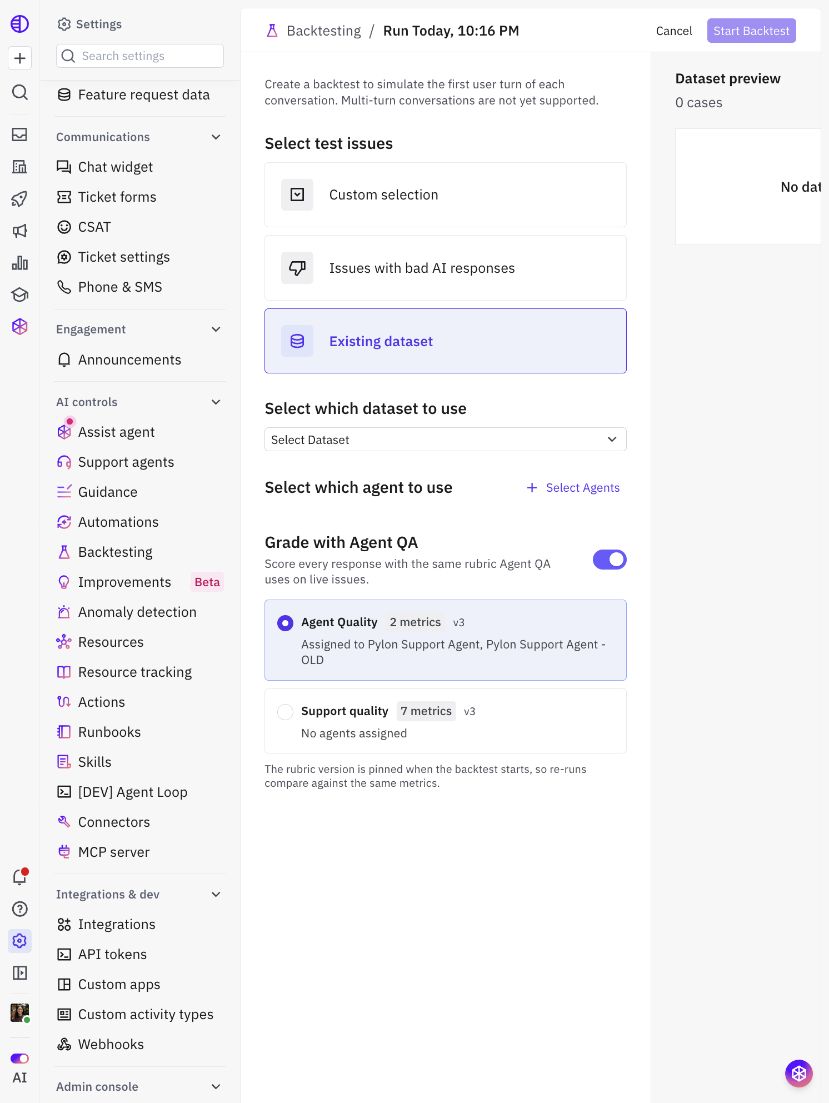
Backtesting is first-turn evaluation. Use targeted Test sessions and controlled real issues for behavior beyond that scope.
5. Launch the reviewed variation
After the comparison passes, open the candidate and use its Launch control. Review the Launch as main agent? confirmation and confirm only when you intend to deploy.
Launching immediately replaces the current main variation's workflow and configuration.