Support Agent Reporting & Analytics
Last updated: October 30, 2026
Use Analytics to measure your Support Agent's coverage and outcomes, then use Issue logs to understand the individual conversations behind a trend. Evaluate the agent against its job: answering routine questions, completing a workflow, or collecting context before a handoff.
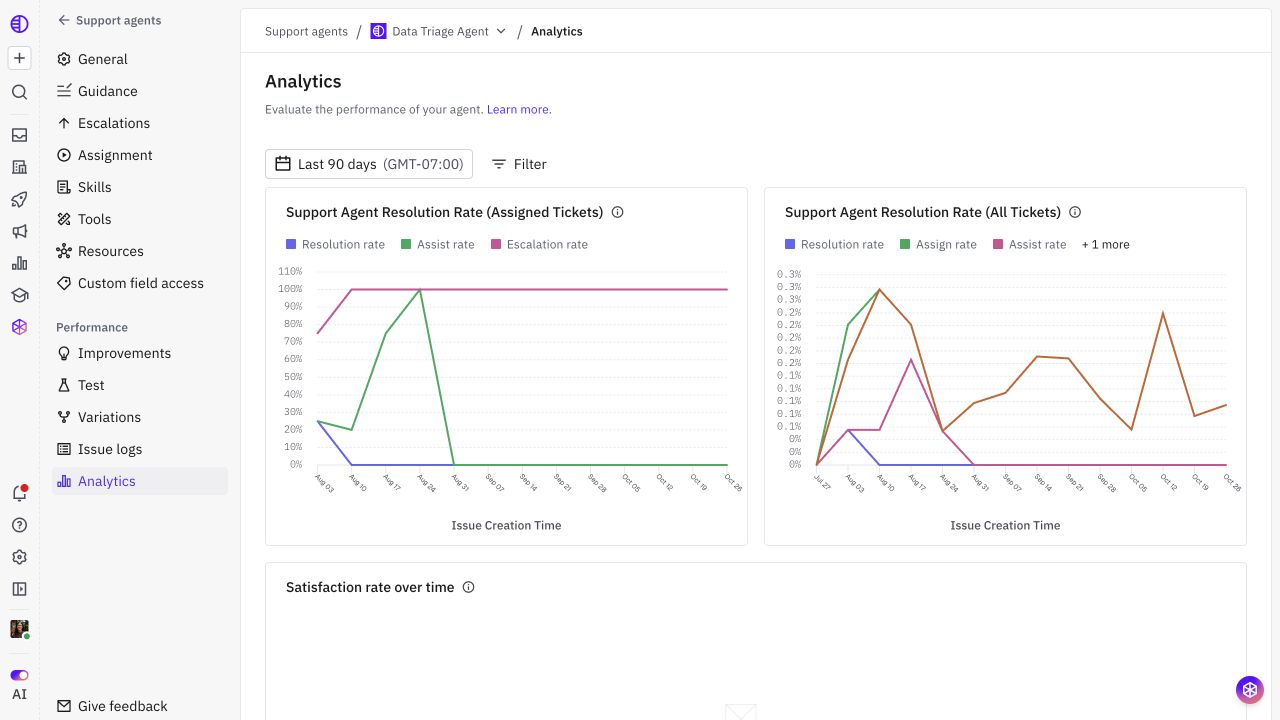
Open the dashboard
Go to Settings > AI controls > Agents, open your Support Agent, and select Analytics. Choose the reporting period and filters before interpreting the charts.
This article describes the v4 dashboard. Available charts can vary with your workspace's rollout, configuration, and dashboard customization. Read the chart title, tooltip, and formula when comparing reports; older dashboards can use different denominators.
Start with the denominator
The v4 dashboard provides two views of coverage and performance:
View | Question it answers | Denominator |
|---|---|---|
Support Agent Resolution Rate (Assigned Tickets) | What happened among issues assigned to this agent? | Issues recorded as having been assigned to the selected agent. |
Support Agent Resolution Rate (All Tickets) | What share of overall issue volume did this agent cover? | All issues in the reporting scope, including issues not assigned to this agent. |
Assignment is historical for these counts: an issue can remain in the assigned population after it is handed to someone else. The issue's current assignee alone does not determine whether it belongs in the count.
The All Tickets denominator is broader than the selected agent's workload. Other agents' issues and issues outside this agent's intended use case can be part of that denominator unless your filters narrow the report.
Series | Numerator | Assigned Tickets denominator | All Tickets denominator |
|---|---|---|---|
Assign rate | Issues assigned to the selected agent | Not shown as a separate series in this view | All issues |
Assist rate | Assigned issues recorded as assisted | Assigned issues | All issues |
Resolution rate | Assigned issues with a recorded Resolved outcome | Assigned issues | All issues |
Escalation rate | Assigned issues with a recorded Reassigned or Unassigned outcome | Assigned issues | All issues |
An assisted issue is one recorded as having an agent response, workflow execution, or both. Assistance is not the same as resolution: an agent can respond or act before handing off.
Turn metrics into improvements
Pattern | Useful next review |
|---|---|
Low assignment coverage | Assignment conditions, supported channels, and intended scope. |
Many assigned issues but little assistance | Issue logs, source/context access, tool availability, and handoff reasons. |
Many handoffs on one question type | Whether the handoff is required; otherwise missing facts, a Skill gap, or a tool problem. |
Lower satisfaction despite more resolutions | Individual replies, customer feedback, and the mix of dropoff versus confirmed outcomes. |
Choose goals that match the workflow. For an intake agent, a complete and accurate handoff may matter more than maximizing resolution rate. Treat Analytics as a way to prioritize investigation and validate changes, together with conversation review.