How do I integrate SMS with Pylon?
Last updated: October 6, 2026
Pylon lets you send and receive SMS messages with customers from a US phone number. You can send messages directly from the UI or programmatically through the issues API. For detailed API documentation, see the API reference.
Setting up a phone number
Go to the Phone page
Add a Phone Number by either
Porting an existing number from another carrier
Add a new number
Complete 10DLC registration
Completing 10DLC registration
10DLC (10-Digit Long Code) compliance is required for businesses sending SMS from standard phone numbers in the U.S. Carriers use it to verify who is sending messages and why, which helps reduce spam and improves message deliverability. To complete 10DLC registration, follow these steps:
From the "Carrier registration" tab, start your 10DLC Compliance setup process
Fill out the Business information, Business contact, Business address sections in the form.
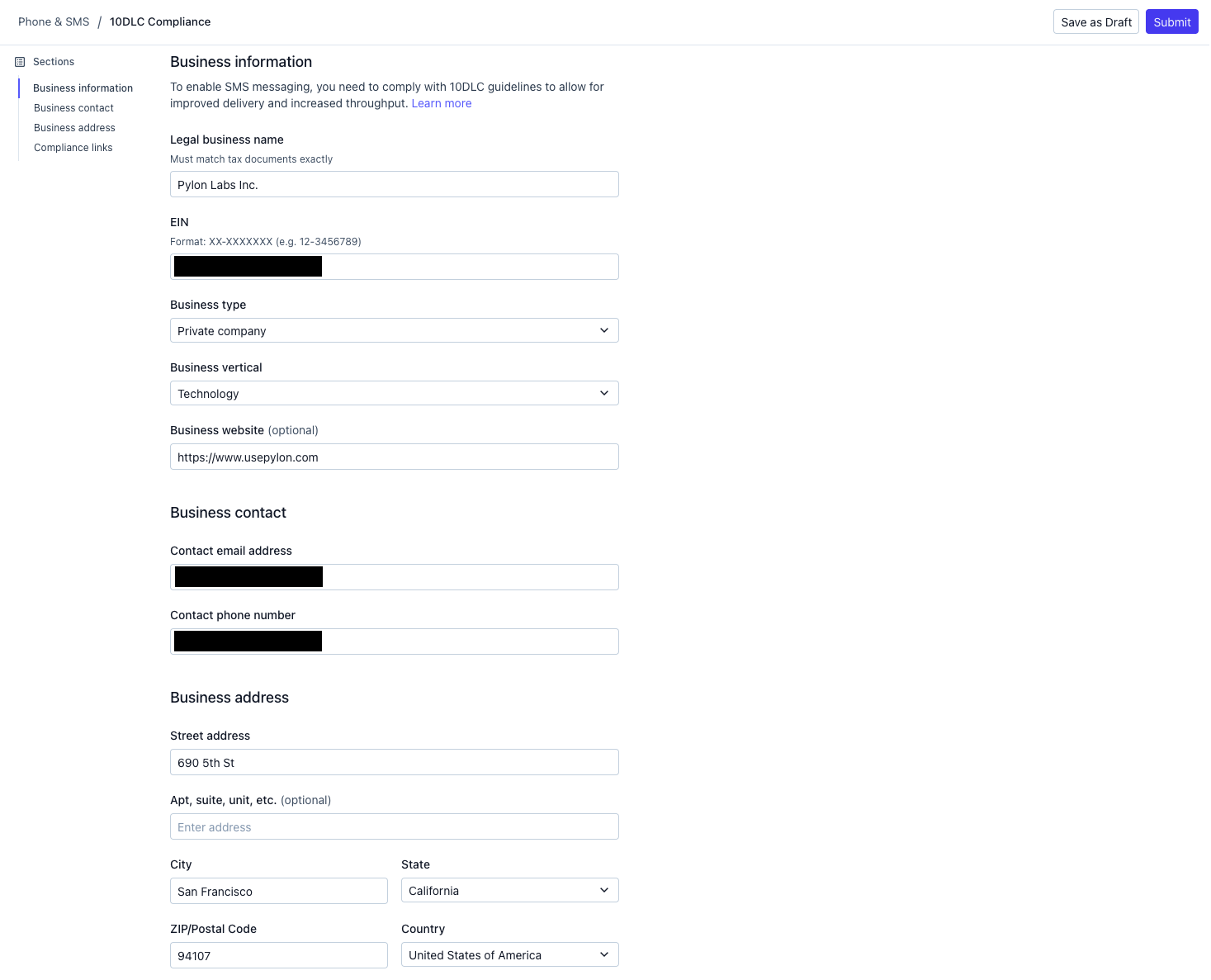
Lastly, for the Compliance links section, ensure that you are the privacy policy that you link to has expected verbiage otherwise your submission may not be approved. Some recommended verbiage from this Telnyx article:
All the above categories exclude text messaging originator optin data and consent; this information will not be shared with any third parties.
We will not share your opt-in to an SMS campaign with any third party for purposes unrelated to providing you with the services of that campaign. We may share your Personal Data, including your SMS opt-in or consent status, with third parties that help us provide our messaging services, including but not limited to platform providers, phone companies, and any other vendors who assist us in the delivery of text messages.

Submit the form. This will take 5-7 business days to complete.
If the campaign is rejected, we will display the errors and you can resubmit through the same UI. Contact Pylon support if you need any assistance here.
How Pylon registers your 10DLC compliance
When you enable SMS in Pylon, we handle your 10DLC registration automatically through a few key services:
Telnyx is our telephony provider. They act as the intermediary between Pylon and the carrier ecosystem, handling brand/campaign registration, phone number provisioning, and message delivery.
The Campaign Registry (TCR) is the central database where all 10DLC brands and campaigns must be registered. When you submit your business details in Pylon, we create a Brand in TCR via Telnyx. TCR verifies your business identity using the EIN and company information you provide.
Campaign Verify (AEGIS) handles external vetting of your brand. Once TCR approves your brand, Pylon orders standard vetting through Campaign Verify. This third-party verification improves your messaging throughput limits and carrier trust scores.
After vetting completes, Pylon automatically registers a CUSTOMER_CARE campaign on your behalf. This is the use case category for support-related messaging — it includes compliant opt-in/opt-out language and sample messages that carriers require.
Finally, we create a messaging profile and attach your phone numbers to the campaign, making them ready to send.
FAQ
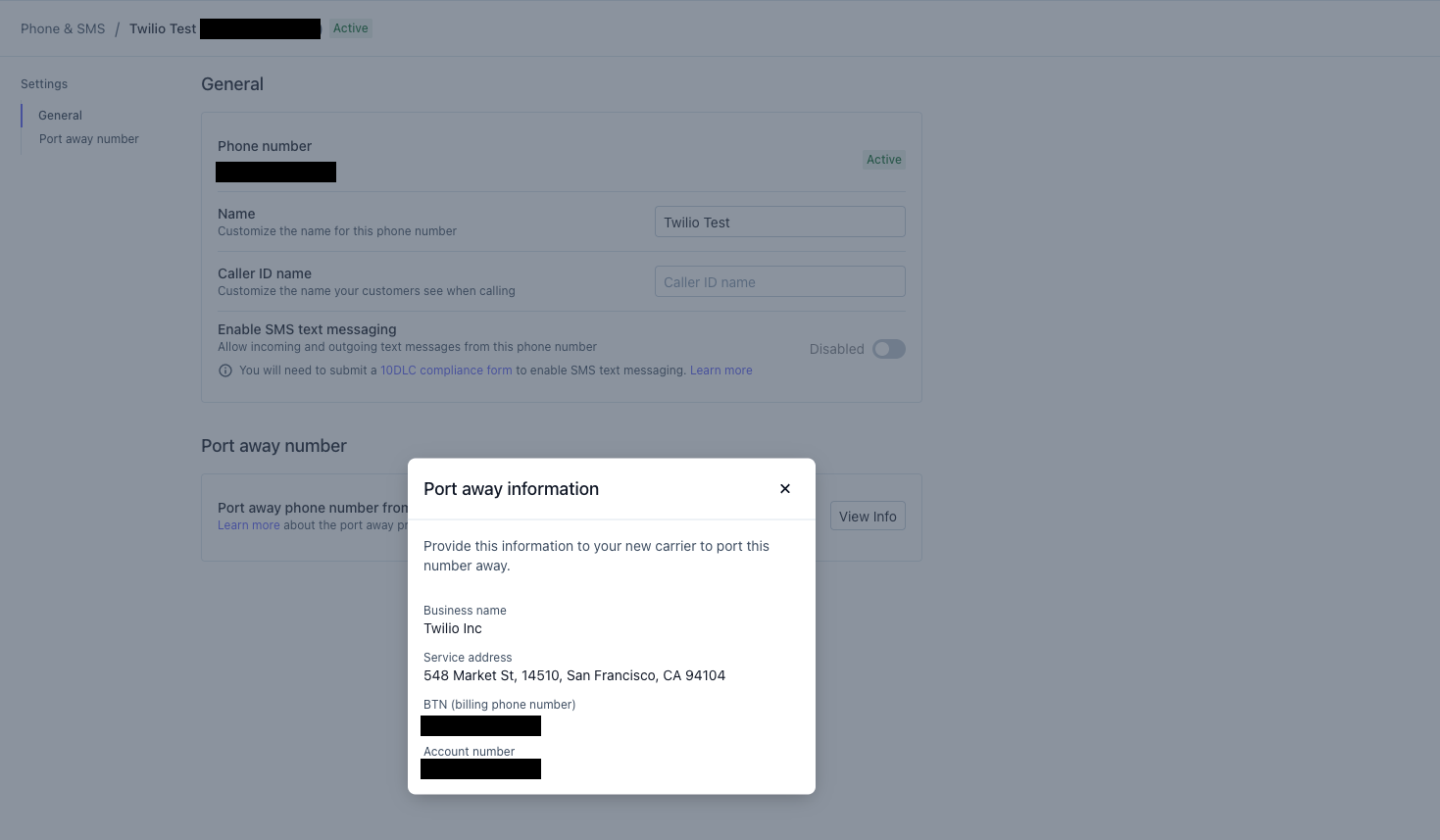
Q: What happens if I want to port my number away from Pylon?
A: You can access the information you need to give the carrier you are moving to on the Phone detail page.
Q: Do international numbers support SMS?
A: No, SMS requires a US number with 10DLC registration.