Are message drafts saved automatically in Pylon?
Last updated: October 8, 2026
Context
When writing messages in Pylon, users may need to temporarily save their work before sending, switch between issues, or handle connection interruptions. Understanding how message drafts are handled is important for maintaining productivity and preventing loss of work.
Drafts
Pylon automatically saves message drafts. Drafts are saved per user and are not visible to other team members. When you write a message but haven't sent it yet, the draft will be preserved in the following scenarios:
When navigating between different issues
If you need to temporarily leave a response
If your browser tab remains inactive for a period
During temporary connection interruptions
To use drafts effectively:
Type your message in the response field as normal
Your draft will automatically save as you type
When you return to the issue later, your draft will still be there
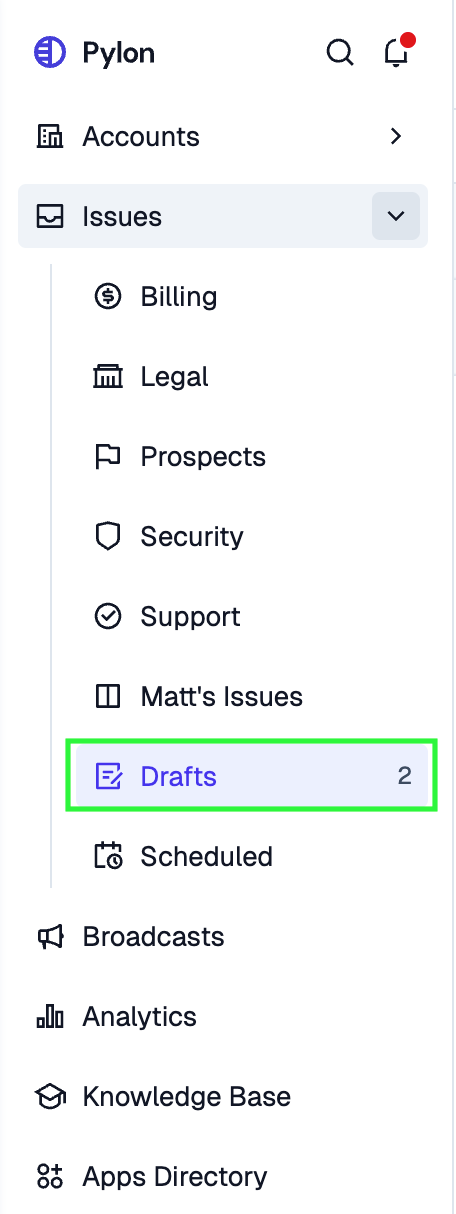
You can also navigate to the Drafts section at the bottom of the Issues view in the left side navigation bar to see all of your drafts.
Note: It's still recommended to periodically send important messages rather than leaving them as drafts for extended periods.