Guide to 10DLC Onboarding
Last updated: January 23, 2026
Overview
10DLC (10-Digit Long Code) is the industry standard for business SMS messaging in the US. It requires registering your business with The Campaign Registry (TCR) before sending messages. This ensures compliance with carrier requirements and provides better deliverability and throughput.
Onboarding Flow
┌─────────────────────┐

│  1. Brand           │  Register your business identity

└─────────┬───────────┘

          ▼

┌─────────────────────┐

│  1b. External       │  (Optional) Third-party vetting for higher throughput

│      Vetting        │

└─────────┬───────────┘

          ▼

┌─────────────────────┐

│  2. Campaign        │  Register your messaging use case

└─────────┬───────────┘

          ▼

┌─────────────────────┐

│  3. Messaging       │  Create a profile to configure messaging settings

│     Profile         │

└─────────┬───────────┘

          ▼

┌─────────────────────┐

│  4. Attach Numbers  │  Link phone numbers to your messaging profile

└─────────────────────┘
Step 1: Brand Registration
A 10DLC Brand represents your business identity in the TCR ecosystem.
Step 1c: External Vetting
External vetting is an optional step where a third-party vetting provider verifies your brand.
Why Get Vetted?
Higher message throughput limits
Improved trust score with carriers
Required for certain high-volume use cases
External vetting is performed by approved EVPs (External Vetting Providers) such as Campaign Verify (AEGIS). We always use Aegis.
### Vetting Output
Score - 0–100 rating of brand trustworthiness
Classification - Category (e.g.,
STANDARD,POLITICAL)Status
pending,completed, orfailed
Step 2: Campaign Registration
A 10DLC Campaign defines how you'll use SMS messaging. Each campaign is tied to an approved brand. This is where many Pylon customers may experience difficulty.
Use Cases
Campaigns must declare their messaging purpose:
- CUSTOMER_CARE — Support and service messages
- MARKETING — Promotional content
- MIXED — Combination of use cases
- Other specialized use cases available
Required Information
We are required to provide these details:
Messaging Details
Description — What the campaign is for
Message flow — How customers opt in and receive messages
Sample messages — 2–5 examples of messages you'll send
Compliance Messages
Help message — Response when customer texts HELP
Opt-in message — Confirmation when subscribing
Opt-out message — Confirmation when unsubscribing
We want to get into MNO_ACCEPTED.
States | Meaning |
| Submitted to The Campaign Registry |
| Approved by TCR |
| Approved by mobile network operators |
| Carrier-level failure |
Step 3: Messaging Profile
A Messaging Profile is the configuration layer that controls how messages are sent.
What It Does
Links your approved campaign to your carrier account (Telnyx)
Configures delivery settings and webhooks
Manages throughput and rate limiting
The messaging profile is created automatically in Telnyx and associated with your campaign.
Step 4: Attach Phone Numbers
The final step connects your phone numbers to the messaging profile.
What Happens
1. Phone numbers are assigned to the messaging profile
2. Numbers inherit the campaign's compliance settings
3. Throughput limits from the campaign/brand apply
4. You're ready to send 10DLC-compliant SMS messages
Completion
Once numbers are attached, the onboarding status becomes complete and you can begin messaging.
Debugging Telnyx Issues
It's best to log into Telnyx because they surface more information than we do in Pylon.
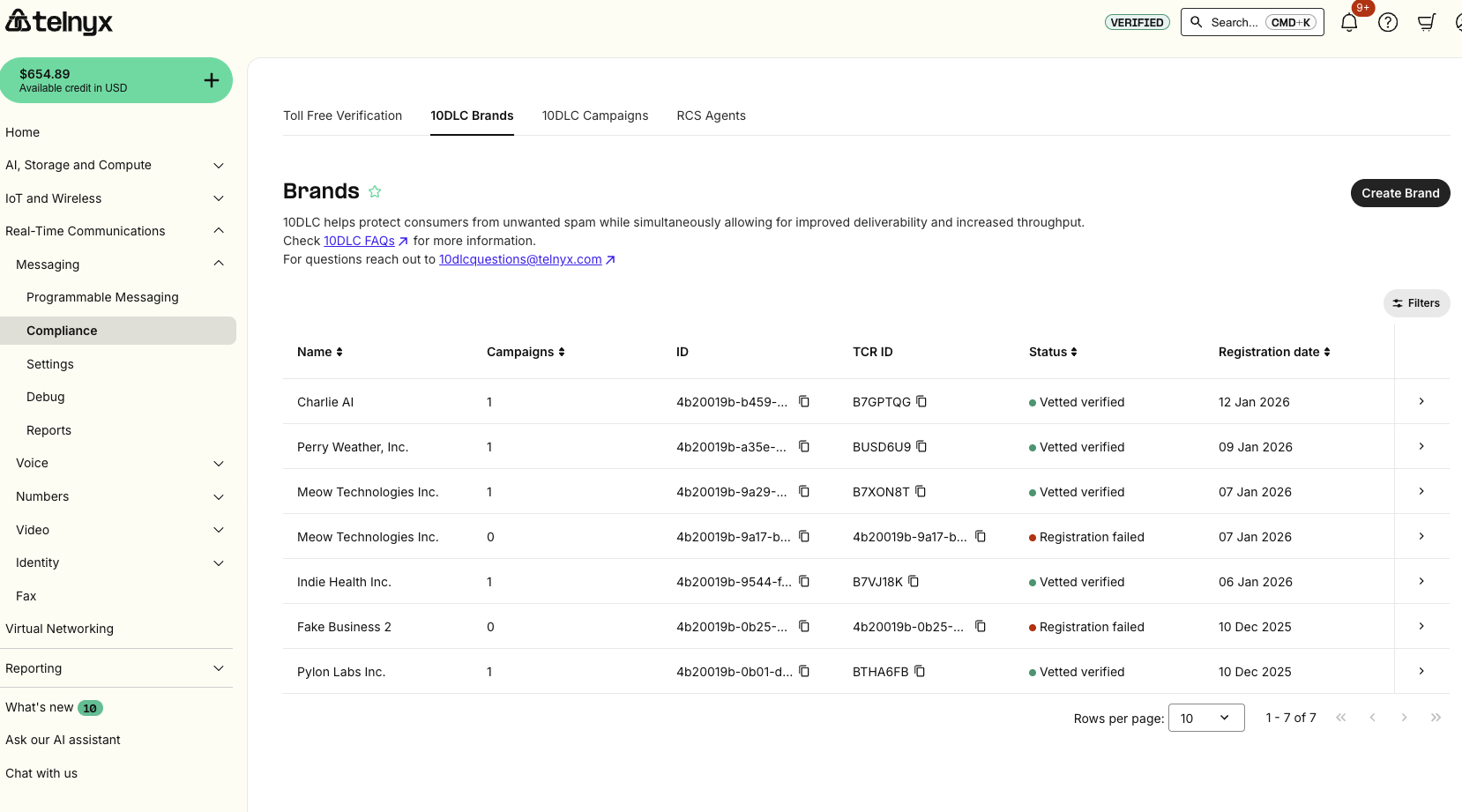
Below is a list of common failure modes and how to address them.
Failure Mode 1: Campaign failure
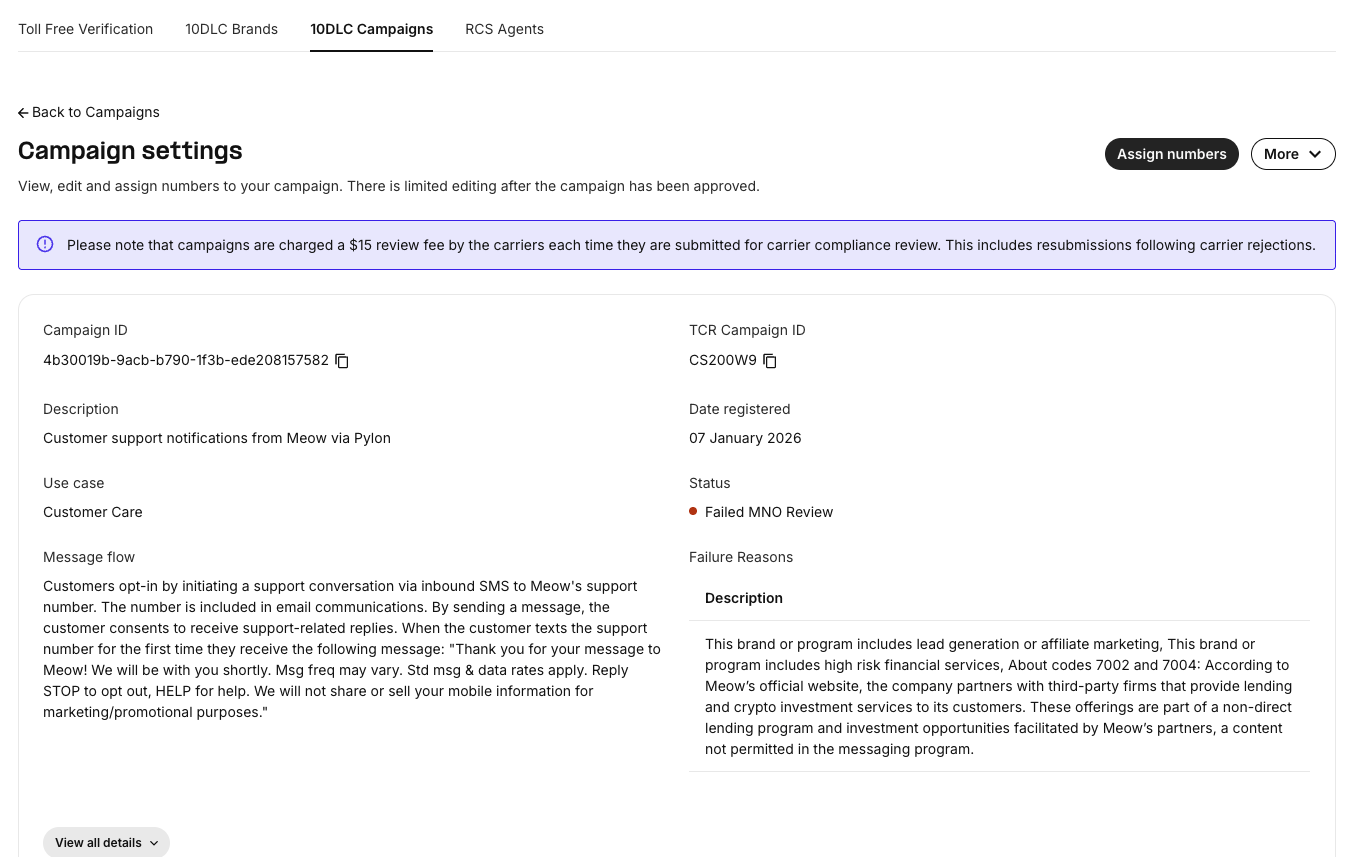
Pylon customers can fail to pass the carrier check, depending on what type of business they run. Below is an example of a customer failing the campaign check due to advertising crypto and lending services on their marketing site.
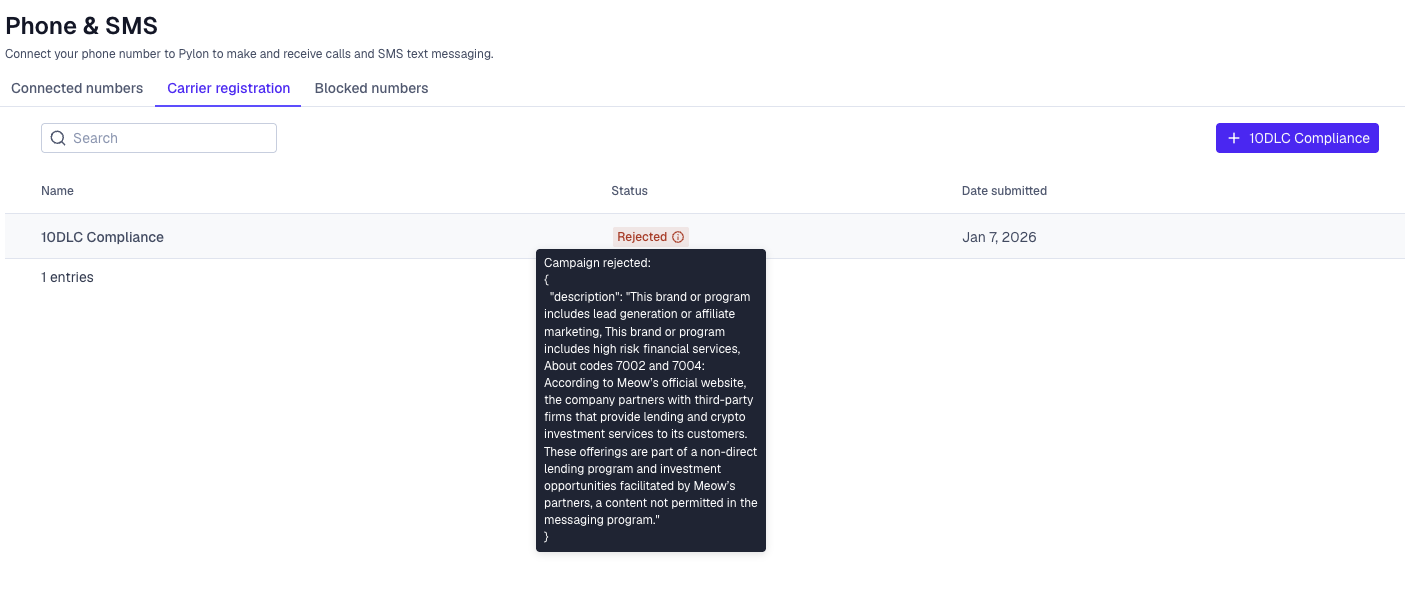
We also surface these errors in the Pylon UI:
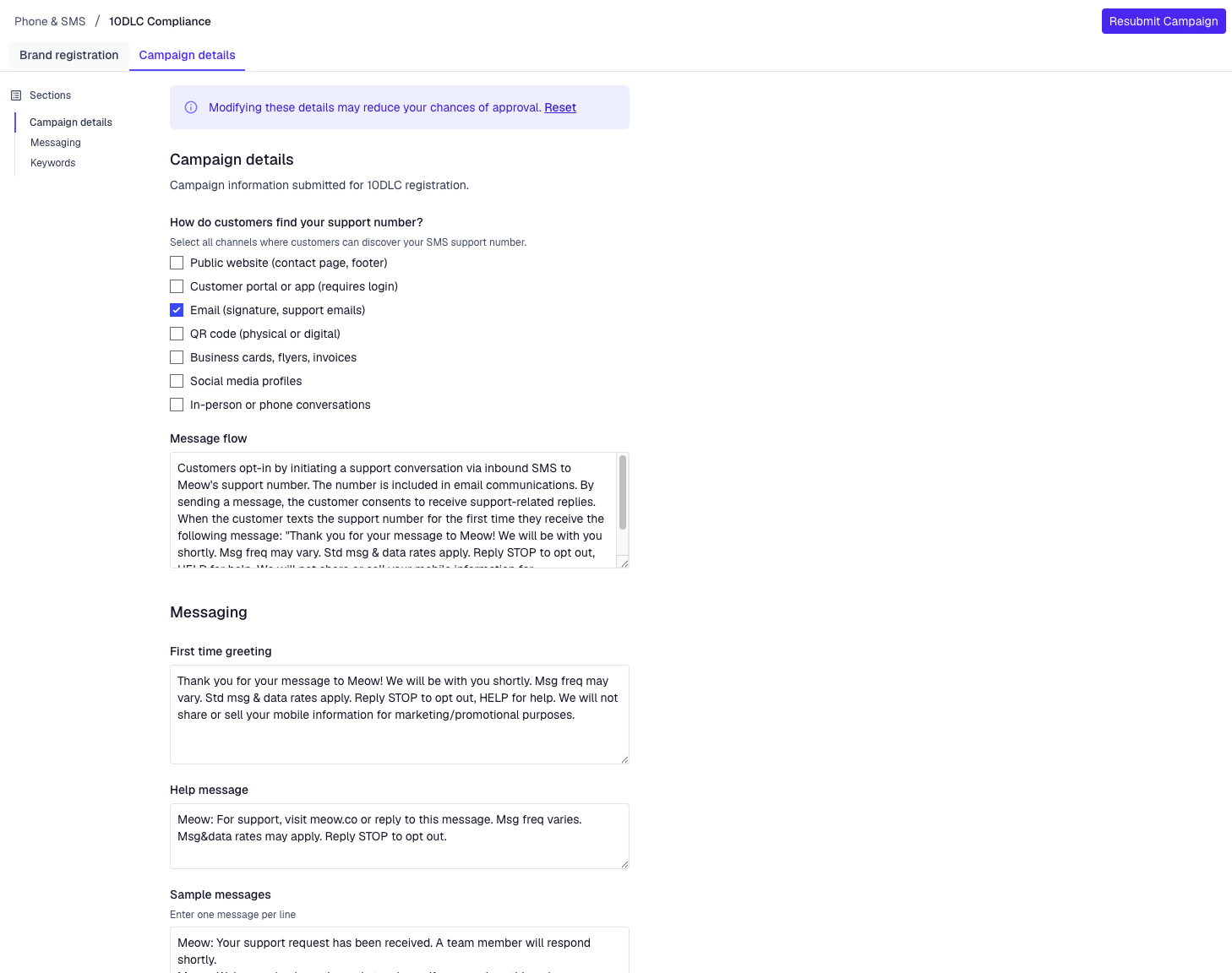
Action: Go to Pylon 10DLC compliance page, and you can update your campaign details and adjust it based off of the feedback received. Then click "Resubmit Campaign".
Note, every time we resubmit we pay $40 to Telnyx, so it's a costly operation.