How to connect a custom MCP connector?
Last updated: November 2, 2026
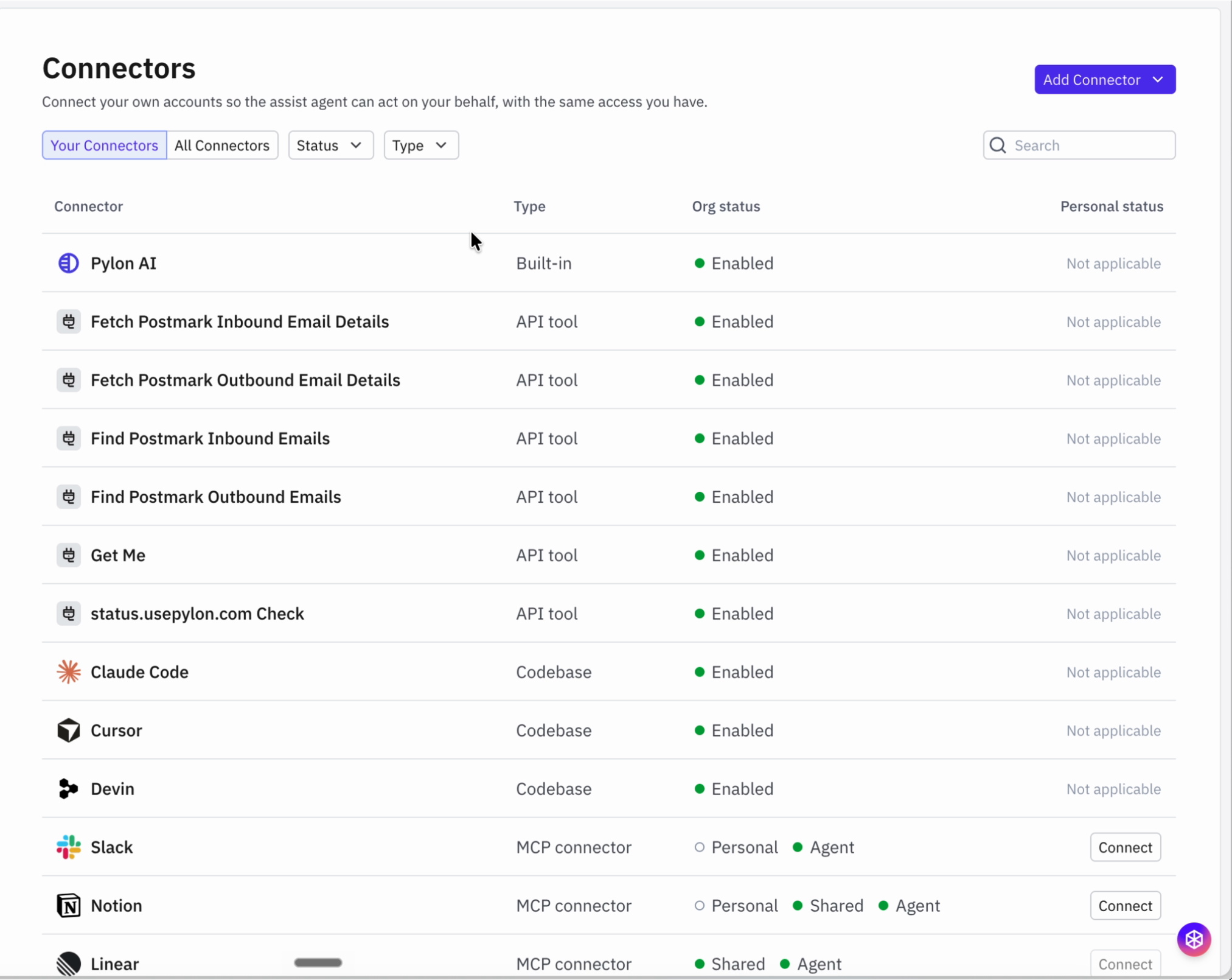
MCP connectors give Pylon's AI agents access to external tools so they can search, retrieve information, and take action outside of Pylon. Once an admin adds a connector, each teammate can connect their own account and choose how the agent uses its tools.
Who can set up a custom MCP?
Only admins can add new connectors, from Settings > AI controls > Connectors using Add Connector. For the admin setup steps, see How do I connect a custom MCP to Pylon?
Every teammate, admin or not, uses the same Connectors page to connect their personal account.
Connect your account
Find the connector under Your Connectors. The Personal status column shows whether you have connected yet. If the connector isn't listed, ask an admin to add it.
Click Connect on the connector's row, or open the connector and click Connect on the Your connection tab.
Complete the sign-in flow for the external tool.
Under Tool permissions on the Your connection tab, choose how the agent can use each group of tools: Always allow, Needs approval, or Blocked.
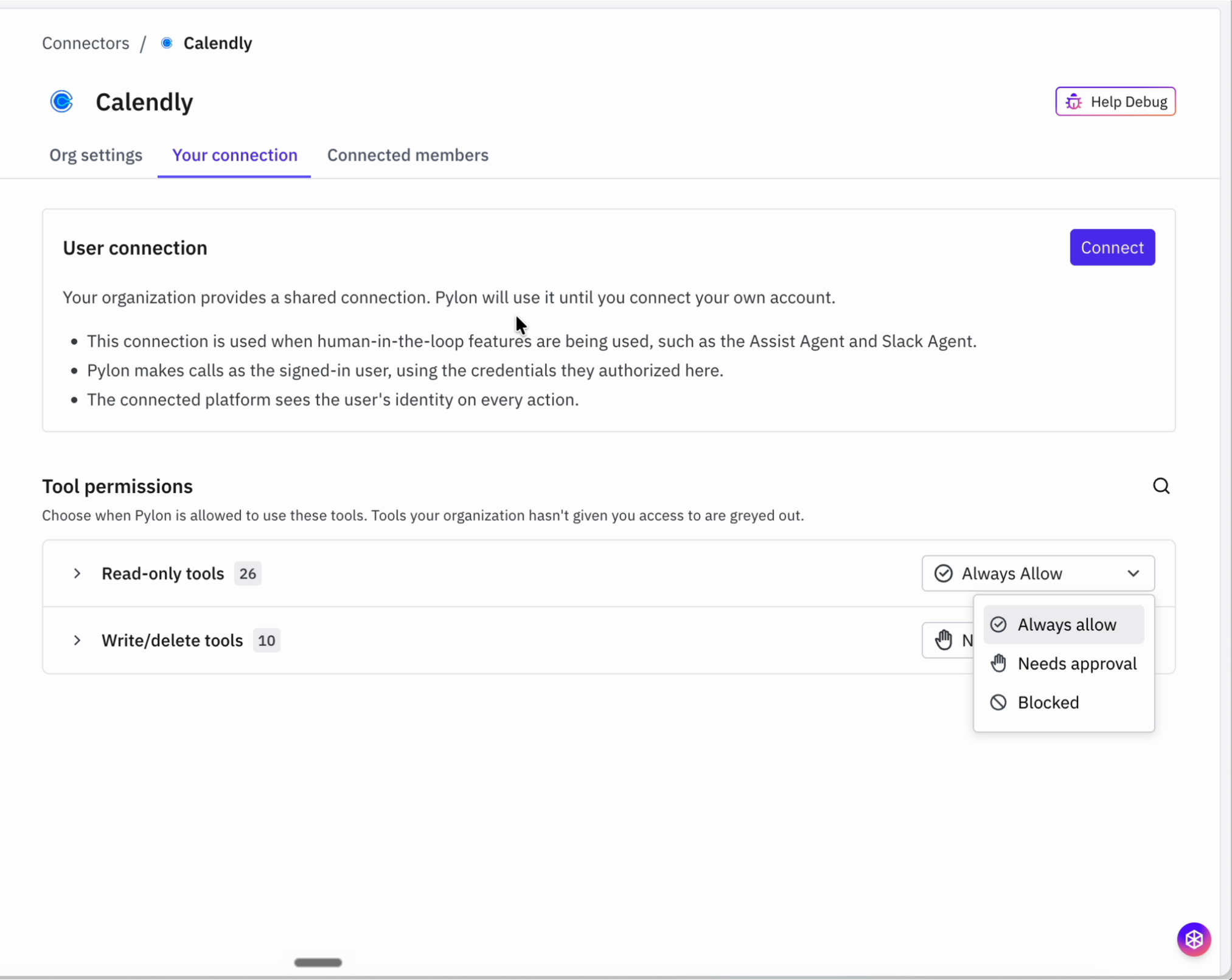
Note: Tools your organization hasn't given you access to are greyed out. Your choices can make a tool more restricted for you, but never less restricted than your org allows.
How connections are used
Personal - For human-in-the-loop work like the Assist agent in Pylon or in Slack, Pylon makes calls as you, using the credentials you authorized. The connected platform sees your identity on every action.
Shared - If your admin has set up a shared org connection, Pylon uses it until you connect your own account.
Agent - Support agents and Automations run autonomously, so they use a separate agent connection set up by an admin. See 📄 How does secure delegated authentication for Agents work?
Once connected, you can use MCP-backed tools in skills or ask the Assist agent to use them directly. For example:
"Find any related Linear issues"
"Check if there is a product spec in Notion related to this"
If a tool is set to Needs approval, the Assist agent asks for your permission before it runs that tool.
What if a tool you use does not have an MCP?
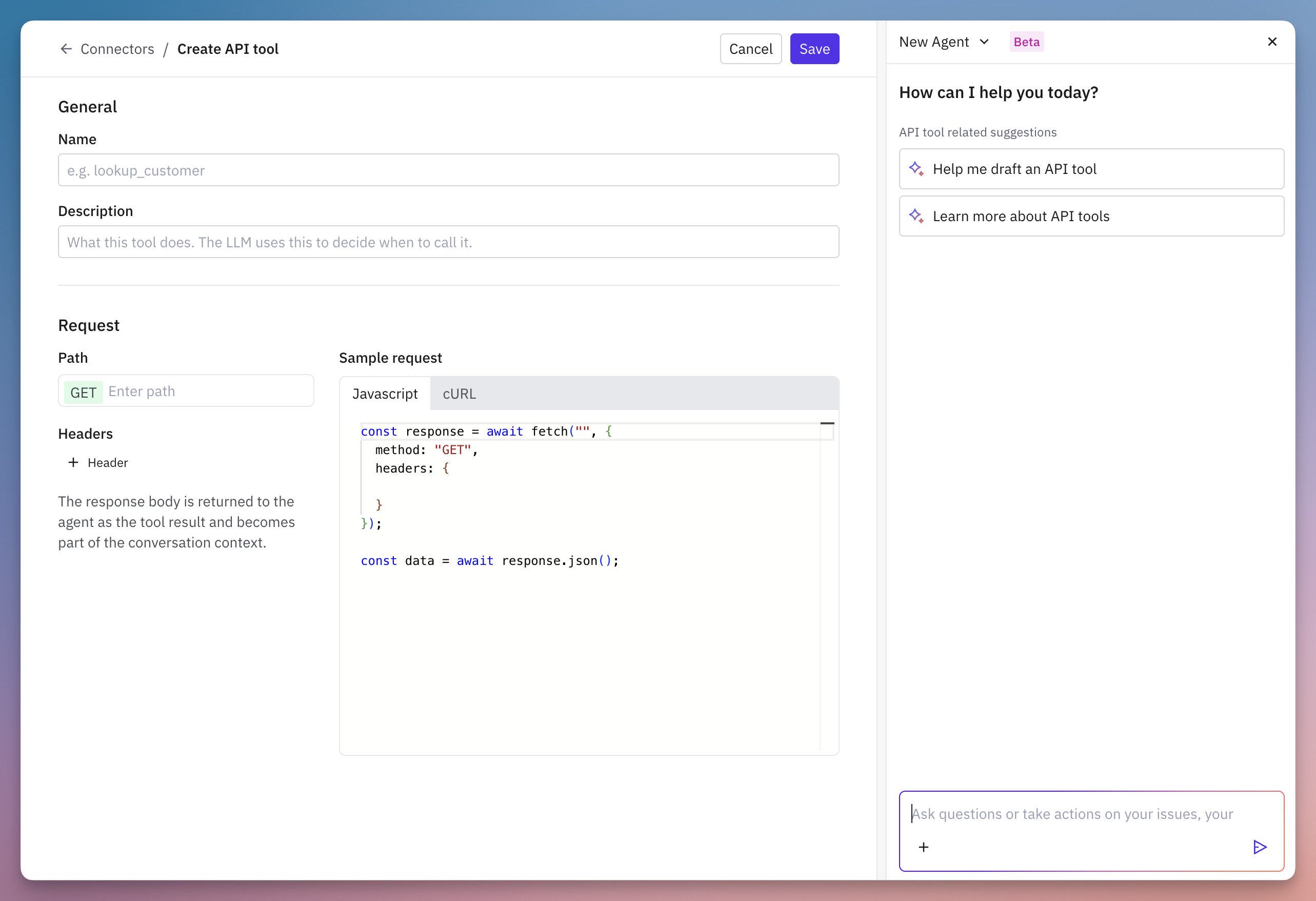
Some tools or internal resources, like admin APIs, do not have MCPs. An admin can still connect that action to Pylon as a Custom API tool, from Add Connector or All Connectors > API tools > Add API tool.
Custom API tools let you define API calls that agents can invoke directly. The API response is returned to the agent as part of the conversation context, and agents can use these tools in the same ways they use MCP connections.
Frequently Asked Questions
I'm not an admin. Can I still connect my account?
Yes. Any teammate can open Settings > AI controls > Connectors and connect their personal account to a connector an admin has added.
Why can't I find the Connect button?
The connector may not have the Personal connection type turned on, or it may only offer a shared or agent connection. Ask an admin to check the connector's Org settings.