Connecting Microsoft Teams with a service account
Last updated: April 10, 2026
Note: this integration flow is currently required to work around recent Microsoft bot permissions changes for Shared and Private channels. If your organization only uses Standard channels, this is not required.
On the Teams tile in the Apps Directory, you will see a new section at the top of the page which is currently required for sending messages to Shared channels in Teams. Reach out to the Pylon support team if you do not see these settings available.
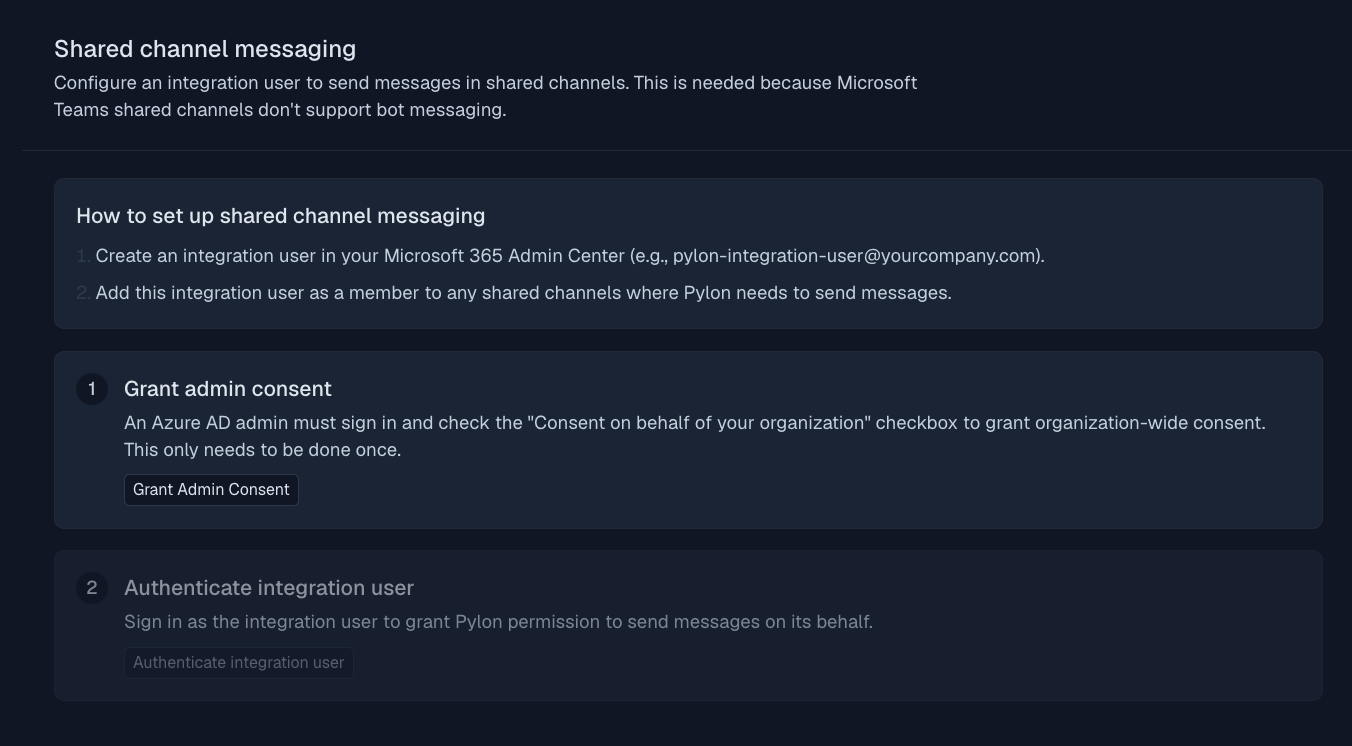
Click 'Grant admin consent' which will take you to the Microsoft auth flow
Select an Azure AD admin account to establish the connection > check the 'Consent on behalf of your organization' checkbox and accept when prompted
Once admin consent is granted, you'll be taken back to the Pylon Teams app page
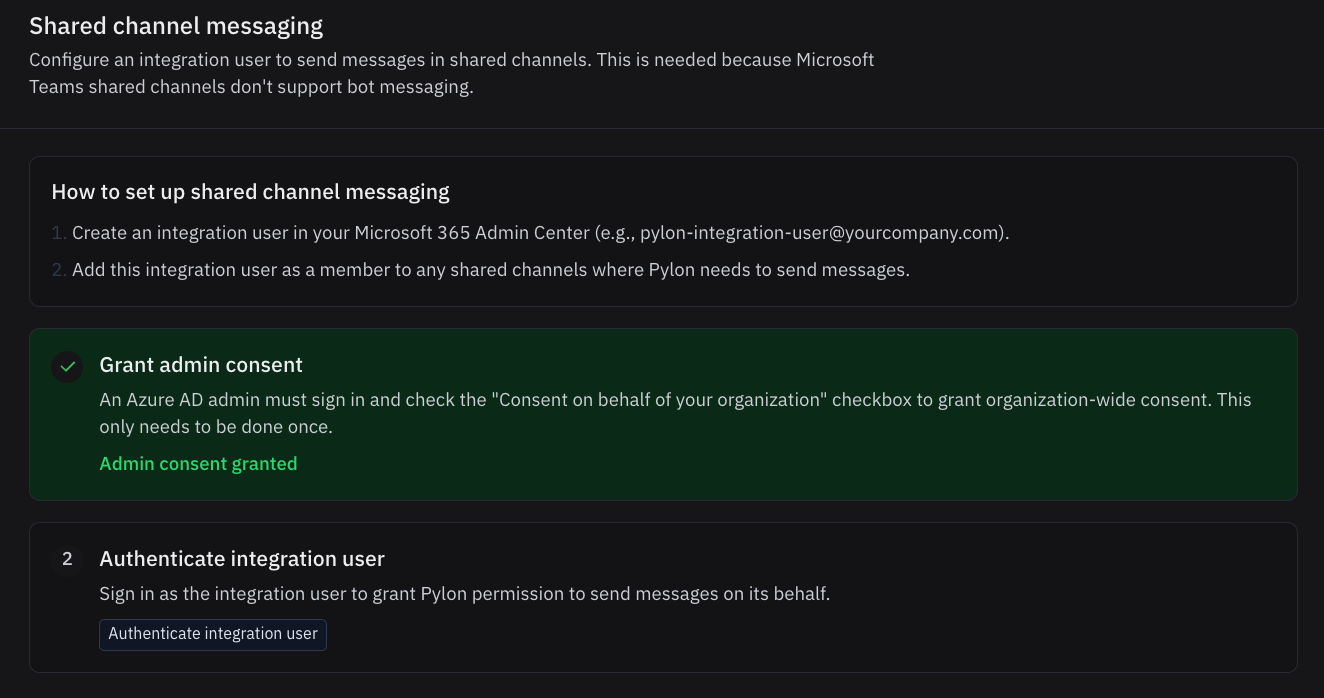
Click 'Authenticate integration user' which will again take you to the Microsoft auth flow.
Note: the user you use for this step is the user that will need to be added to each of your Shared channels. This user must also have a paid license of Microsoft Essentials ($4/month) or higher. This user can also be changed later by disconnecting and reconnecting accounts from the Teams integration page in Pylon.
If you purchase or assign a license after the integration user is connected, you may need to disconnect and reconnect the integration user's account within Pylon to pick up the license.
Select your service account user and finish the authentication flow.
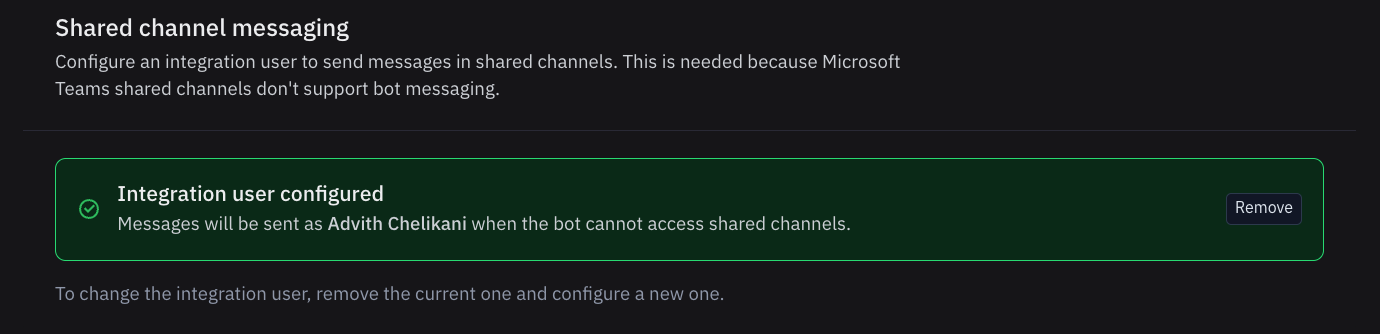
Ensure the user from step #5 is in your connected Shared channels. Messages will post as being from that user but will display the name of the Pylon user that sent the message on the Adaptive Card in Teams.
Note: Due to Microsoft limitations, messages sent from Pylon or Slack to Teams Shared channels using this service account flow appear as rendered images (Adaptive Cards) from the service account rather than as text from individual users. This affects replies to threads in Pylon that are sent back to shared Teams channels and messages sent from Slack to shared Teams channels.