Route redirects when migrating your Knowledge Base
Last updated: August 8, 2025
When migrating your knowledge base to Pylon, you don't need to update all existing links across your ecosystem. Route redirects automatically handle URL changes, preserving your existing link structure while seamlessly directing users to the new locations.
What is a route redirect?
A route redirect automatically sends users from an old URL to a new URL when the content has moved to a different path.
How Route Redirects Work
Route redirects are automatically created during most knowledge base migrations, this includes:
Cross-links within your knowledge base
External links pointing to your KB articles
Links embedded in your codebase or documentation
Bookmarked URLs from customers
No manual setup required in standard migration scenarios
What to pay attention to
Route redirects only function when:
Same domain: The base domain remains unchanged
Path changes only: Only the URL path/slug is different
Custom domain configured: Your domain (e.g.,
support.yourcompany.com) must be added to your Pylon KB.
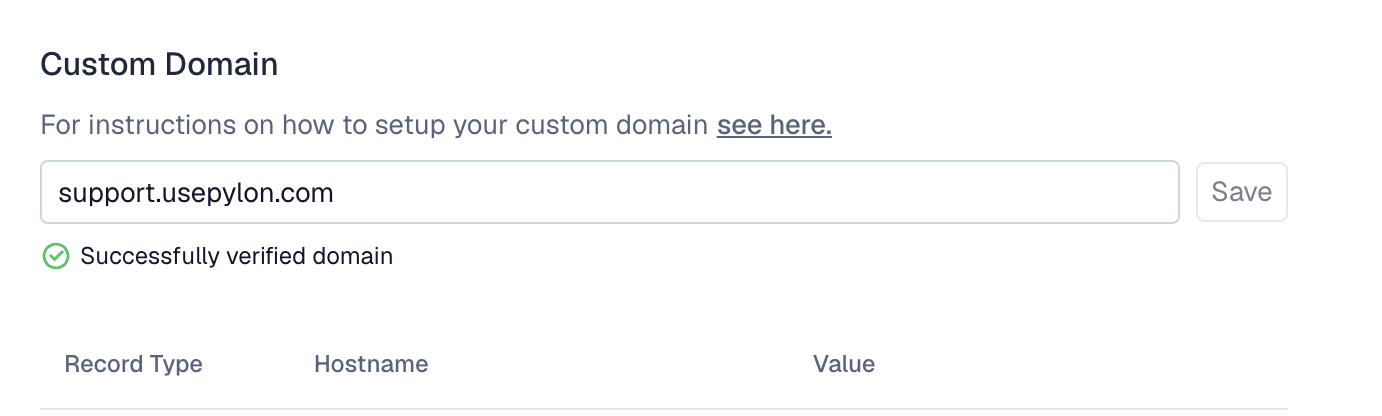
Example of what will work:
Old URL:
support.yourcompany.com/kb-article/34235/how-do-I-sign-up
New URL:
support.yourcompany.com/kb/5324/signup-process
Route redirects automatically handle this transition, ensuring users accessing the old URL are seamlessly redirected to the new location. Remember to add the custom domain in the KB settings in Pylon to enable the redirects.
Example of what won't work:
Old:
oldsite.com/article/123New:
newsite.com/kb/456
This requires a domain-level redirect, which must be handled at the DNS or server level, not through Pylon's route redirect system.