What are Skills?
Last updated: October 8, 2026
Skills are repeatable workflows that let you codify how a specific type of task should be handled. Think of a skill like a playbook: a set of steps and instructions that an agent follows when it encounters a matching situation. Skills help you get consistent, repeatable behavior across workflows in the product.
How to create a skill
The most natural way to create a skill is by using the Assist Agent. As you go back and forth with the Assist Agent on a particular type of issue, you'll develop a sequence of steps that works well — investigating in a certain way, checking specific tools, formatting replies in a specific style. Once you've landed on a workflow that works, you can ask the Assist Agent to "turn this into a skill" and it will capture the steps into a reusable skill.
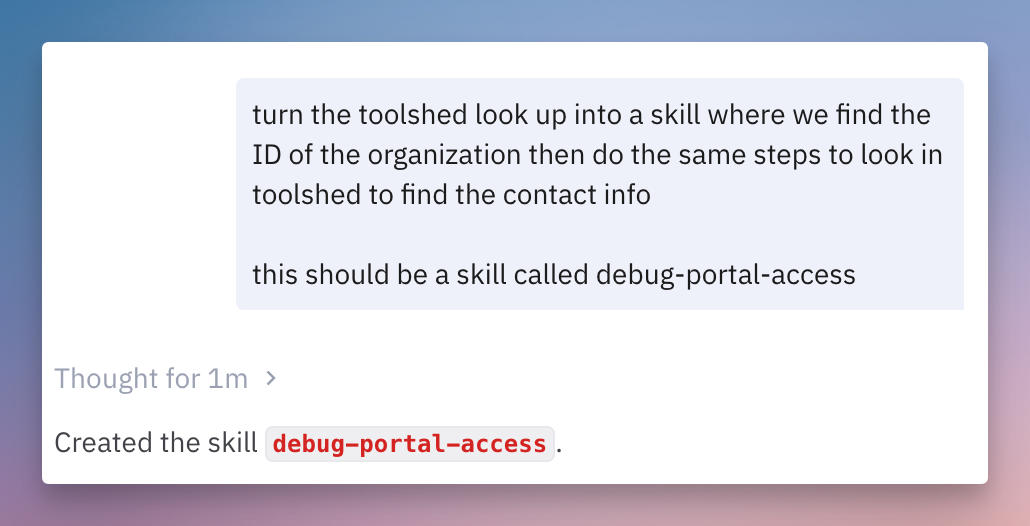
You can talk with the agent on the Skills page to directly make a skill.
We recommend not trying to handwrite skills directly, but instead going back and forth with an Agent to create a skill.
Importing skills
If you already use skills in tools like Claude Code, Cursor, or other AI tools, you can import them directly into Pylon. Skills are markdown files, so you can always upload your existing .md files on the Skills page and they'll be available to all your Pylon agents.
How to use skills
Once created, skills can be used across all of Pylon's agents:
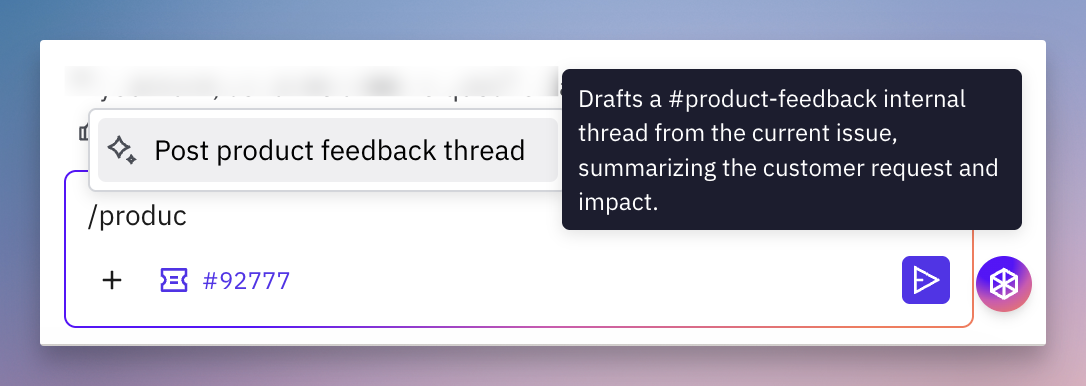
Assist Agent — invoke a skill on-demand by typing
/followed by the skill name, or just ask the Assist Agent to run it.📄 Automations - run a skill automatically when something happens in Pylon. For example, an automation that runs the
investigateskill on every new issue means each issue is pre-investigated before your team arrives.
Agents can also invoke skills automatically when they detect a matching scenario — no manual trigger needed. Within each agent you can control what skills are available.
Examples
Here are some common types of skills teams create:
Investigation workflows — check specific data sources, logs, or codebase locations for a type of issue
Escalation procedures — follow a specific process when escalating to engineering or another team
Triage workflows — classify and route issues based on specific criteria