How do I change the Pylon app logo in Slack?
Last updated: July 23, 2025
When we provision your org, we set the logo based on your slack workspace. This is the logo that will show up in some of the ticketing workflows, broadcasts, etc. where you're not explicitly sending as a person.
Here's an example of where you'd see your logo:
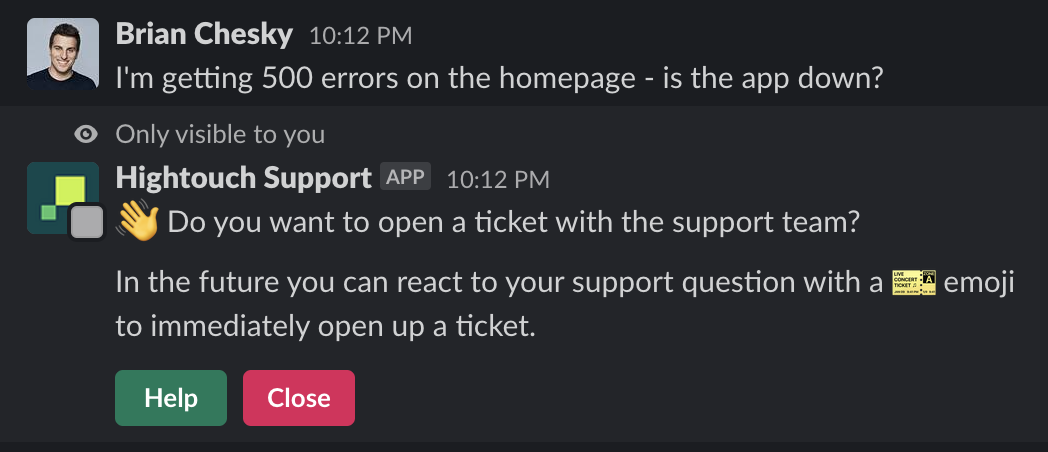
If you'd like to change it from what we've set, head over to the Workspace settings and set it there https://app.usepylon.com/settings/brand-center
Where Pylon's logo still shows
There are a couple places we can't remove Pylon's logo due to a Slack limitation.
When you first add Pylon into the channel, Slack doesn't allow us to change the app logo to your logo.

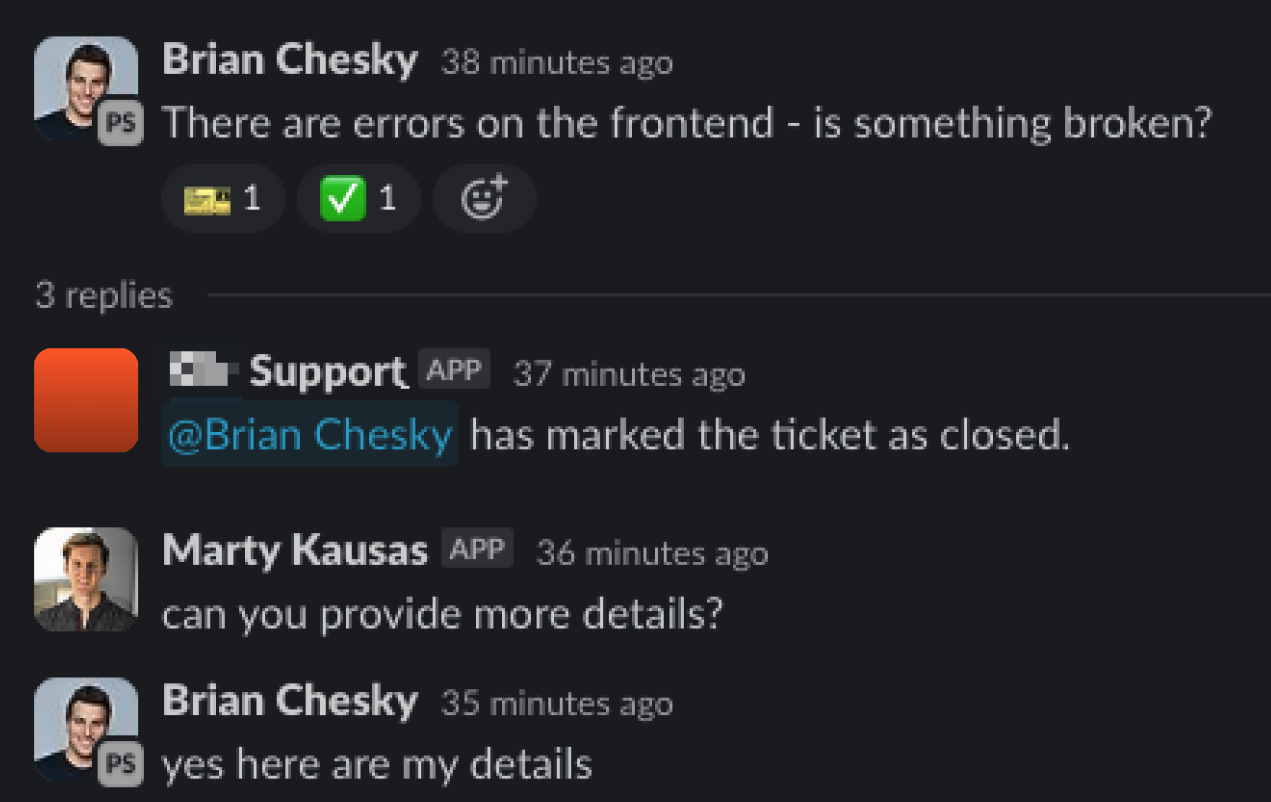
The list of icons in the thread of reply preview.

Rest assured, when you open the thread it will be the correct face/logo. Note how Marty responded from Pylon and his avatar picture displays correctly.
When @ tagging the Pylon bot in Slack
We suspect they prevent bot apps from changing the logo in these places to prevent malicious apps from fully impersonating other apps or people.