How do webhook triggered background agents work?
Last updated: July 13, 2026
Use webhook-triggered background agents when you want an external system to kick off a Pylon background agent by sending a JSON payload to Pylon.
For example, you can send GitHub webhooks to Pylon and launch a background agent that updates your KB articles based on the code change or you can send webhooks from your app when a customer performs a specific action to do customized outreach.
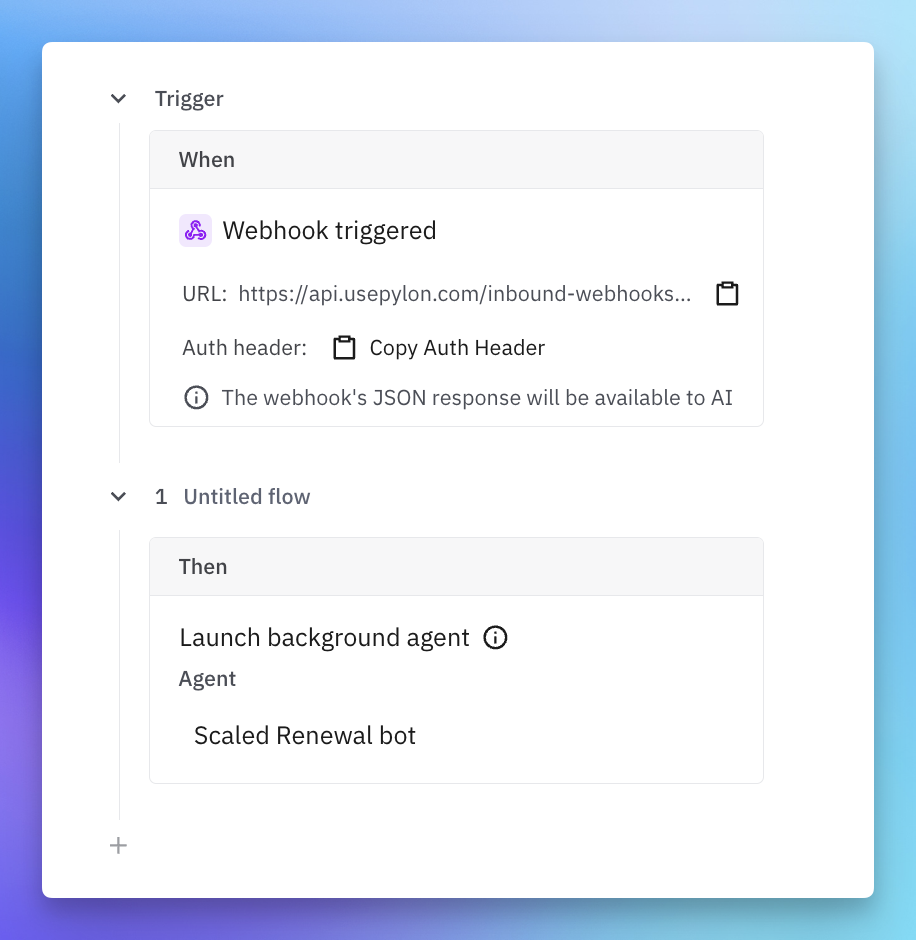
Endpoint
Send requests to the inbound webhook URL:
POST https://<api-host>/inbound-webhooks/<webhook-id>Authentication
Authenticate with a bearer token in the Authorization header:
Authorization: Bearer <token>Accepted HTTP methods
Only POST is accepted.
Request body
The request body must be valid JSON. Pylon does not require a specific schema: the body is accepted as raw JSON and passed through to the trigger and background agent.
{
  "event": "customer.alert.created",
  "customer": {
    "name": "Acme",
    "external_id": "cus_123"
  },
  "alert": {
    "severity": "high",
    "summary": "API error rate exceeded threshold"
  }
}
Important constraints:
The body must be valid JSON.
The maximum request body size is 1 MB.
Example request to test
curl -X POST "https://<api-host>/inbound-webhooks/<webhook-id>" \
  -H "Authorization: Bearer <token>" \
  -H "Content-Type: application/json" \
  -d '{
    "event": "customer.alert.created",
    "account_external_id": "cus_123",
    "severity": "high",
    "message": "API error rate exceeded threshold"
  }'
What the background agent sees
The background agent receives the webhook payload as structured context, similar to:
{
  "page": "inbound_webhook",
  "inboundWebhookID": "<webhook-id>",
  "payload": {
    "event": "customer.alert.created",
    "account_external_id": "cus_123",
    "severity": "high",
    "message": "API error rate exceeded threshold"
  }
}
Because the payload is passed through without schema validation, design the agent instructions to read the fields your integration sends. For example, if your payload includes account_external_id, severity, and message, the agent should be instructed how to use those fields.