Migrating your Zendesk Automations
Last updated: June 5, 2025
Zendesk Automations run at a recurring cadence instead of kicked off immediately by an event like with Triggers.
Use cases include:
Internally escalating a ticket after a period of time before it breaches SLA
Auto-bumping a customer after a day
Auto-closing a ticket after a week
Why Zendesk Automations are confusing
This is bad for a couple reasons:
They check once an hour and it's unclear when in the hour. If you need precision when the automation runs, you're out of luck.
You can't do relative times from any event. Something like "30min after this field was changed" is not possible.
They're hard to debug and very complex since a change of state to a ticket is disjoint from the automation that's detecting that state hours later.
How Pylon does it better
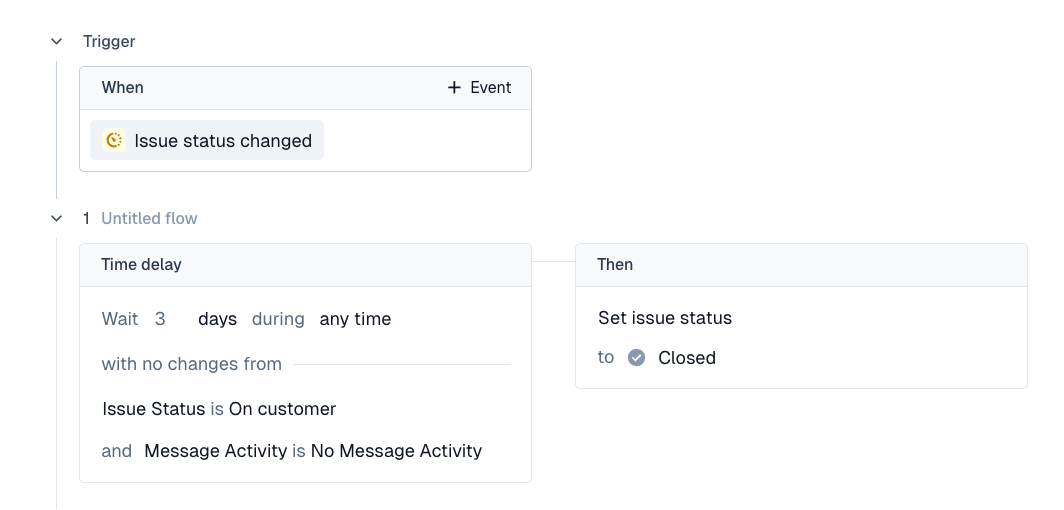
In Pylon, we fix this since these use cases are done on a time delay system. When an event happens, we allow you to wait a certain amount of time and then check if certain conditions are still true, then execute some actions.
You know exactly when it's going to run down to the second.
You can kickoff a time delay off of any event. Issue closed, assigned to team, emoji reacted, account added etc. Pretty much anything.
Since the kickoff and actions are adjacent, the audit logs are in one spot and easy to interpret and debug.
Here's what an example auto-closing a ticket after 3 days would look like:
Migrate your Automations
With this in mind, you'll want to start thinking of automations in terms of what kicks off an automation.
If it's a friendly bump to the customer, that's off of the moment the status changes to "On Customer". If it's a nudge to your team to handle a high priority ticket then it's the moment the ticket is marked as high priority.
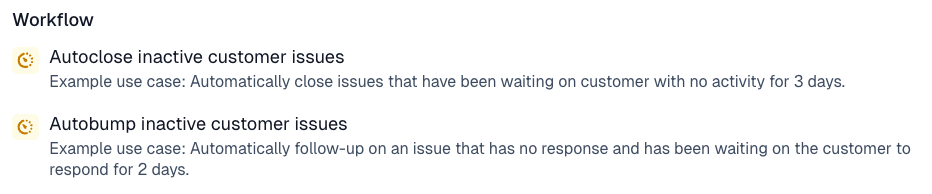
We have some helpful recipes on the triggers page under "Workflow" here. Feel free to use those as a base to start from and edit them to your use case.