Can I link an internal channel with Pylon?
Last updated: August 22, 2025
Yes - you can link a channel with Pylon for requests to be tracked where folks in your company are asking questions on behalf of customers.
Setup
Create a Team in Pylon of all the team members who will be answering questions in this channel. Their messages will not be turned into tickets.
Go to the Accounts Page and click Add Account.
Choose the Slack Channels method, search for your internal channel, and click "+ Add Account" to add it to the table. Make sure you manually change it to the "Internal" Account type as shown in the screenshot below.
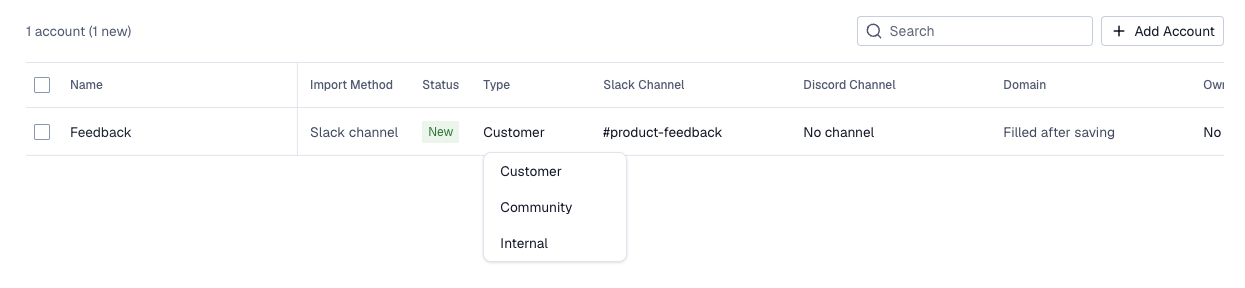
After you've added it to the table, select type
Internaland select the team you created in the previous step in theOwnerfield.
If the internal channel is private, first invite Pylon to the channel directly in Slack and then perform step 3.
Usage
Questions from other stakeholders in this channel that are not on the team from Step 1 above will automatically turn into tickets in Pylon. That can be responded to and managed as normal.