Troubleshooting your AI Agents
Last updated: August 20, 2025
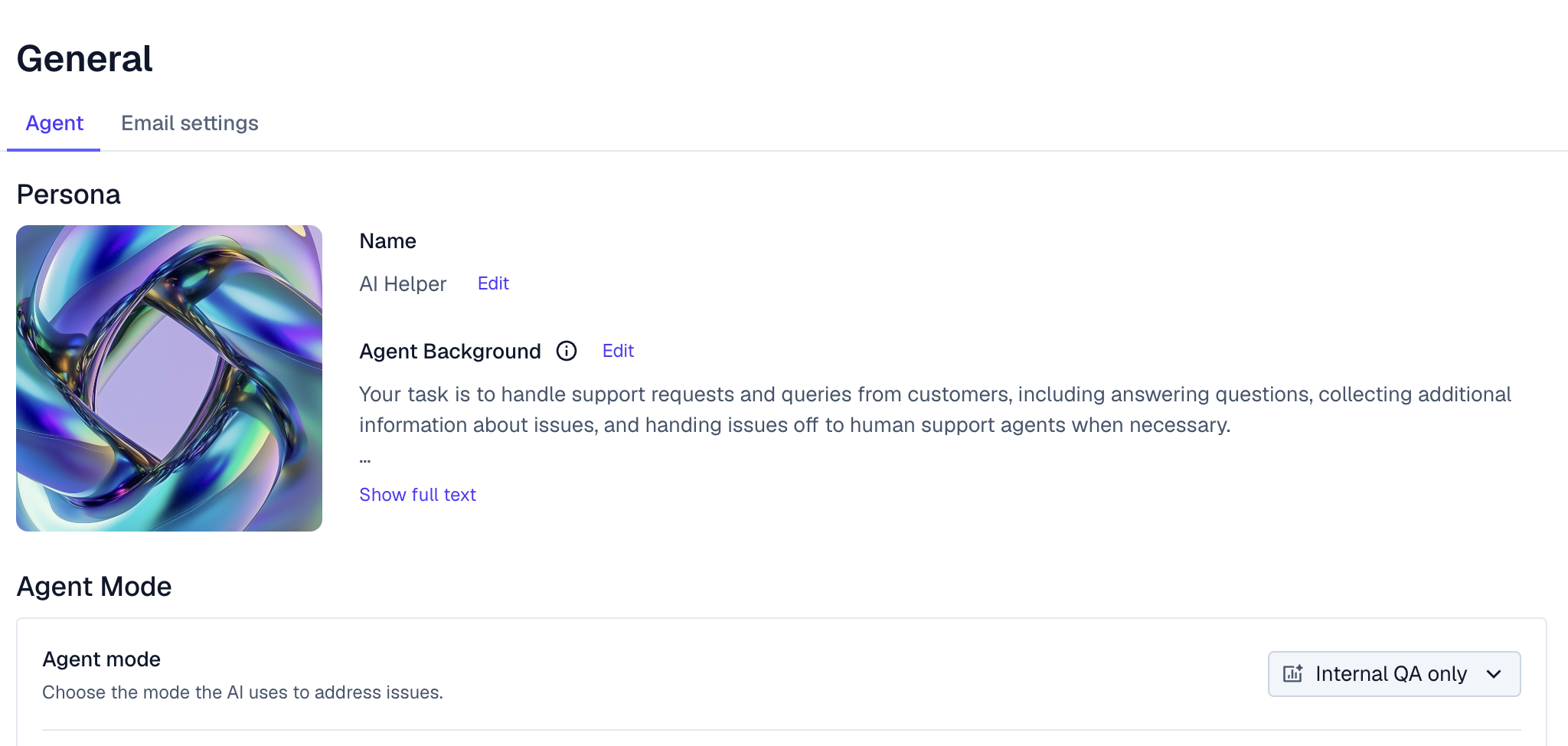
Internal QA
In Internal QA mode, the Agent will leave an internal note on Issues with what it would have responded to the user (if it found an answer). This allows you to safely evaluate the performance of the Agent, without impacting your end users.
Issue Log
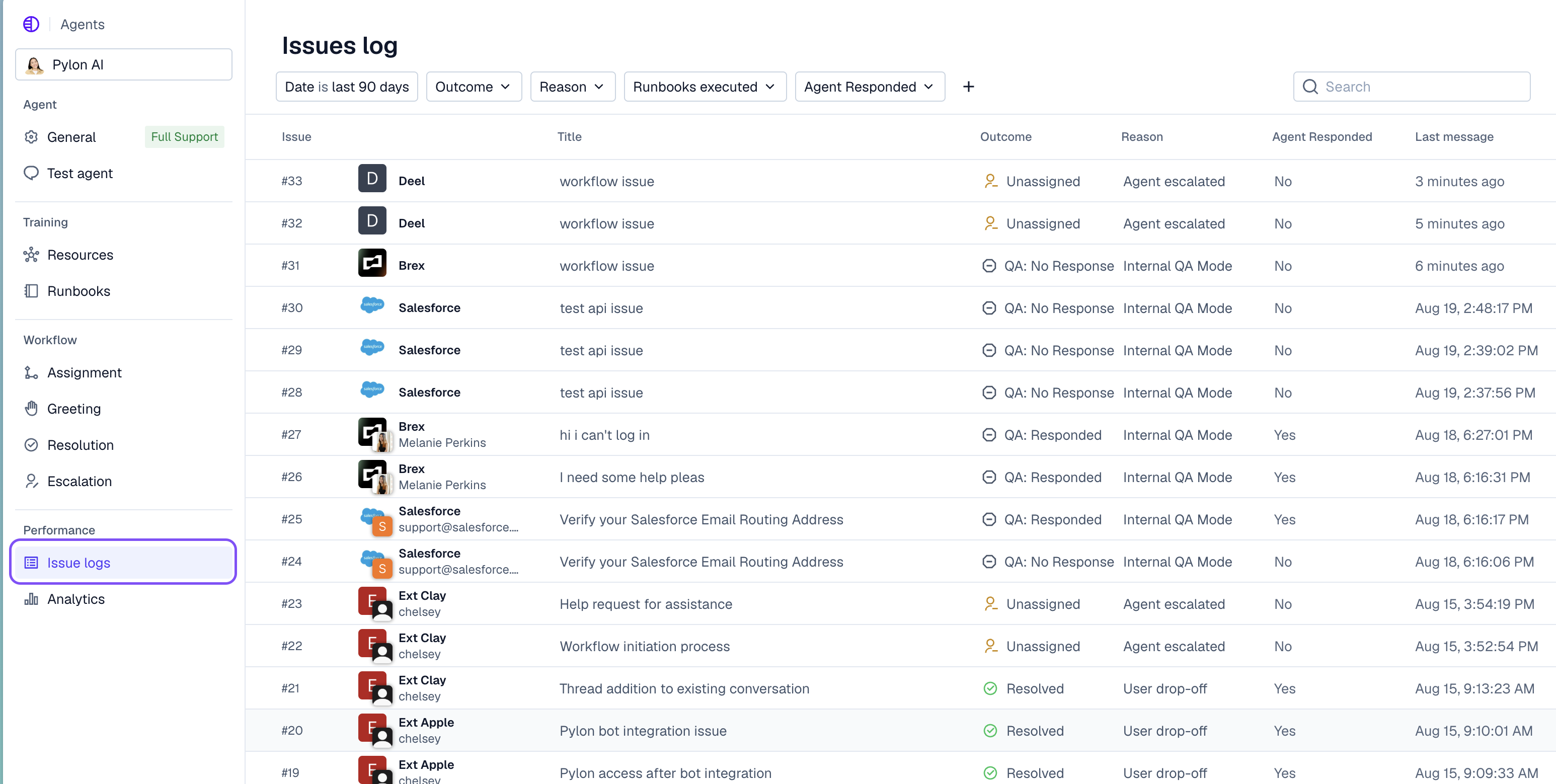
The Issue Log allows you to view all issues that the Agent was assigned evaluate things like Outcome (whether the Agent reassigned the issue or escalated), Reason (why the the outcome occurred), and whether the Agent Responded at all.
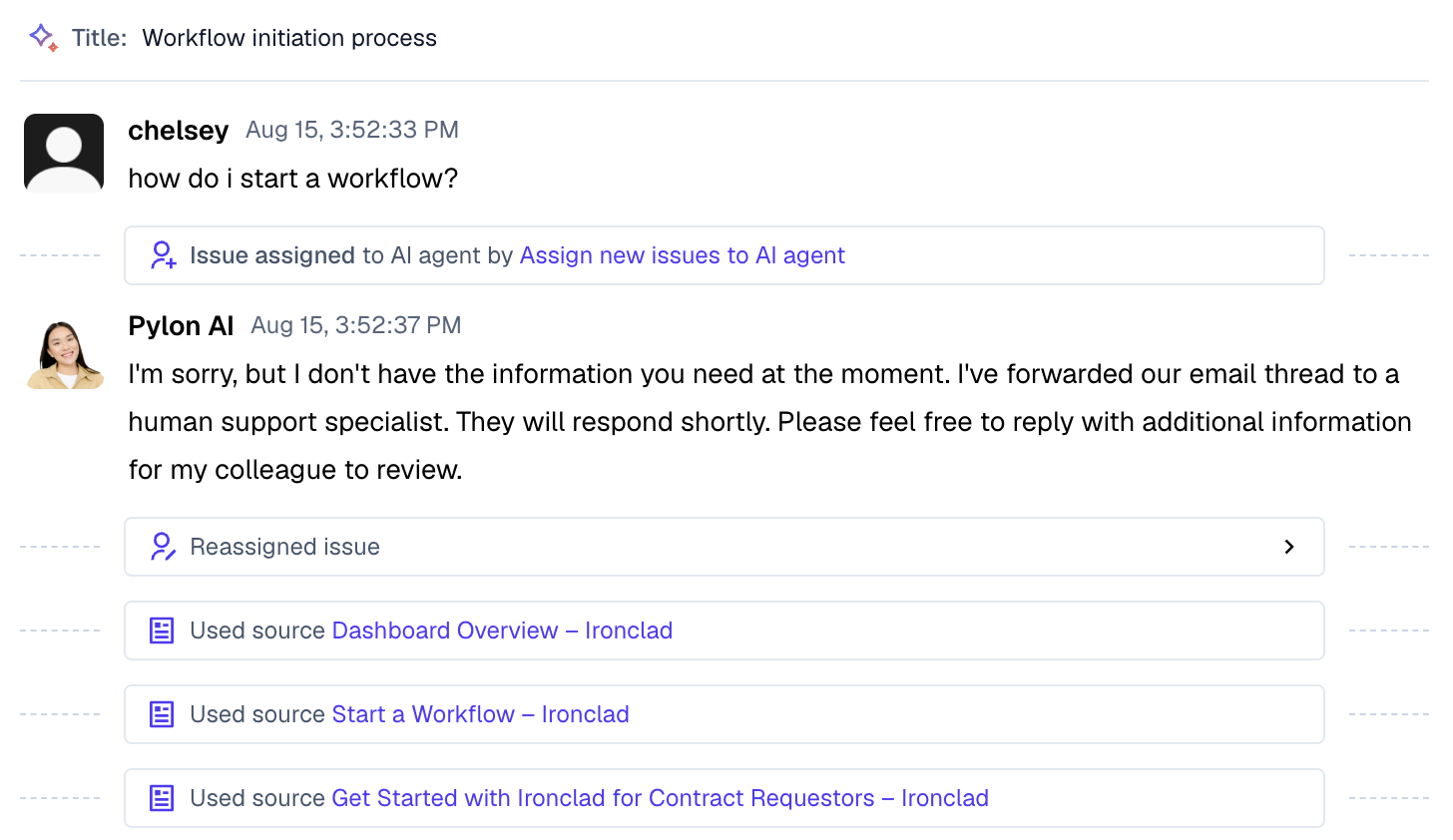
If you select a specific issue, you will be able to see the steps that the Agent took, what resources it used, and when it was assigned/unassigned.
Test agent Setting
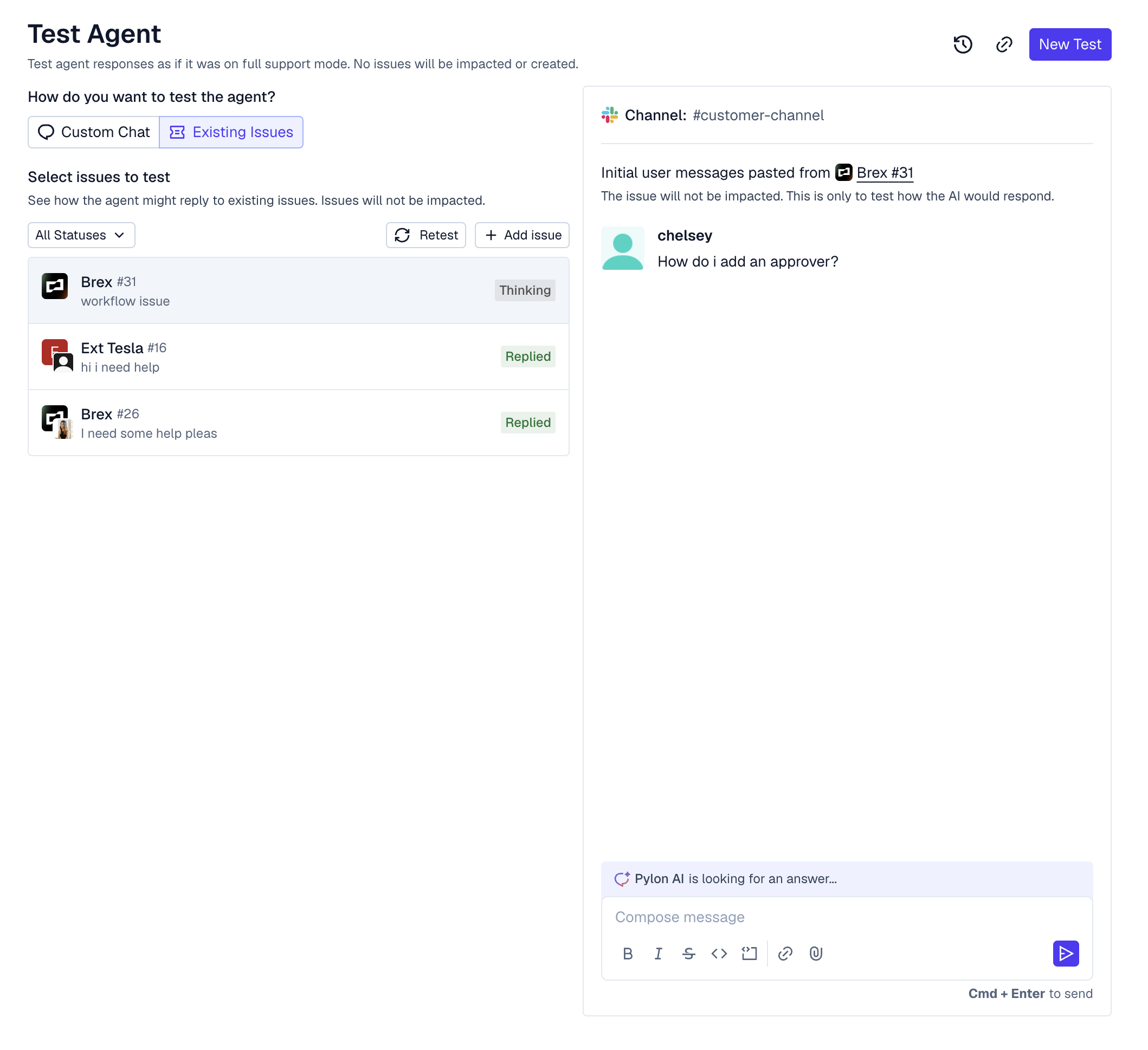
The Test agent setting is a playground for you to emulate issues and conversations that your customers might submit and "chat" with the AI Agent.
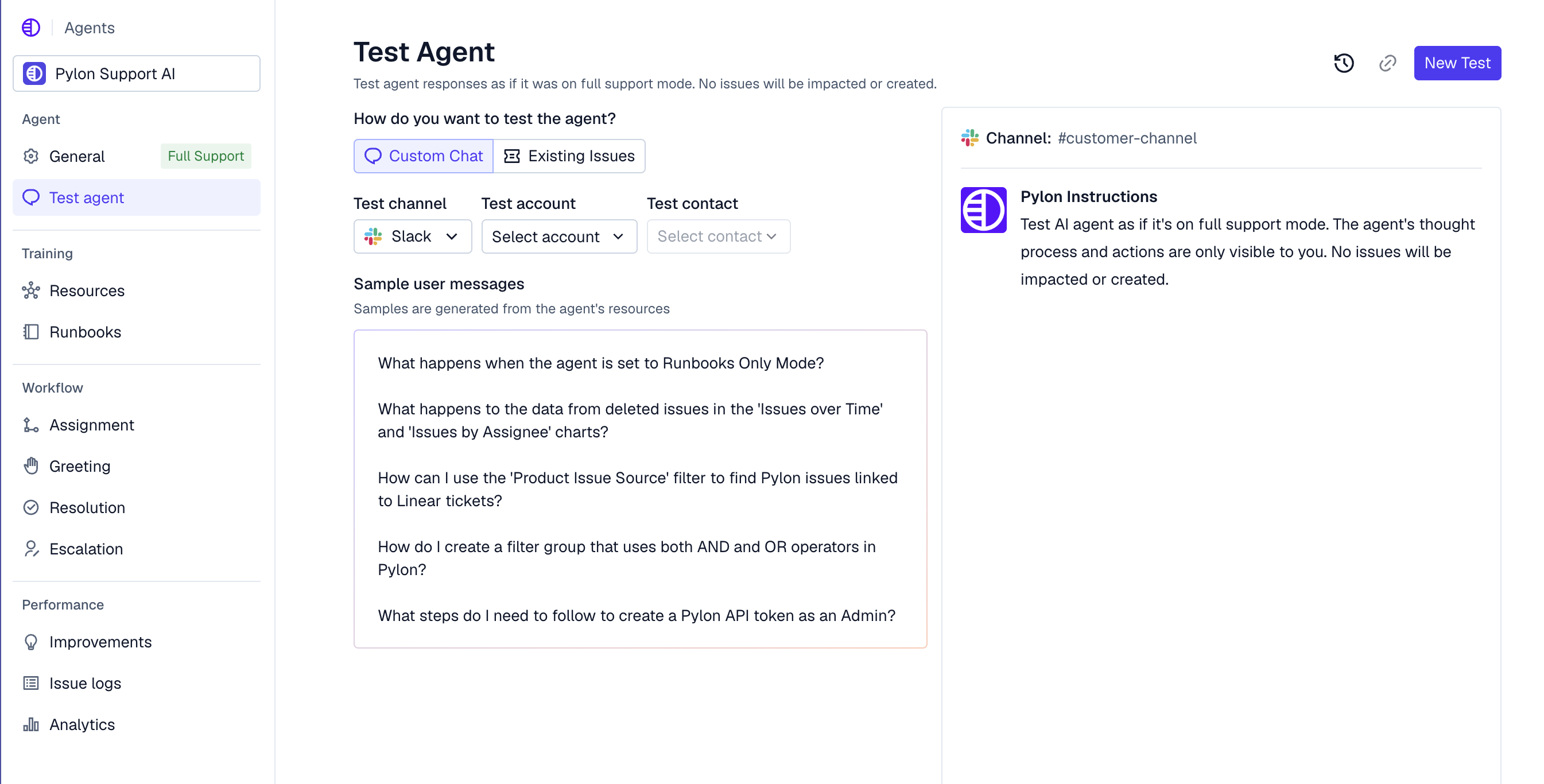
Additionally, if you navigate to Existing Issues, you can select historical issues to see how the Agent would have performed.