Mutual Success Plans
Last updated: June 22, 2026
You can share a curated account notebook directly with your customer through the Customer Portal. Turn on the Visible to customer toggle and your customer gets a live, always-fresh view of their plan — goals, milestones, owners, and progress — right alongside the issues and tasks they already see in the portal. It’s the easiest way to run a mutual success plan without maintaining a separate doc.
Before you start
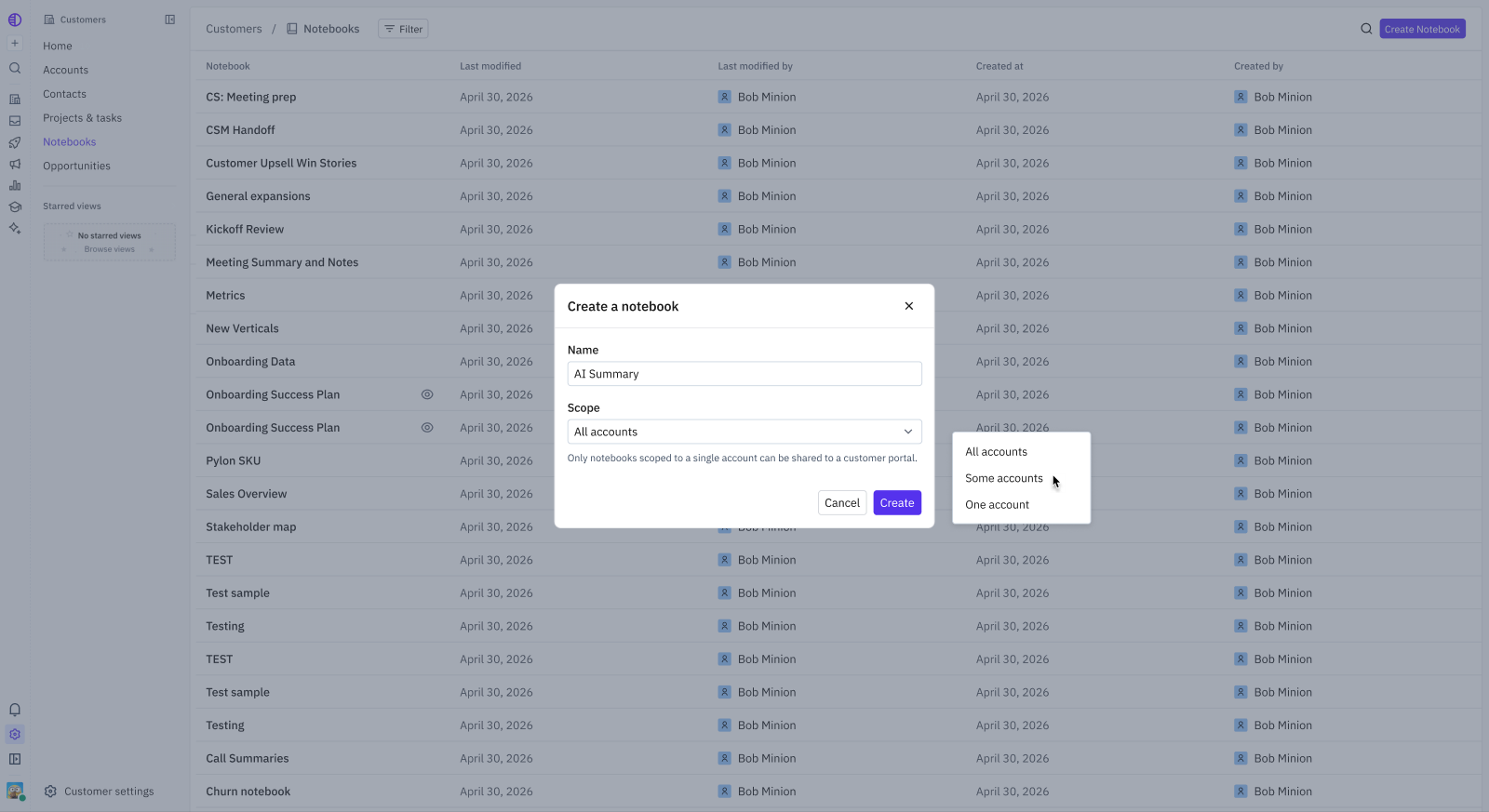
Notebook scope: Only notebooks scoped to a single account can be shared, because each shared notebook maps to one customer’s portal. Notebooks scoped to All accounts or Some accounts can’t be shared.
Customer Portal: The customer sees the shared notebook in the Notebooks tab of your Customer Portal, so the portal must be enabled for that account.
Step 1: Create a single-account notebook
When creating a notebook, set the Scope to One account. The create dialog notes that only single-account notebooks can be shared to a customer portal.
Step 2: Build out the plan
Use the notebook as your success plan. Add a high-level Goal, let the AI-generated Overview summarize account health, list the Owners (both your team and the customer’s), and track Projects, Milestones, and Tasks with status and due dates. Everything that makes notebooks useful internally carries over to the shared view.
Step 3: Share the notebook
Open the notebook you want to share.
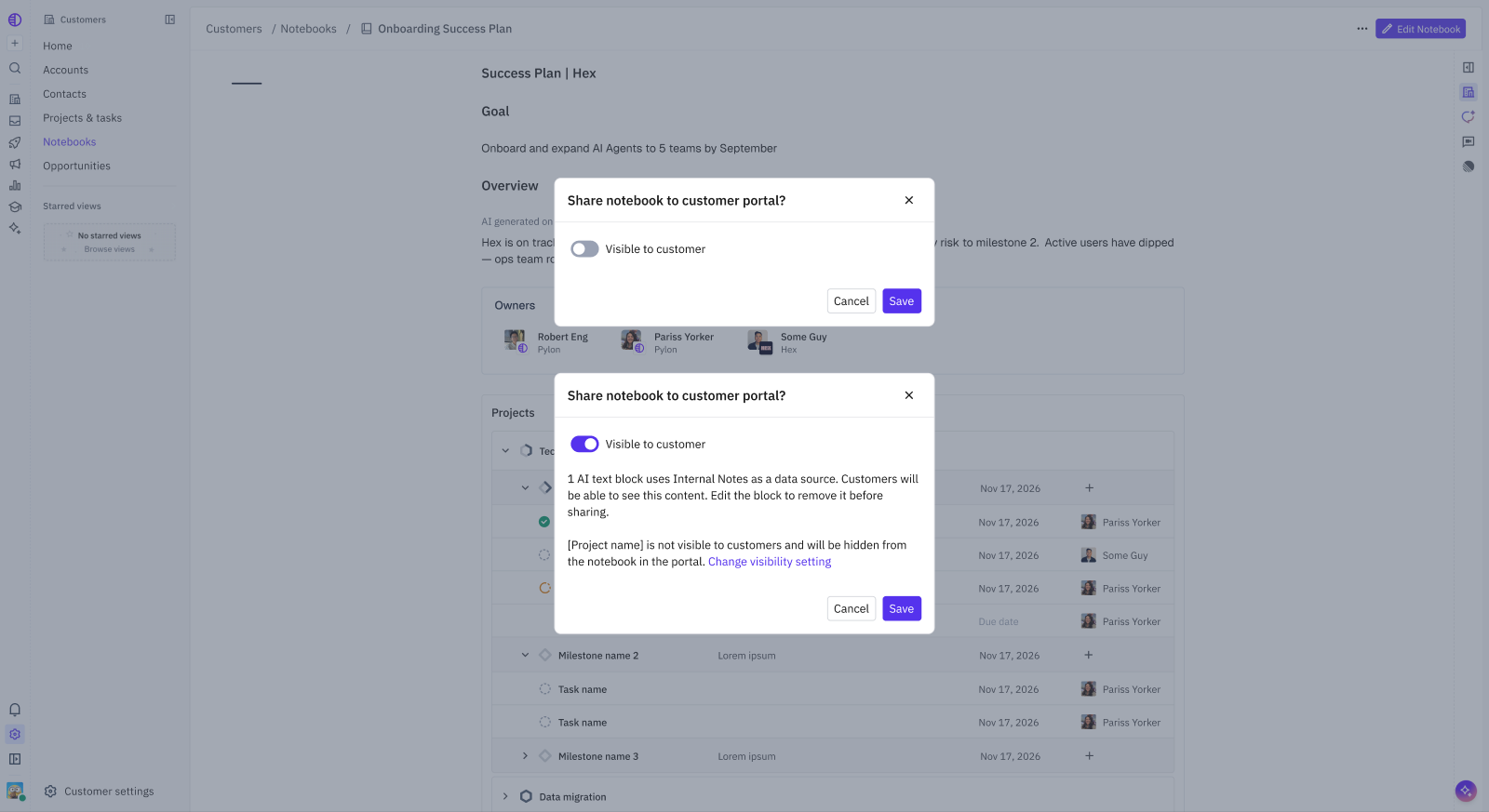
Open the More (…) menu and turn on Visible to customer.
Review the sharing confirmation, then choose Share Anyway to confirm.
Before sharing, Pylon flags anything that won’t translate cleanly to a customer audience:
AI text blocks that use Internal Notes as a source — your customer would see that content. Edit or remove the block first if it’s internal-only.
Projects not visible to customers — these are automatically hidden from the portal copy. Use the link in the dialog to change a project’s visibility if needed.
Unsupported widget types — these are hidden from the customer view.
What your customer sees
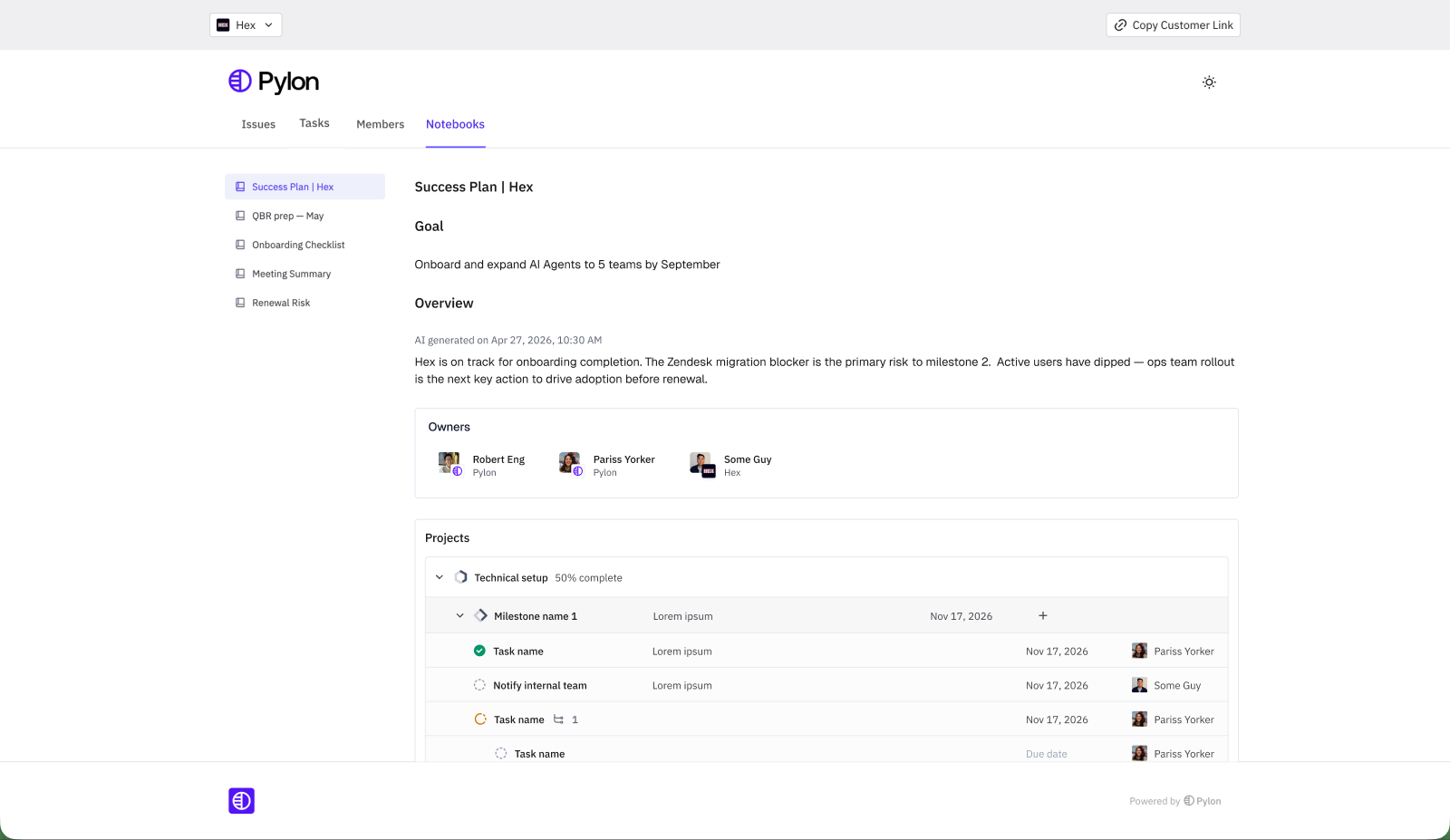
Once shared, the notebook appears under the Notebooks tab of that account’s Customer Portal. Your customer sees the goal, AI overview, owners, and milestone progress in a clean, read-oriented view — in the same place they file issues and view tasks. Internal-only content is excluded automatically.
Stop sharing
To remove a notebook from the customer’s portal, open the same More (…) menu and turn off Visible to customer. The notebook is immediately removed from the portal; your internal copy is unchanged.
FAQ
Can I share a notebook scoped to multiple accounts?
No. Only single-account notebooks can be shared, since each shared notebook maps to one customer’s portal.
Will my customer see my internal notes?
Not unless an AI text block pulls from Internal Notes. Pylon warns you about this before you share so you can edit or remove the block.
Does the shared notebook stay up to date?
Yes. Because the notebook is AI-generated and always fresh, your customer sees the current state of the plan rather than a static snapshot.