How does the Greeting section of the AI Agent config work?
Last updated: June 30, 2025
The Greeting section allows you to specify what happens when the agent knows the answer to a question and is about to reply to the customer. The greeting will be sent along with the agent's answer.
Typically, people will do one of a few things:
No Greeting
This means that when the AI Agent knows the answer to a question, it will directly provide the answer to the customer without any additional information.
Standard Greeting
A standard uniform greeting used in all cases - for example:
"I'm Bob, your friendly AI Agent. You can escalate to a human at anytime."
On the General agent config, you can define the agent's header and signature when it is sending emails, including replies to Forms. This will get applied in addition to any text in your greeting, so be wary of the agent saying "Hi" multiple times and set up rules to exclude certain sources if needed (see below).
Channel specific greeting
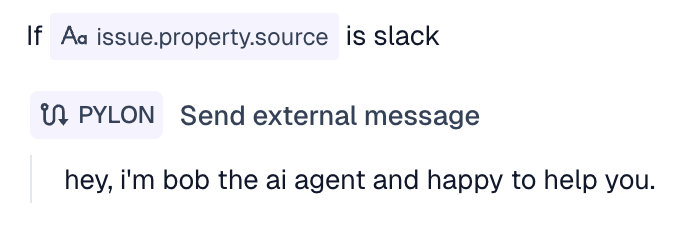
If you would like, you can use natural language and issue variables to do specify different greetings in different situations, for example: