How do I sync an existing Slack thread as an internal thread?
Last updated: February 16, 2025
You can use a Slack shortcut to sync an existing Slack thread as an internal thread to a specific issue.
Click the 3 dots on a message and click "Sync internal thread"
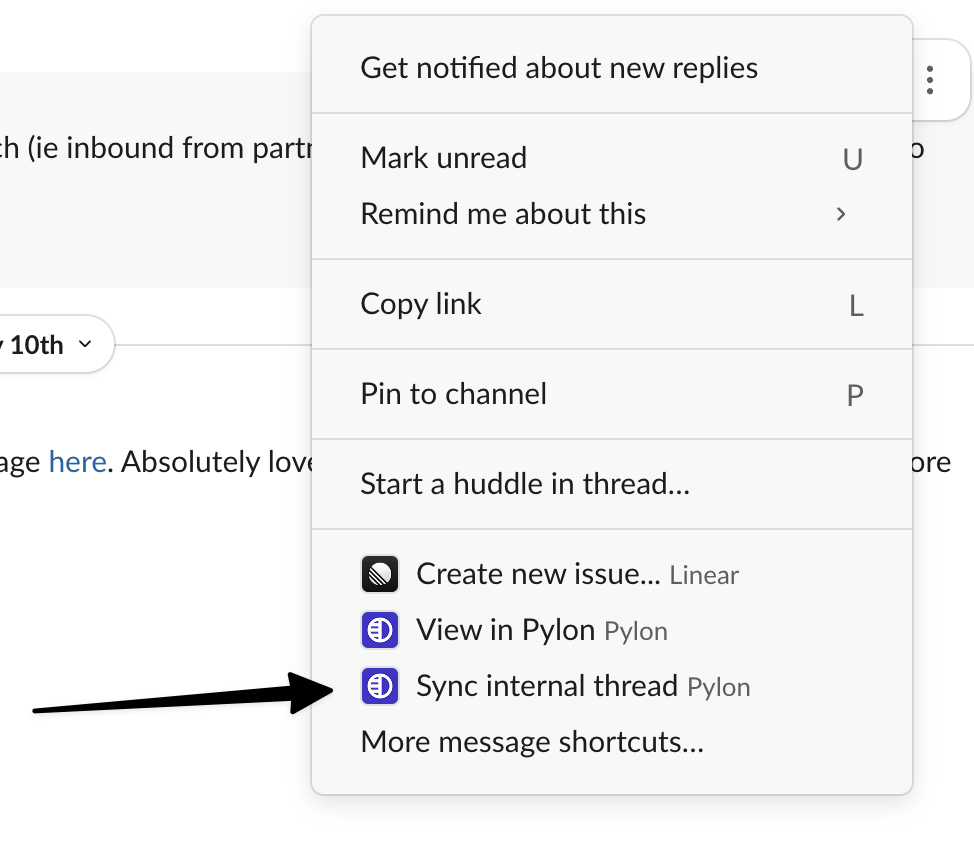
If you don't see that option in your Slack menu, click "More message shortcuts".
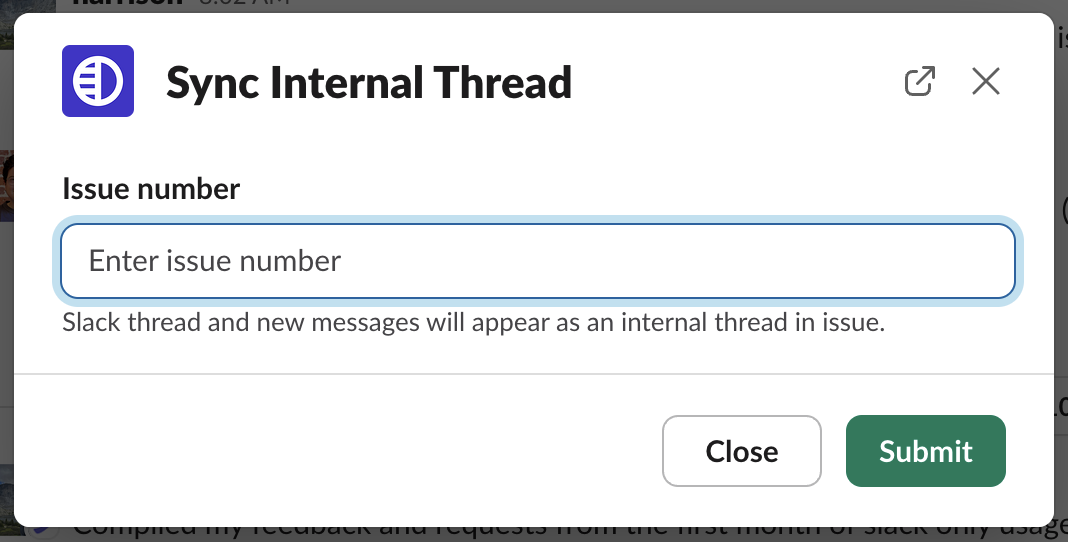
Add in the issue ID into the sync modal and hit submit.
A new internal thread will now be created attached to the specified issue.