Getting started: Formulas
Last updated: August 7, 2025
Purpose: Share a non-comprehensive set of formula examples to cover the majority of customer use cases
0. Data to power formulas
Here's a list of data you can use in Pylon to power formulas
Issue data
Meetings (via Google Cal Integration or Meeting Recorder Integration)
Custom Account fields
Product usage data, or any other data synced in from a data warehouse
1. Standard formulas
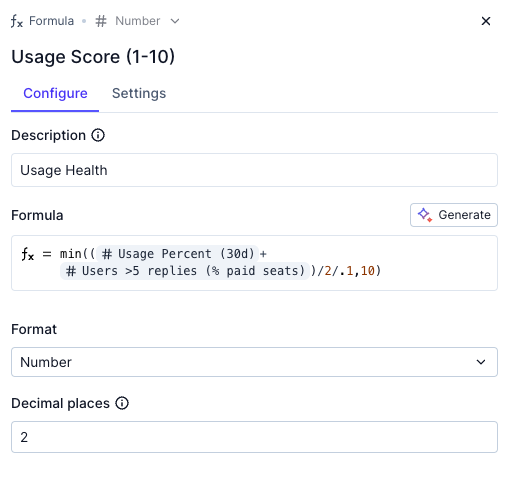
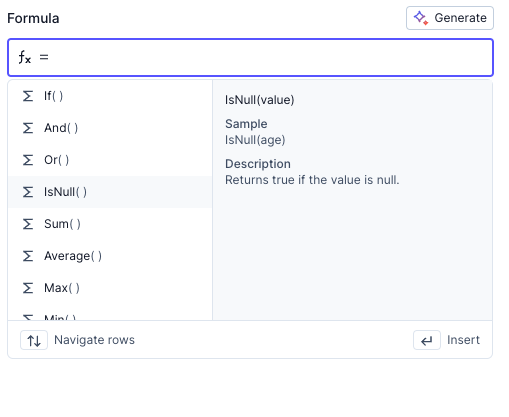
These are standard formulas for what you see in Excel or Google Sheets. Type directly into the formula editor and you will see the list of formulas and options. Some common ones we use:
Logic: If, And, Or, Not
Math: Sum, Average, Max
Date: Today, Day, Month, Year
2. Query formulas
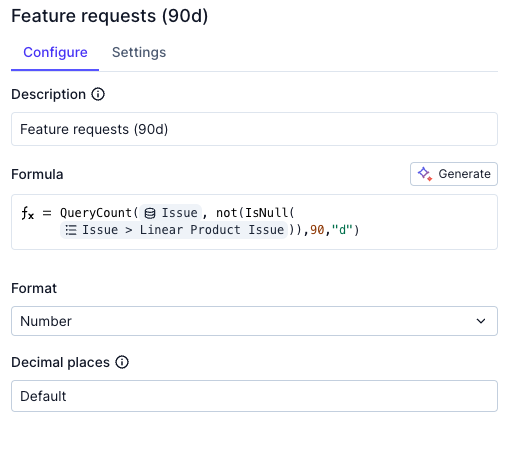
These look like simple formulas, but are actually querying your customer data. The one below will return the number of issues that each account submitted, that is tied to a Linear ticket, in the last 90 days
Type in any query formula via the editor prompts and you will see the options here
3. AI formulas
AI formulas require the following sequence to setup:
Create a custom Account notebook with the relevant data you'd like to reference
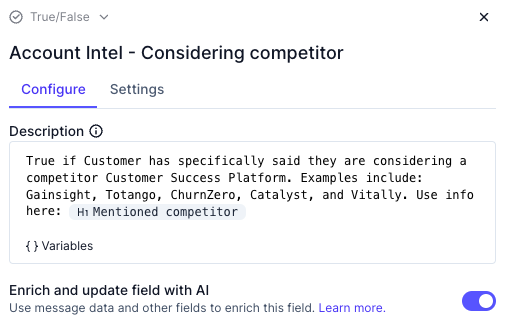
Create an AI formula field that uses the Account notebook as its context. In the below explain,
Mentioned competitoris an Account notebook AI block. To create such formula, create a Text, Select, Multi-Select, or True/False Account and turn on the Enrich with AI option
Common formula patterns
A. Signal, explanation, next step
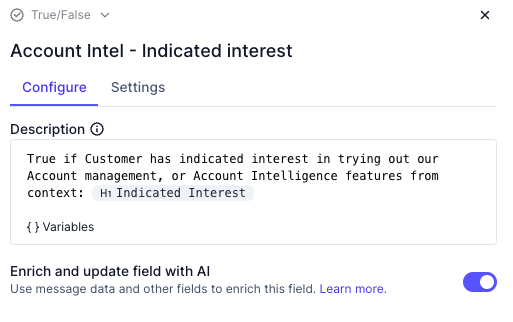
Set up an Account notebook specific for a given signal (upsell or risk), and create a series of formulas to extract the relevant insights. In this below case, we created a notebook for identifying customers that are interested in Account Intelligence product
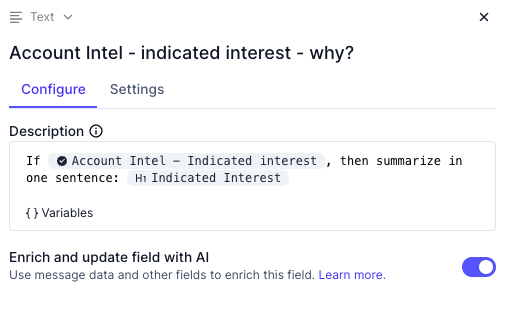
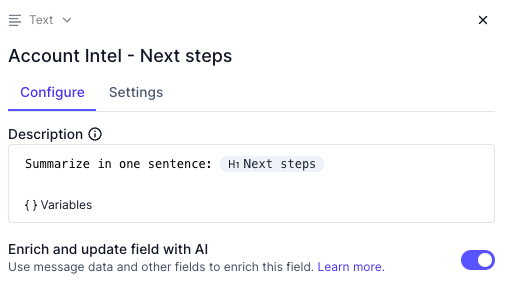
In the below example, Indicated Interest and Next steps are two different AI fields within our custom Account notebook
Overall signal that aggregates multiple signals
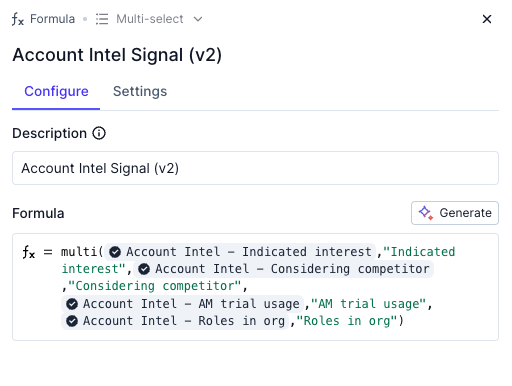
The signal is an AI indicator of a possible upsell or risk
The explanation is an AI explanation of why the signal was flagged
Next step is an AI recommended of how to address the signal
B. Health scores
Aggregate health score weighted across multiple sub-scores
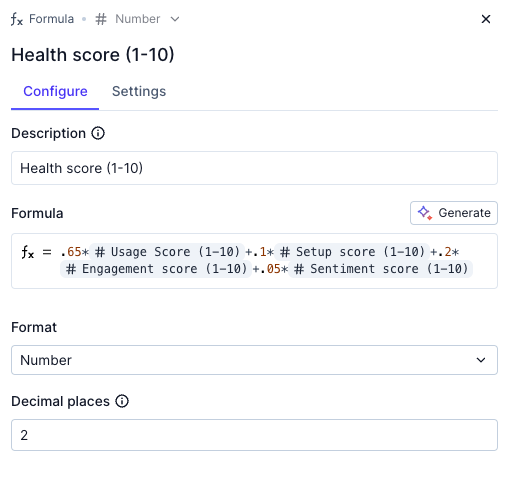
Sub-health score based on your org's definitions