Usage data in Pylon
Last updated: July 24, 2025
Purpose: Many Success / Account Management teams use product usage data to help answer Qs like: what is the overall customer health, what is the chance the customer renews, should we upsell the customer on more seats/units, etc. This doc shares how we pipe our product usage data into Pylon, and share ways we at Pylon are using this data to power our CS motion
How to pipe product usage data into Pylon
High-level: Data warehouse > Reverse ETL > Pylon Account fields
Step 1: Data warehouse
Set up a data warehouse table or view that contains product usage data
At Pylon, we use PostHog to track product usage events, which are then written into our data warehouse Snowflake
All usage data will be written into Pylon via Account fields, so would recommend a Snowflake table/view where every column is a specific usage stat. Here's the table columns we use:
Account ID
MAU Page visits - current month [Integer]
MAU Page visits - previous month [Integer]
MAU Page visit level - High, Medium, Low, NA [Text]
% usage level: page visits divided by paid seats [float]
Same usage level stats for AI Assistants, AI Agents, and Account mgmt (addons which customers can try out and we can upsell)
Step 2: Reverse ETL
There are tools like Hightouch and Census for Reverse ETL (we use Hightouch, who is also our first customer!). Whenever a row in our Snowflake table is added/updated, we can trigger a Pylon API call
Sharing the steps below for Hightouch, but the same steps should apply for other Reverse ETL tools:
Set up a Data Source (Snowflake database) and ensure the role used by Hightouch has the appropriate permissions at all levels in Snowflake (warehouse, database, schema, table/view)
Set up a Model. This is a SQL query to pull the Snowflake data into a Model in Hightouch
Set up a Destination (Pylon API). Get the Authorization code by creating a Pylon API token here
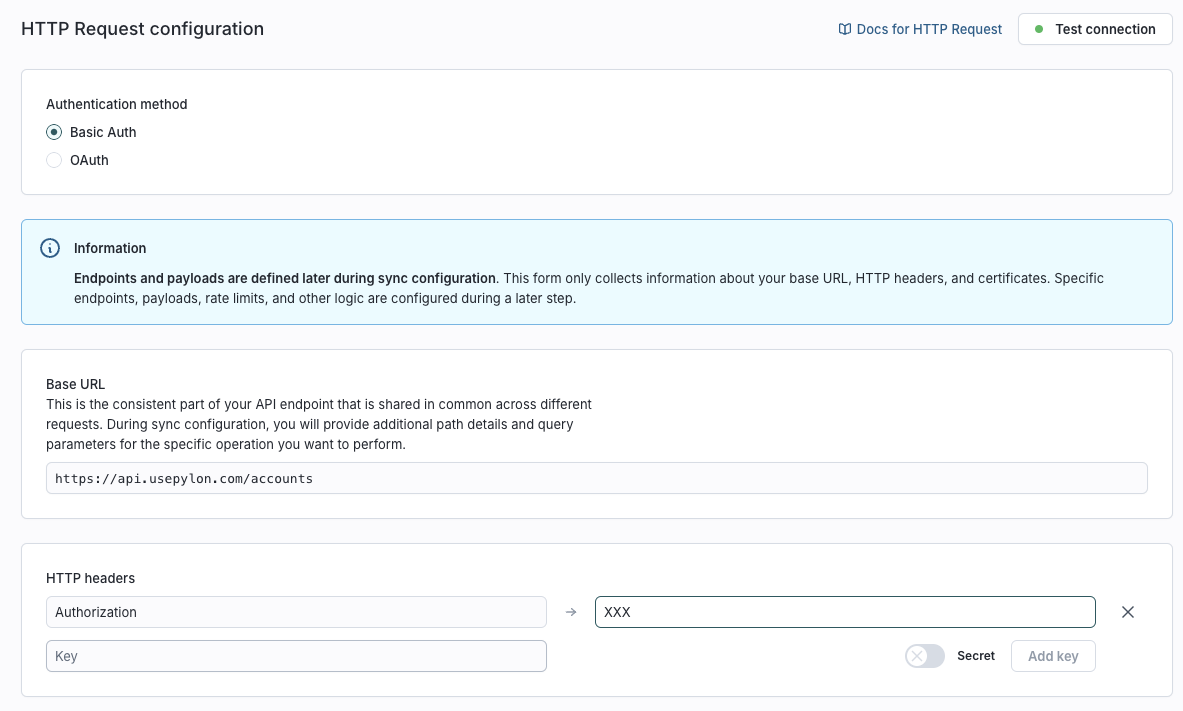
Set up Sync. This pulls data from your Model to your Destination. Set up to trigger when new row is added (new Account) or row is updated (existing Account has updated usage data). Here are the configurations:
How many rows should be included in each HTTP request? Single row
Which HTTP request method should be used? PATCH
What is the URL? Note that you should change
ORGANIZATION_IDto be the name of the column that is either the Pylon Account ID (you can retrieve via this API) or the external ID of the Account if you are using external IDs

Which type of payload do you want to send? JSON
How do you want to construct the JSON payload? Use JSON editor
JSON payload. Note the quotes needed for text data
{
        "custom_fields": [
            {"slug": "usage_curr_month", "value": {{ row.USAGE_CURR_MONTH }} },
            {"slug": "usage_last_six_months", "value": {{ row.USAGE_LAST_SIX_MONTHS }} },
            {"slug": "usage_prev_month", "value":  {{ row.USAGE_PREV_MONTH }} },
            {"slug": "usage_level", "value": "{{ row.USAGE_LEVEL }}" },
            {"slug": "usage_percent", "value": "{{ row.USAGE_PERCENT }}" },
            {"slug": "assist_usage_level", "value": "{{ row.ASSIST_USAGE_LEVEL }}" },
            {"slug": "assist_monthly_usage", "value": "{{ row.ASSIST_MONTHLY_USAGE }}" },
            {"slug": "assist_plan_or_trial", "value": "{{ row.ASSIST_PLAN_OR_TRIAL }}" },
            {"slug": "assist_trial_end_date", "value": "{{ row.ASSIST_TRIAL_END_DATE }}" },
            {"slug": "agent_usage_level", "value": "{{ row.AGENT_USAGE_LEVEL }}" },
            {"slug": "agent_monthly_usage", "value": "{{ row.AGENT_MONTHLY_USAGE }}" },
            {"slug": "agent_plan_or_trial", "value": "{{ row.AGENT_PLAN_OR_TRIAL }}" },
            {"slug": "agent_trial_end_date", "value": "{{ row.AGENT_TRIAL_END_DATE }}" }
        ]
    }
You must first set up all the Pylon Account fields before calling the APIs
Step 3: Pylon Account fields
Every usage data that you'd like in Pylon should be a custom Account Field. This allows our API to write in the data in a structured format (e.g. for filtering, sorting)
How we at Pylon use product data in Pylon
There are three primary use cases for product data
View usage data in the issue sidebar for context when responding to customer issues (e.g. the customer is asking about setup, let's see how their onboarding is going)
Create worklists in Pylon that have usage data as columns. Here's an example of our renewal worklist

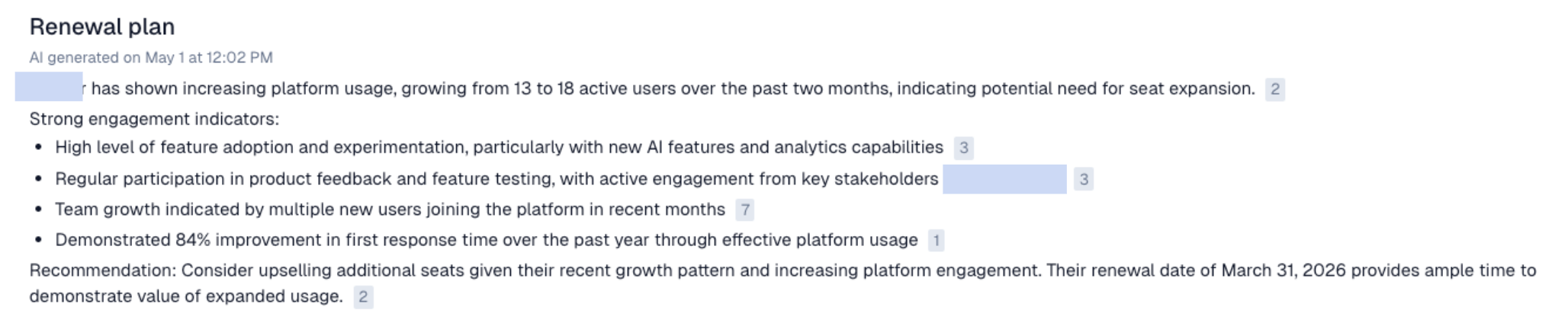
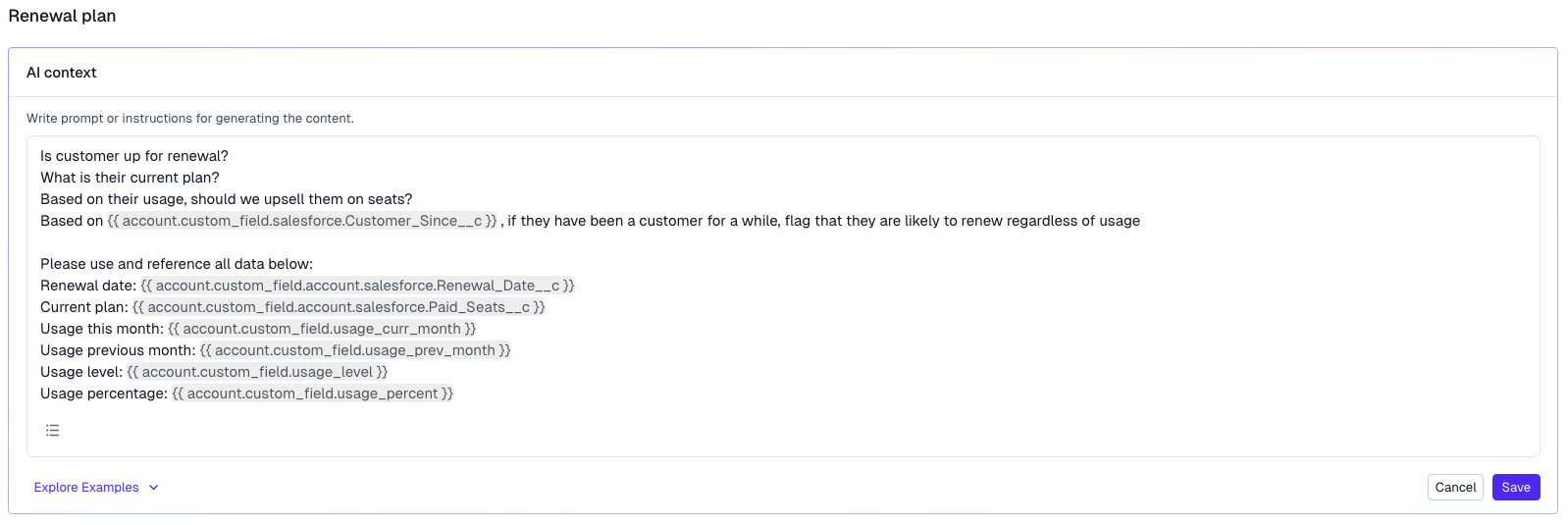
Feed account data into custom account management notebooks. Here are some sample prompts