How to write a PostHog HogQL query?
Last updated: May 17, 2026
HogQL is PostHog's SQL language for querying data. If you already have a PostHog insight that shows the metric you want, the fastest way to get a usable HogQL query is to ask PostHog AI to generate the query for that insight, then adapt it for your Pylon sync.
If you're new to HogQL, PostHog's introduction is also a useful starting point: Introducing HogQL.
Recommended workflow
Go to an existing insight and click the purple AI icon.
Start from a graph or table in PostHog that already represents the metric you want, like monthly active users, feature usage, or counts by customer.

Ask PostHog AI for the HogQL for that insight.
For example, you can ask: What is the HogQL for this insight?
PostHog AI will generate the underlying query for the chart you're looking at.
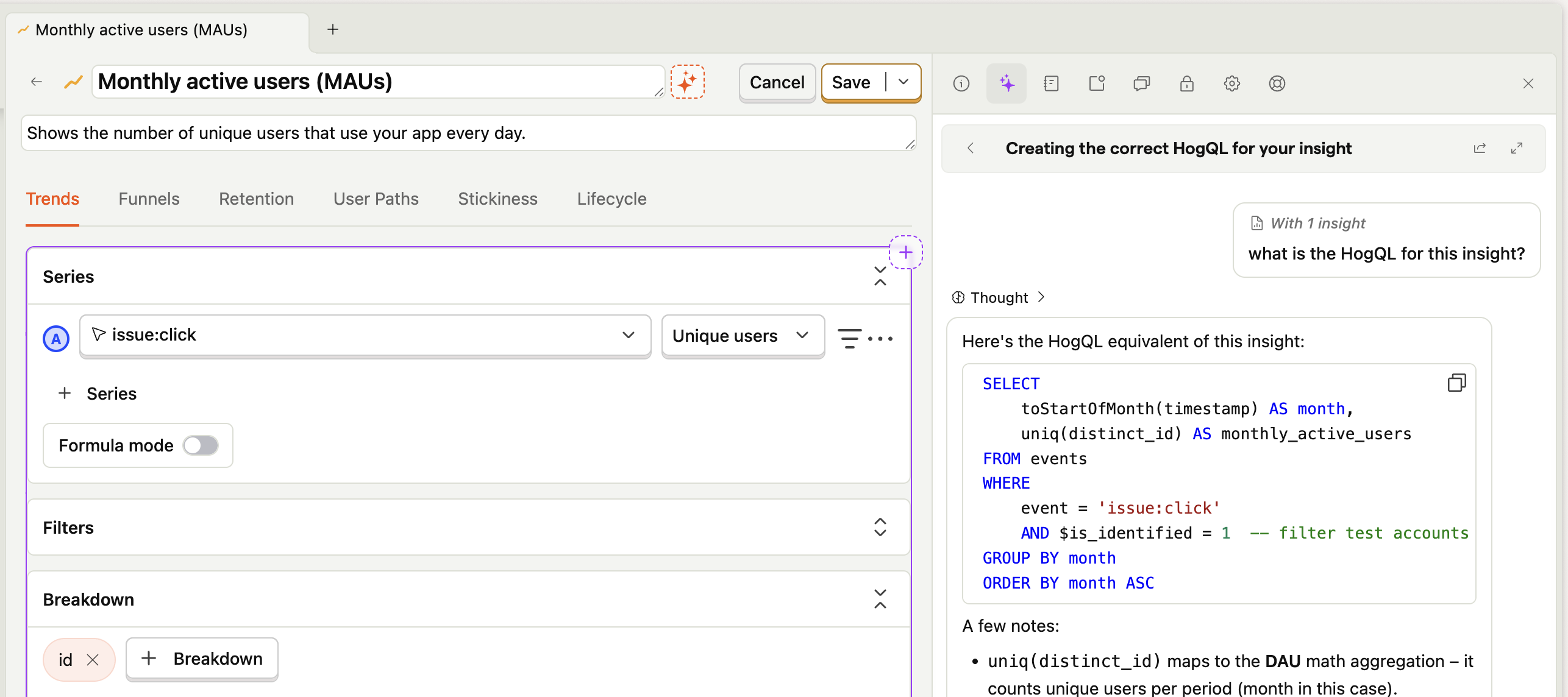
Copy and paste the HogQL into Pylon.
Paste the generated query into your PostHog sync in Pylon, then adjust it so the result shape matches the object you're syncing onto.
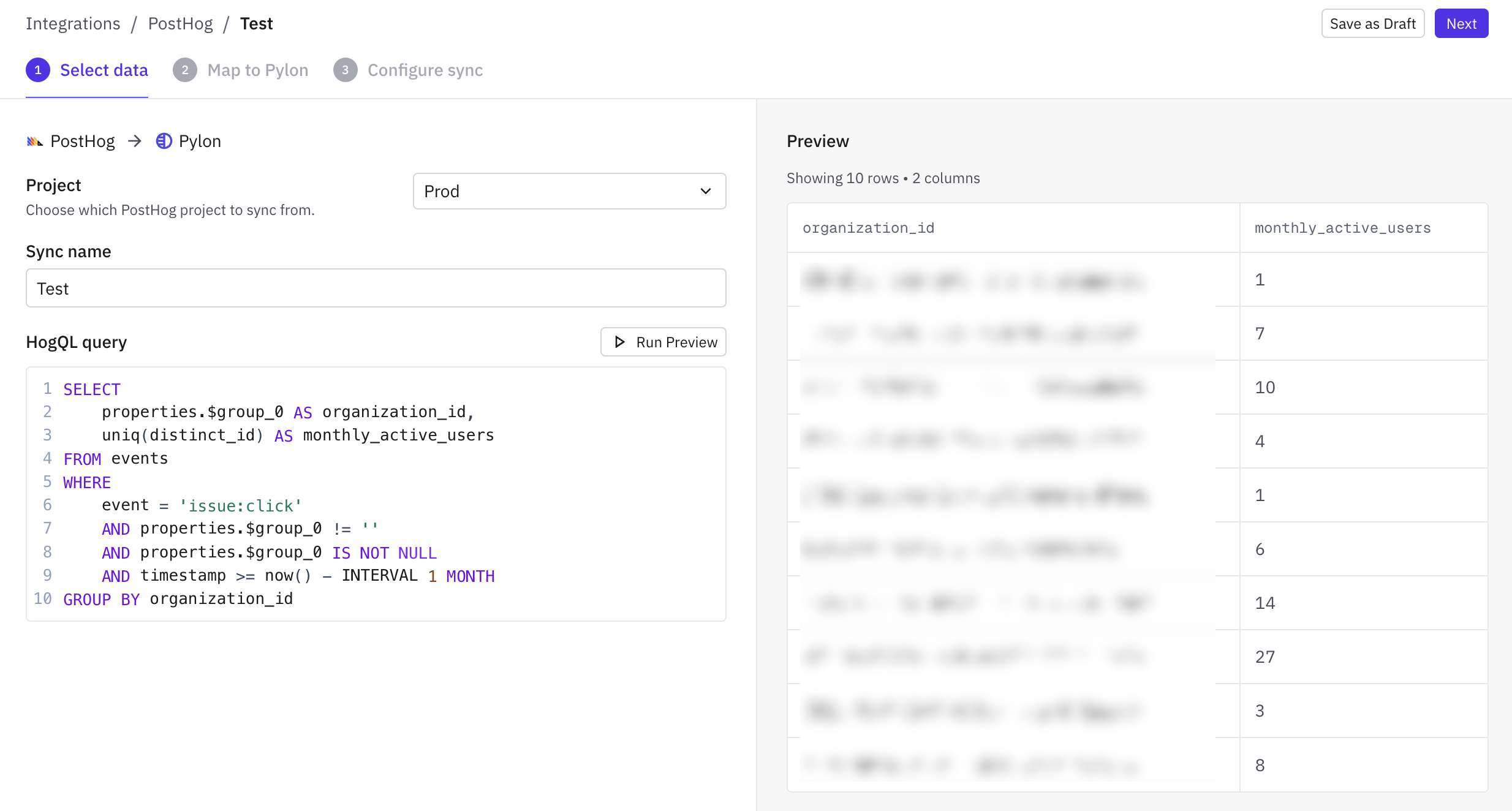
Important: include the right breakdown dimension
You'll almost always want a breakdown dimension for the identifier you sync into Pylon:
Use your account identifier when syncing onto accounts.
Use your contact identifier when syncing onto contacts.
That way, the resulting query returns data at the right grain for Pylon to map correctly.
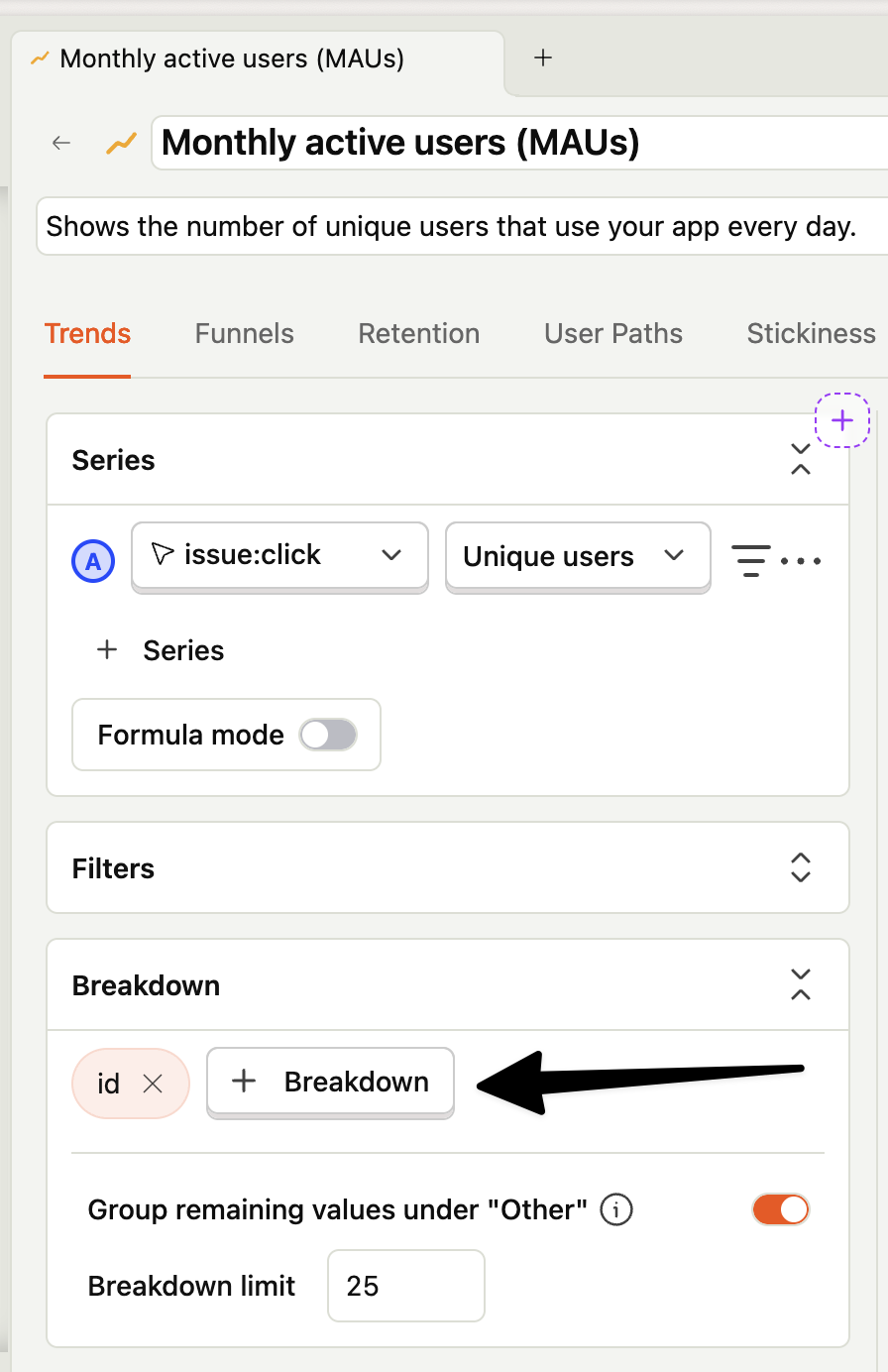
Make sure the result has one row per synced object (accounts or contacts).
Example pattern
SELECT
  properties.$group_0 AS organization_id,
  uniq(distinct_id) AS monthly_active_users
FROM events
WHERE
  event = 'issue:click'
  AND properties.$group_0 != ''
  AND properties.$group_0 IS NOT NULL
  AND timestamp >= now() - INTERVAL 1 MONTH
GROUP BY organization_id
In this example, the query returns one row per account because it groups by organization_id.
Tips
If your original insight is time-based, PostHog AI may include a time bucket like month or day. For a Pylon sync, you'll often want to remove that and instead group only by your account or contact identifier.
If the insight is user-level by default, you may need to swap in your group or person property that represents the Pylon account/contact identifier.
Filter out blank or NULL identifiers with the WHERE clause
Use Preview in Pylon to confirm the output has the columns and row shape you expect before saving the sync.