How do I hide the Chat Widget by default?
Last updated: June 23, 2026
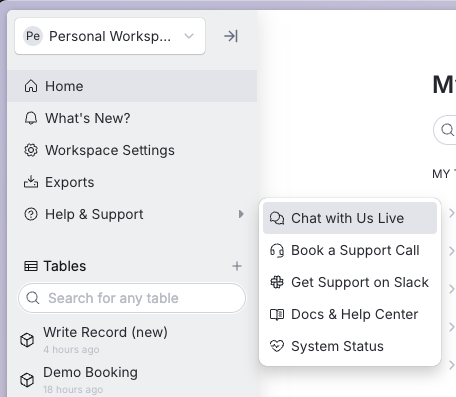
If you find that the chat bubble obscures important parts of your product you can instead default hide the widget, and have it pop up when a customer clicks on a native button in your app that you can design and place in a more appropriate location.
For example, this is how one of our customers allows customers to open the chat widget instead of always having the chat widget floating in the app.
Setup
In Settings → Chat Widget → Chat bubble, turn off the "Show Chat Bubble" toggle. With this setting off, the floating launcher won't render and the bubble will stay hidden after the chat window is closed.
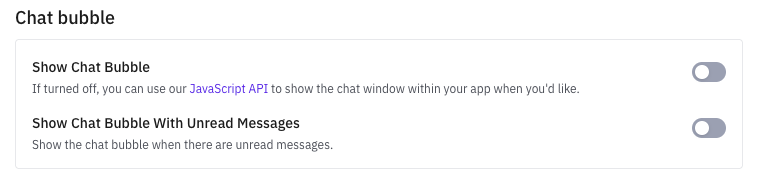
Then you can show and hide the bubble via the chat javascript API. with the show and hide functions.
Unread Notifications
With the chat hidden, you may want to indicate when there are unread messages. To help handle this behavior, there is a onChangeUnreadMessagesCount function that will fire whenever a new message is received.