My issues are not being synced to my CRM what might be going wrong?
Last updated: December 9, 2024
One of several things might be happening:
Issues are synced each evening PST time. If you just connected your CRM integration, historical issues will not backfill. You may need to wait before activity is synced.
Your CRM accounts may not be properly mapped to your Pylon accounts. Click on App Directory > your CRM and then click the "Account Mapping" tab to see the mapping. If a Pylon account does not have a corresponding CRM account mapped, issues from it will not be synced.
If you have the Salesforce integration set up but the daily Activity Sync is not functioning, Pylon likely does not have visibility into the required Salesforce fields.
To update these settings:
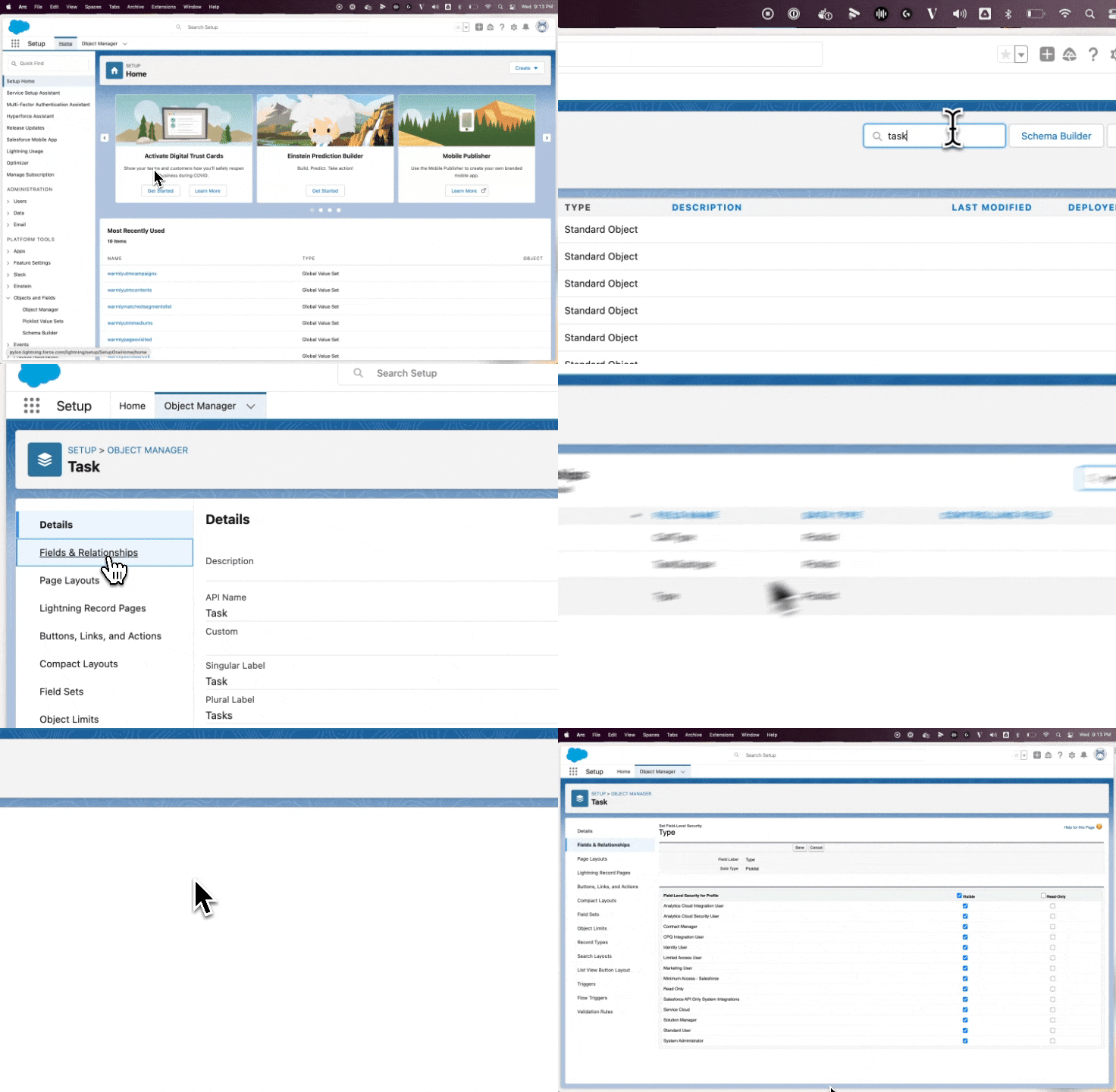
In your Salesforce environment, open Object Manager, locate the Task object
Open up Fields and Relationships and click into the Type field
Click Set Field Level Security, ensure all are set to Visible