Common prompts for AI fields
Last updated: August 13, 2025
Here are some best practices that you can use as a starting point to set up AI issue fields such as priority or spam filters:
AI field to assign a priority to an issue
Critical: Issues that cause complete system outages, data loss, security breaches, or prevent core business functions from operating. These require immediate attention as they halt business operations and may result in revenue loss or compliance violations.
High: Issues that significantly impact business operations or affect multiple users, such as key feature failures, data sync problems, or security concerns that require prompt resolution. Limited or complex workarounds may exist but productivity is notably reduced.
Medium: Issues that cause inconvenience or reduced efficiency but have available workarounds, such as non-critical feature malfunctions or performance slowdowns that don't halt operations. Business continuity remains intact but user experience is affected.
Low: Issues that don't impact business operations or user productivity, such as minor UI inconsistencies, feature requests, or cosmetic bugs. These can be addressed during regular maintenance cycles without urgency.
Spam filter
You can set up a trigger that assigns tickets to different teams. In this trigger, you can filter tickets for spam and remove it immediatly before it hits your users queues. Following a screenshot of the trigger and the copy:
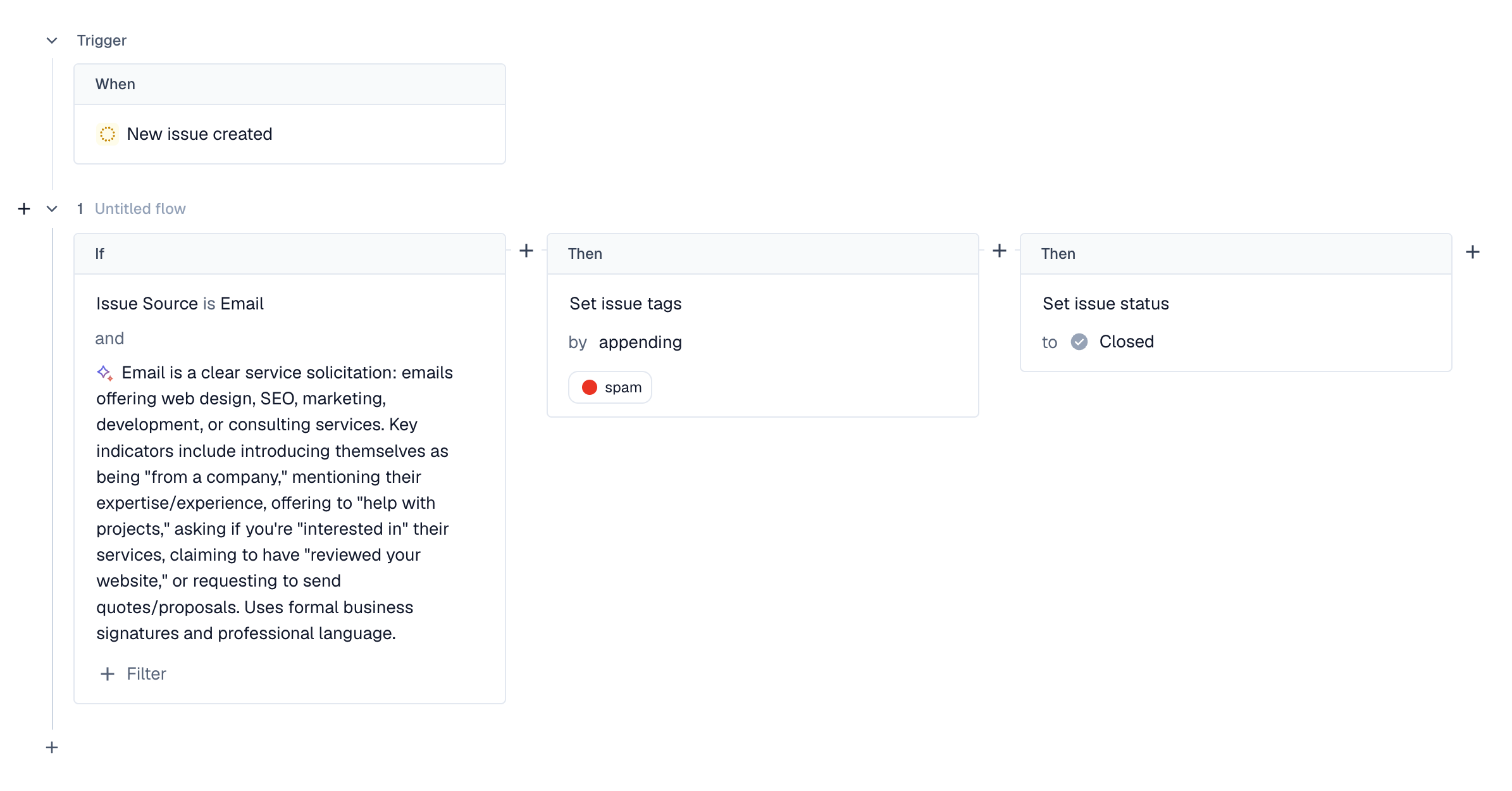
Copy: Email is a clear service solicitation: emails offering web design, SEO, marketing, development, or consulting services. Key indicators include introducing themselves as being "from a company," mentioning their expertise/experience, offering to "help with projects," asking if you're "interested in" their services, claiming to have "reviewed your website," or requesting to send quotes/proposals. Uses formal business signatures and professional language.