How do I connect Pendo to Pylon?
Last updated: July 2, 2026
Pylon supports connecting with Pendo to import product usage data.
In Pendo, go to
Settings > Integrations > Integration keys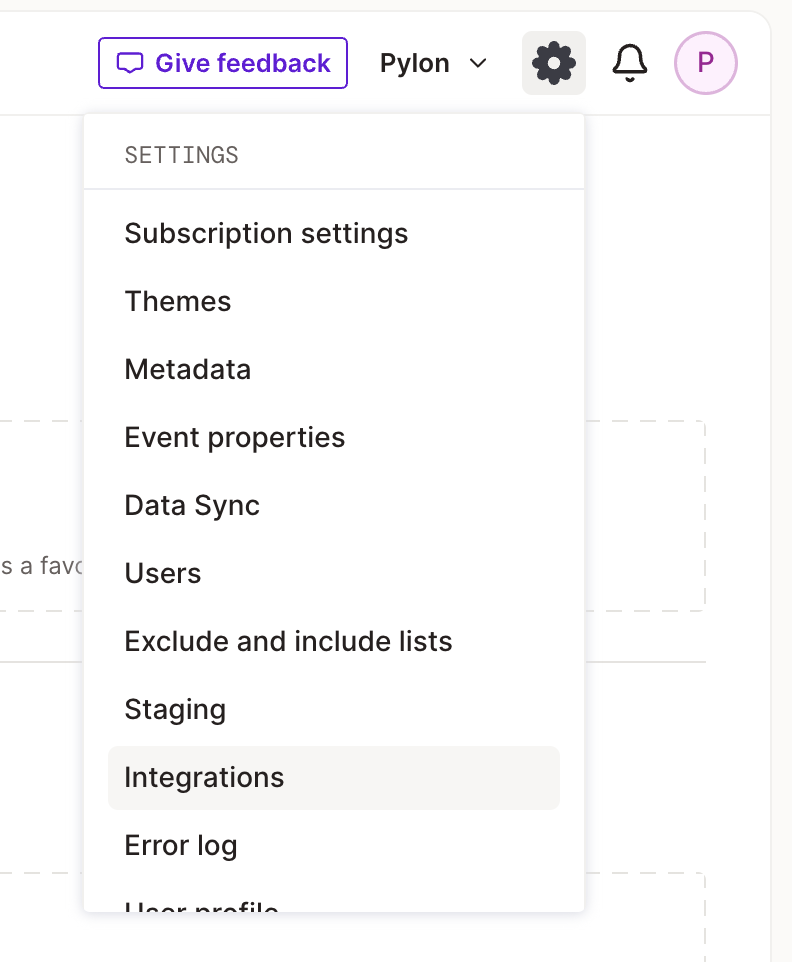

Click
Add integration keyUnder description, pick a memorable name. Pylon does not need write permissions.
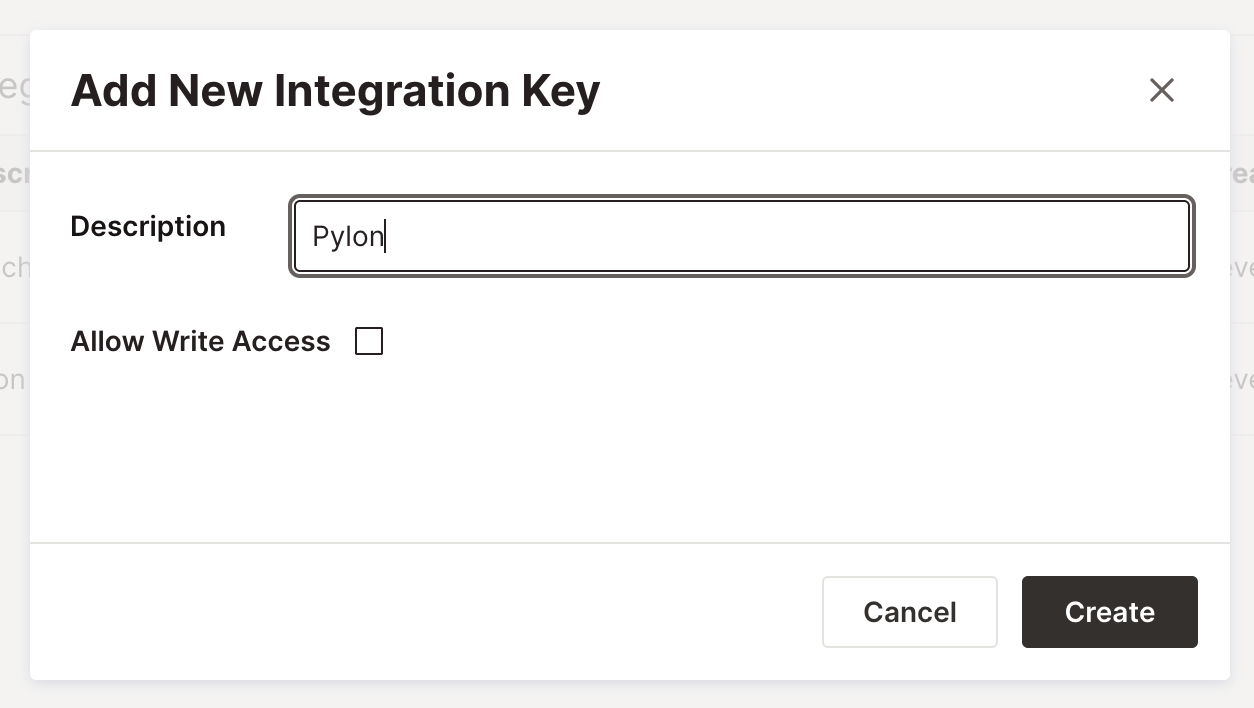
After creating the key, make sure to copy it. It will not be available again after leaving the page.
In Pylon, go to the Integrations page, select Pendo, and click Connect.
Choose your Pendo host. This can be either US, EU, etc.
Paste the API key from Pendo and click Submit.