How do I attach multiple channels to one account?
Last updated: April 2, 2025
A single account in Pylon can have multiple channels associated to it.
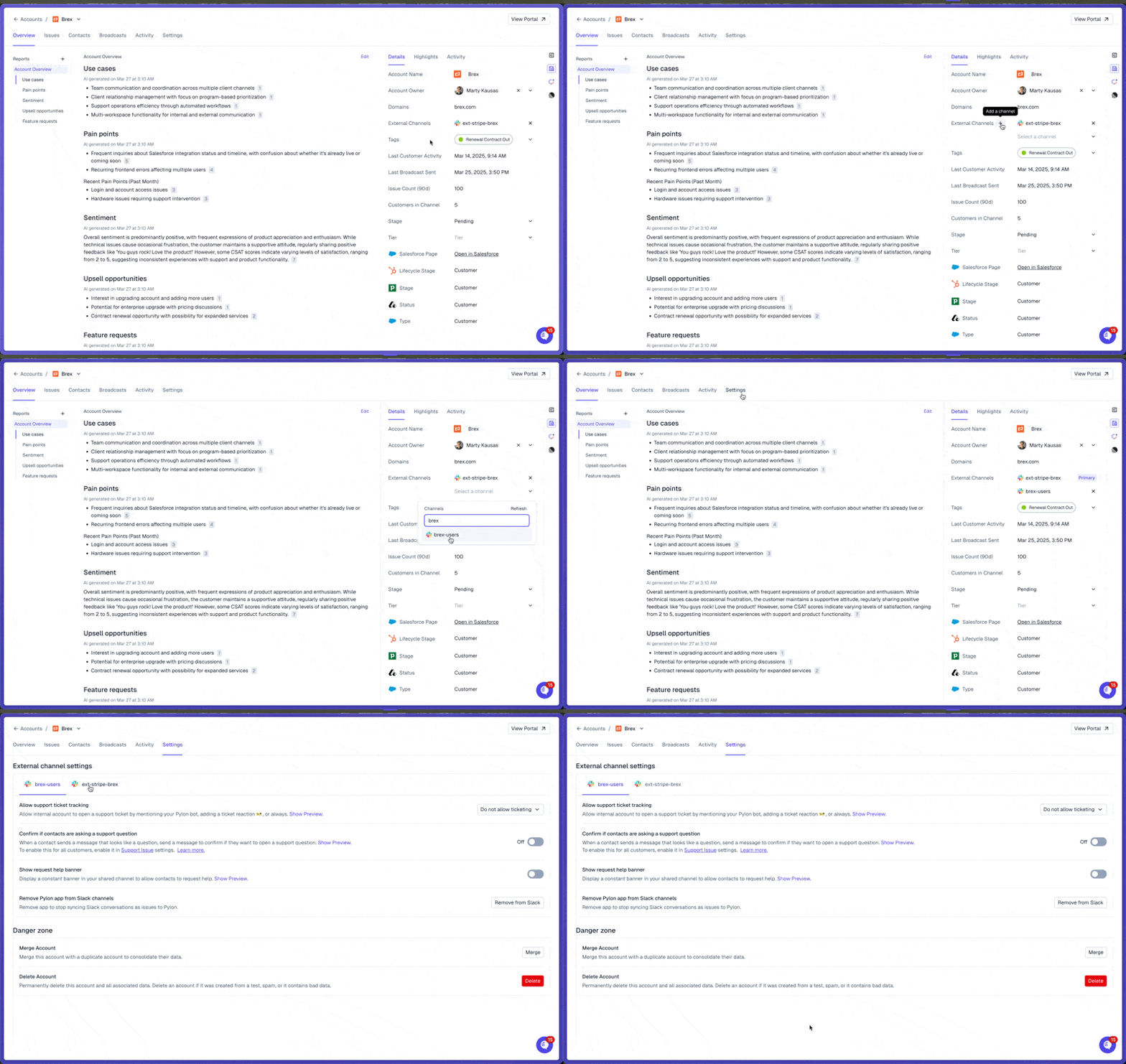
From the Accounts page, click on an account, and in the sidebar click the "+" sign near the External Channels option.
Each channel within an account can have its own unique settings. On the account's Settings tab, you can specify which settings to enable for each channel based on your preferences.
Merging Accounts
If two accounts with channels are merged, the one that is merged into will have both channels attached to it.