How do I set up JWT SSO for my customers?
Last updated: April 7, 2026
Single Sign-On (SSO) allows users to log into different applications securely and quickly. Pylon uses the JSON Web Token (JWT) protocol for simple sign on.
Authentication Flows
Pylon Initiated Flow
In the Pylon Initiated Flow, your users will be redirected from the portal login page directly to you for authentication.
Platform Initiated Flow
If users are coming directly from your platform, you can automatically authenticate them as you redirect them to Pylon's KB or Portal. You must redirect the users to https://graph.usepylon.com/callback/jwt?orgSlug=<ORG_SLUG>&jwt=<TOKEN> , following the configuration below. ORG_SLUG is defined in your workspace settings.
JWT Configuration
Token Required Attributes
iat: Token Issue Time. The token will not be accepted before this time.60 seconds of clock skew is accepted.
exp: Token Expiry Time. The token will not be accepted after this time.60 seconds of clock skew is accepted.
email: email address of the user performing the login. Pylon uses this field to map to the user in the Pylon system.aud: Token Audience. Must be the valuehttps://portal.usepylon.comiss: Issuer. Must be the base URL of the remote login url, discussed below. This must contain a trailing slash/.e.g. For remote login url
https://your.domain.com/callback, the issuer should behttps://your.domain.com/
Token Optional Attributes
account_id: Account ID. If a contact has not been created, Pylon can create one during the user's first log in. You can optionally provide an account ID. Otherwise, Pylon will use email domain matching to identify the user.account_external_id: Account External ID. Can be used in place of a Pylonaccount_idfor contact matching or creation
Pylon supports the following Signing Algorithms for JWT:
HMAC Symmetric Key Encryption
HS256HS384HS512
RSA Asymmetric Key Encryption with JWKS
Note that the Metadata Endpoint must match the Remote Login URL, discussed below.
PS256PS384PS512
Setup
To enable this for your customers, Pylon will need some information:
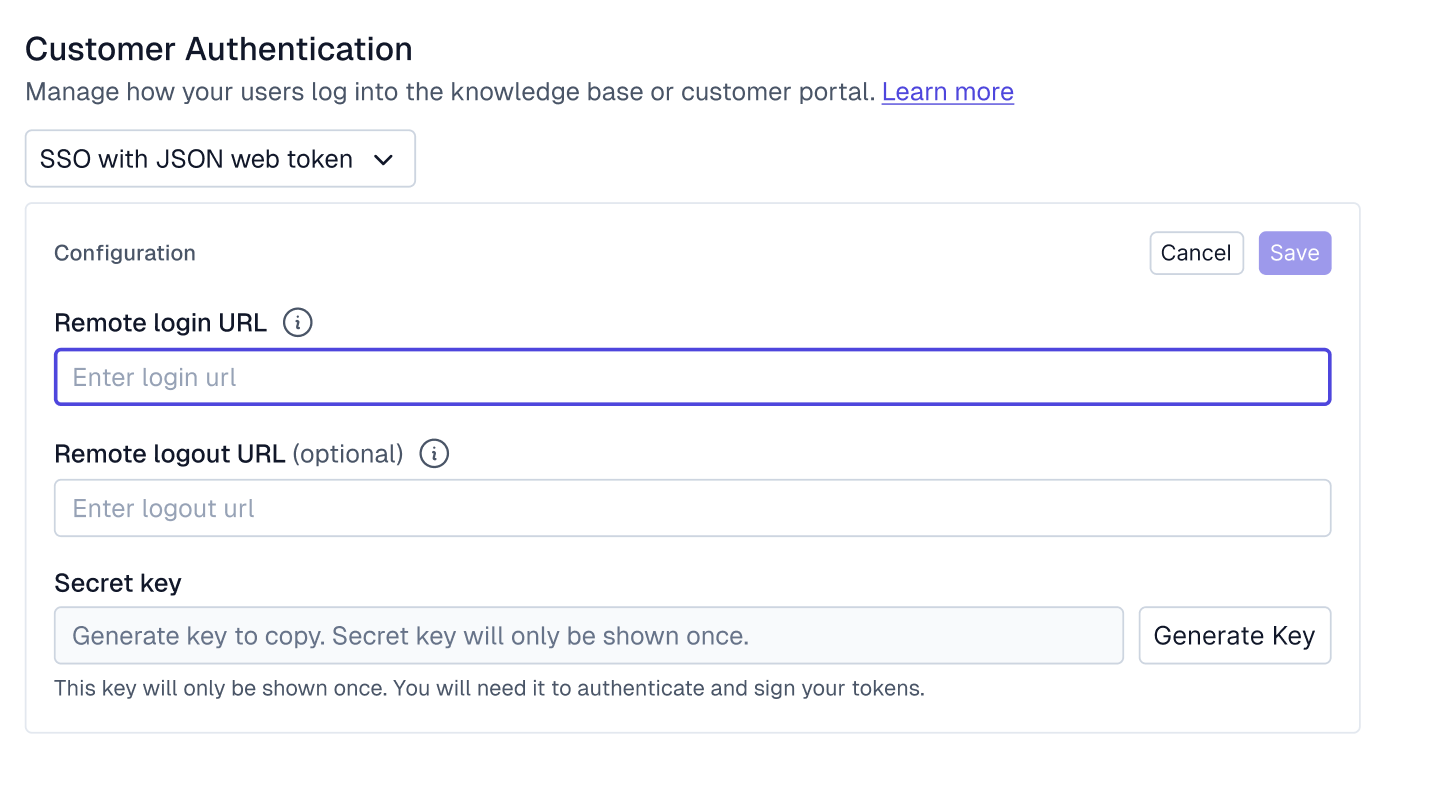
Remote Login URL: An unauthenticated user will be redirected to this URL to perform a login.
During your user's authentication flow, Pylon will include a
redirect_uriquery parameter with this redirect. After the user has authenticated with your system, you must redirect the user to this URL, with the JWT as a query param under the keyaccess_token.Note that the URL contains an existing query param, you can simply append
&access_token=<token>toredirect_urito compose the URL.Alternatively, you can also make a client-side POST request to the redirect URL, passing the JWT in the request body.
{
    "jwt": <token>
}
Remote Logout URL, Optional: When the user performs a signout, they'll also be redirected to this URL, allowing the user to be logged out of other systems.
Shared Secret, Required if Using Symmetric Key Encryption: This secret is used to sign the JWT before sending it to Pylon, ensuring that the JWT is from a trusted source. You must keep this secure.
More details on adjusting visibility of articles after setting up customer authentication are available here.
Example Auth0 Post-login action for JWT SSO
This example follows the Platform Initiated flow, as defined above. Note that users requesting specific pages will not be redirected to them
const jwt = require('jsonwebtoken')

exports.onExecutePostLogin = async (event, api) => {
    // Select an auth0 client id to use for the redirect, optional.
    if (event.client.client_id == "<CLIENT_ID>"){
        const email = event.user.email

        const pylonPayload = {
            iat: Math.floor(Date.now() / 1000),
            email,
            iss: "<ISSUER>",
            aud: 'https://portal.usepylon.com'
        };

        const options = {
            algorithm: 'HS256',
            expiresIn: '10h'
        };

        const token = jwt.sign(pylonPayload,"<SECRET>", options);
        const url = `http://graph.usepylon.com/callback/jwt?orgSlug=<ORGSLUG>&access_token=${token}`
        console.log(url)
        api.redirect.sendUserTo(url, {
            query: { access_token: token }
        });
    }
};
FAQ
Can I configure multiple Remote Login URLs for different environments or regions?
Pylon supports a single Remote Login URL and shared secret per workspace. If your application has multiple deployment environments (e.g., separate instances or self-hosted customer deployments), you can build a routing layer on your side that handles the redirect logic before sending users to Pylon.
The JWT iss claim needs to match the single Remote Login URL configured in your workspace settings — but the redirect itself can originate from any URL. Your routing layer would determine which environment the user came from and handle any environment-specific logic (such as redirecting back to the correct app after logout).