How do I control what issue message displays on internal thread messages in Slack?
Last updated: July 22, 2025
When using the 'Create Pylon internal thread' trigger action, you have a few options to determine how the message in Slack will appear.
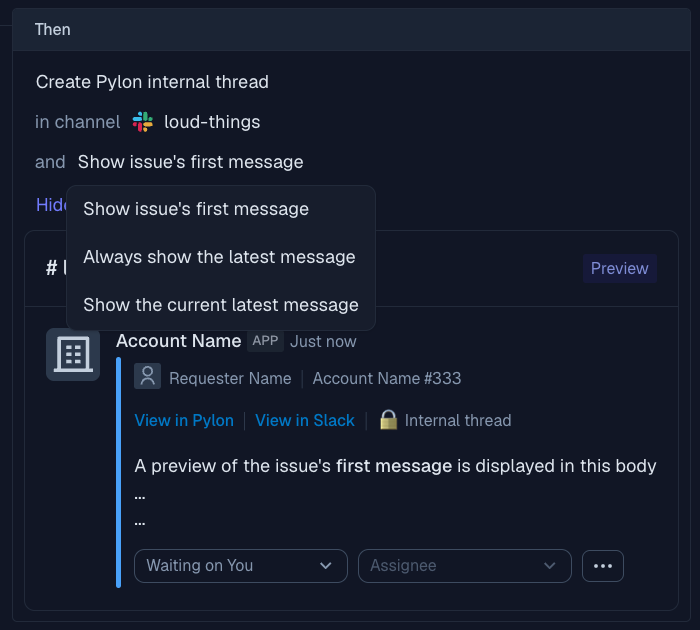
Understanding Message Preview Options
Show issue's first message: The Slack thread block will remain static, showing only the initial issue message
Show the current latest message: The block will be static, showing the most recent message at the time the internal thread was created
Always show the latest message: The block will update dynamically to show the most recent message whenever viewing the thread in Slack