How do the agent API actions work?
Last updated: July 8, 2025
Setup
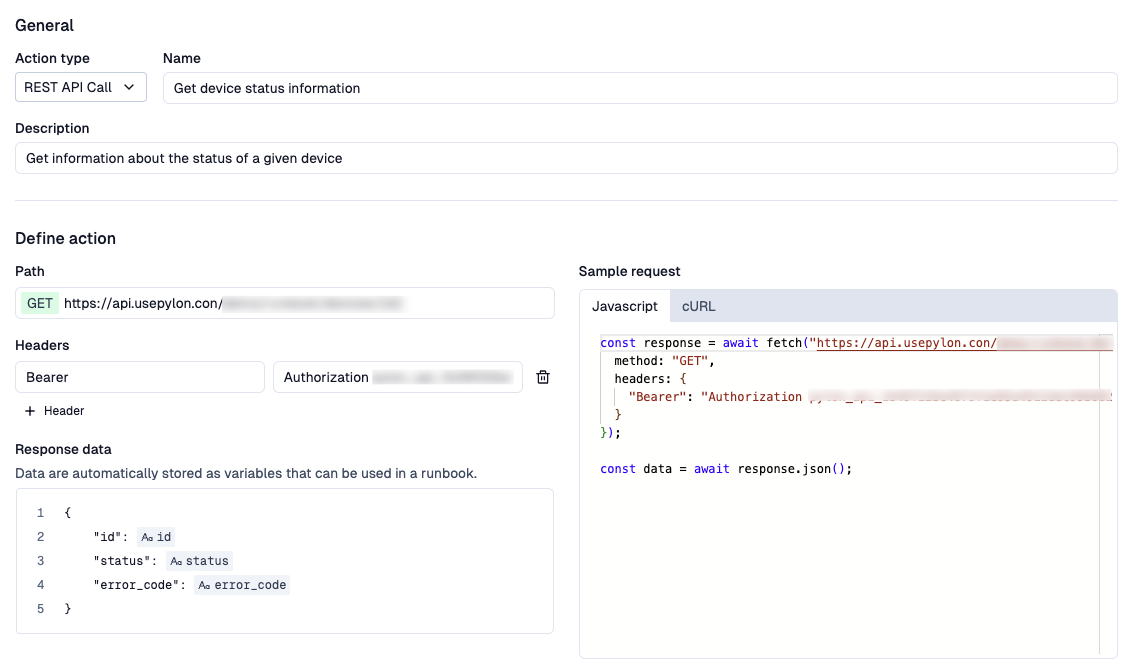
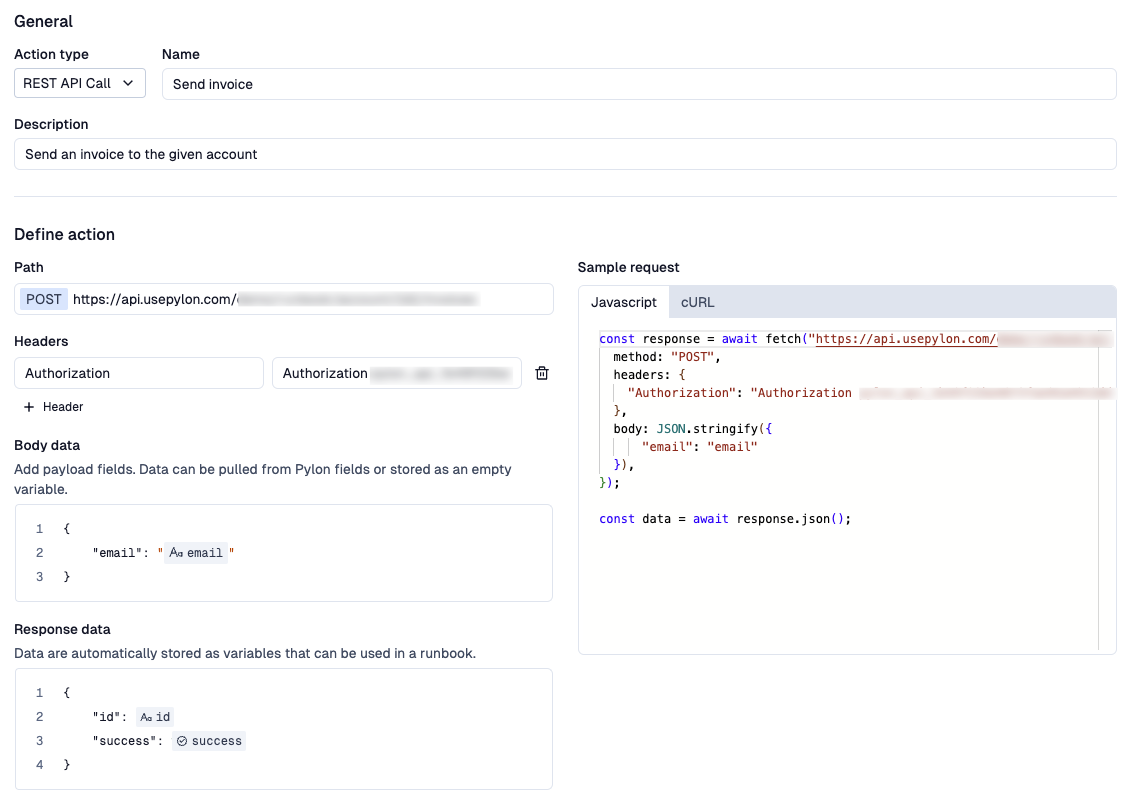
Give your API action a name and a description. These values will be passed to the AI, so make them descriptive of what the action is for.
Select the HTTP Method of your API call
Define the URL of your API endpoint. For path parameters, use double curly brackets,
{{, for examplehttps://api.company.com/accounts/{id}This will become a variable you can insert within a Runbook.
Add in any relevant headers. Note that headers do NOT support variables.
If a POST or PATCH request, add in the body payload
Use the
{{characters to create a variable.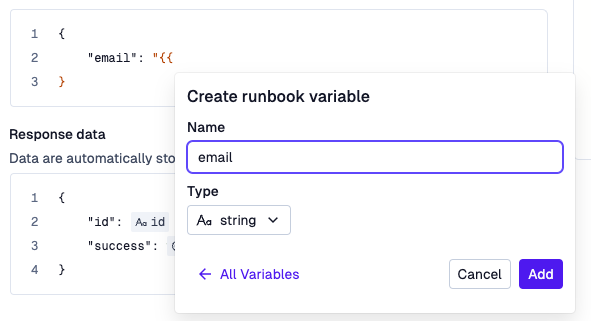
Remember to enclose string values with quotes!
Paste in an example response payload
Hit save
Behavior
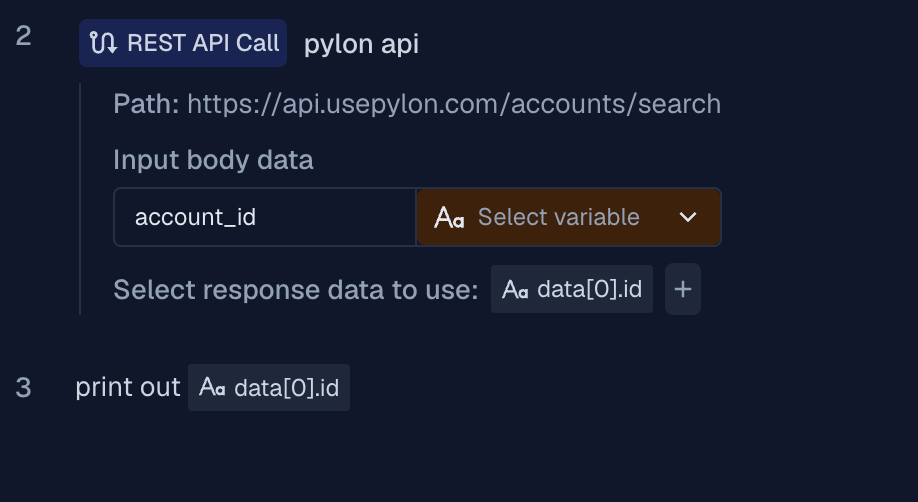
When defining a Runbook, you will specify how variables in your runbook map into variables required for your API call.
When a runbook is executing and reaches an API action step, it will inject values from the runbook based on your mapping.
If you are looking to extract a nested field, use dot notation to specify the exact field when calling the Action in the Runbook (e.g. data[0].id). If the field does not exist, an empty value will be returned.
Examples