How do I connect a Discord channel to Pylon?
Last updated: June 11, 2025
Pylon supports both Forum and regular channels in your Discord community.
First, make sure the Discord integration is installed in your Pylon instance. To do that:
Go to Apps Directory and click on Discord
Hit connect, and authorize Discord in your desired server.
Make sure the user mapping is completed - specifically map all the discord users on your team into Pylon users. This allows us to properly differentiate between replies from your team and replies from the customer.
Then, link your channel with Pylon:
From the Accounts page, click "Add Account"
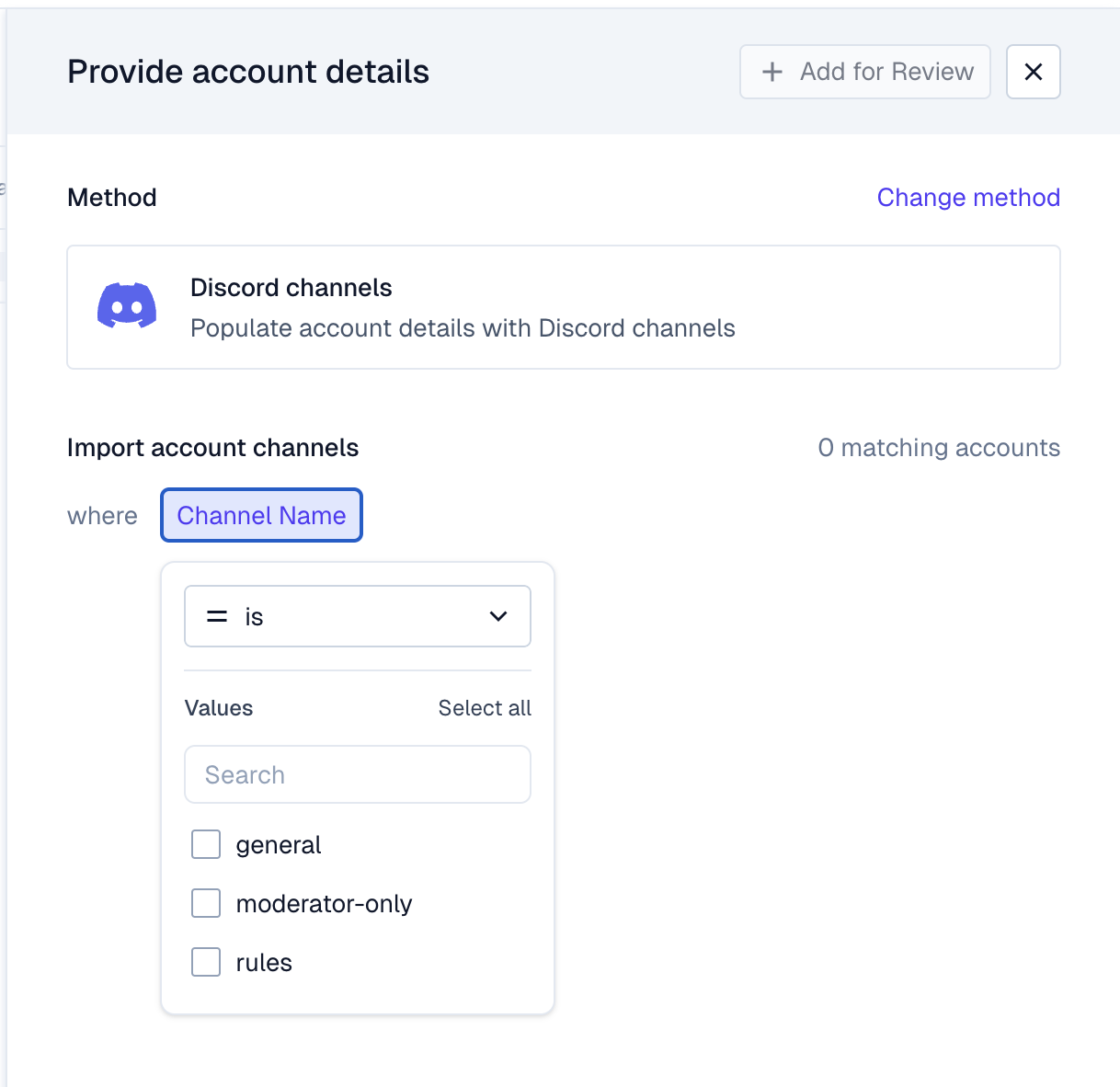
Select Discord channels and pick the channel(s) you want to link
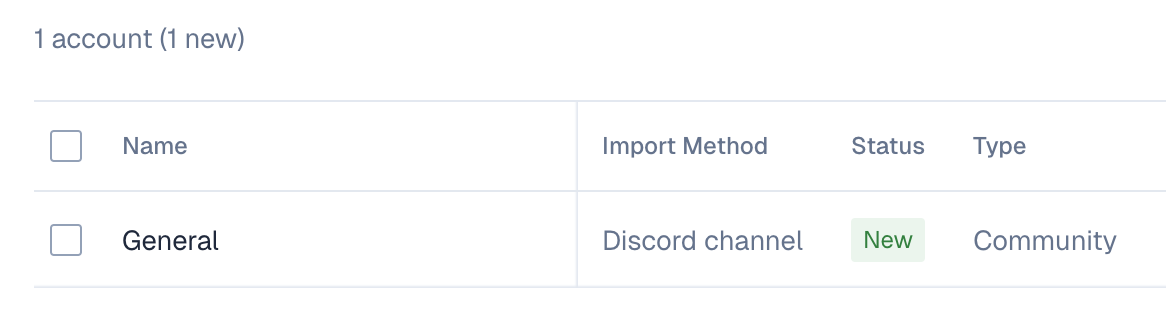
Make sure the type of the channel is marked as "Community"
Hit Save in the top right corner
Forum channels: New forum posts in Discord will now sync into Pylon as new issues, you can reply to them directly from Pylon, and use all Pylon functionality with them!
Regular channels: Each message in the regular channel will create a new issue in Pylon and all messages in the thread will be linked to that issue.