How do I activate Plus (Account Intelligence) on my accounts?
Last updated: February 18, 2026
When you activate "Plus" for an account, it enables that account to generate results for:
Custom notebooks (beyond the "Overview" notebook available for all accounts)
AI-filled fields
Web Research fields
To learn how many Plus accounts are allowed in your contract, get in touch with your Pylon CSM
To enable Plus for an account, you can either:
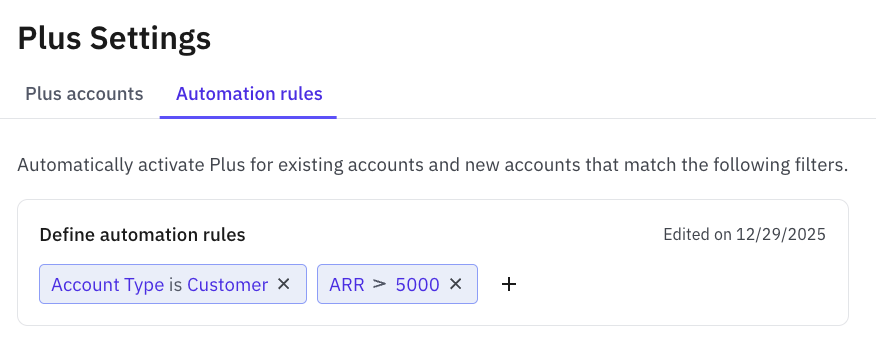
Set up "Automation Rules" in the Plus Settings page to bulk enable Plus for matching accounts. A common example would be limiting Plus Accounts to only customers above a certain ARR threshold, like the below example. These rules will update all existing accounts in Pylon and apply to any new accounts created in the future.
Press "Activate Plus" on the banner from a custom Account Notebook
