How do team SLAs work?
Last updated: November 8, 2025
Setup
Team SLAs work similarly to issue SLAs except they are tied to the team assigned to an issue.
Head to the Team SLAs tab within a team's management page to set up team SLA triggers. In order to use the Set team SLA trigger action on an issue, you must specify which team (via a Team filter) this SLA should apply to.
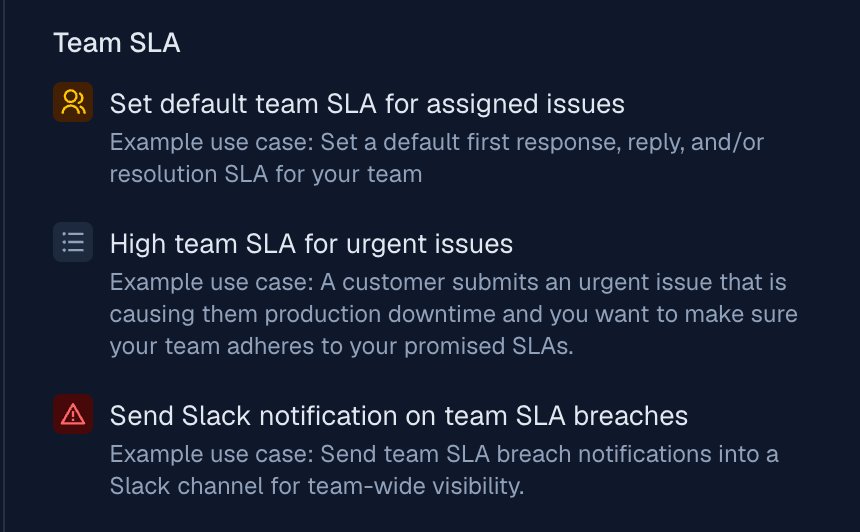
Use the Team SLA templates to get started
SLA behavior
First response
A team first response SLA tracks how long it takes from team assignment to first response. This SLA ticks starting from when the trigger applies the SLA or when the team is assigned (whichever happens last).
A team member must respond within the configured time or the team SLA will breach. If a team member has already responded the SLA will be immediately resolved. Should the team be reassigned before a team member responds, the SLA will pause.
Reassignment to a child team will not pause the first response SLA for the parent team
Just like issue first response SLAs, the team first response SLA will only tick while in New or On you.
Resolution
A team resolution SLA tracks how long it takes from team assignment to team resolution. Team resolution can be either closing the issue or reassigning the issue to another team. This SLA ticks starting from when the trigger applies the SLA or when the team is assigned (whichever happens last).
Reassignment to a child team will not resolve nor pause the parent team's resolution SLA
Should a team be reassigned to an issue that was previously resolved, the SLA will start ticking again as if it was paused during the time the team was not assigned.
Just like issue resolution SLAs, the team resolution SLA will only tick while in New, On you, or On customer.
Response
A team response SLA tracks how long it takes from the customer's message to a team member's response. This SLA ticks starting from the customer's first message after the team's first response.
A team member must respond within the configured time or the team SLA will breach. Should the team be reassigned before a team member responds, the SLA will pause.
Reassignment to a child team will not pause the first response SLA for the parent team
Just like issue first response SLAs, the team first response SLA will only tick while in New or On you.
Analytics
Team SLAs are primarily meant to be used with analytics. Several new fields have been added to analytics
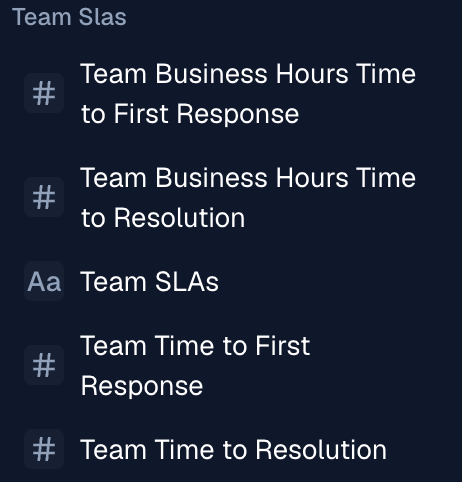
In order to specify which team's metrics to plot you must use the Team SLA -> Teams filter/grouping
The Team SLA Team filter is NOT the same as the Issues Team filter. The latter specifically filters for currently assigned team which may exclude issues that were previously assigned to the team you want to filter for