What keyboard shortcuts are supported?
Last updated: August 13, 2026
Pylon offers several keyboard shortcuts to enhance productivity when working with issues in the web app.
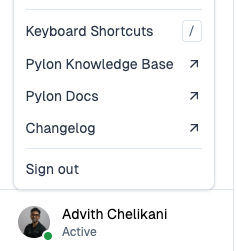
You can find all available shortcuts by clicking on your profile and clicking "Keyboard Shortcuts", or by pressing CMD+/ (Mac) or CTRL+/ (Windows).
Available Shortcuts
Core Navigation & Actions
Command Palette
Cmd+K(Mac) orCtrl+K(Windows/Linux) - Open command palette to quickly create issues and access other commands from anywhere in Pylon
Issue Navigation and Triage
jandk- Navigate between issues when an issue is already opens- Select statusa- Select assigneeenter- Focus on the reply text areaesc- Exit out of a specific issue viewz- Snooze an issuem- Bring up the macros menuShift+R- Collapse/expand the editor when writing a large message
Note: The
jandkshortcuts only work for switching between tickets, not for navigating comments within a single ticket.
Bulk Selection (Dashboard)
Cmd+click(Mac) orCtrl+click(Windows/Linux) - Select specific individual issuesShift+click- Select a range of issues for bulk actions
Message Formatting
Issue Management
Delete — Delete key (fn + backspace on Mac) — Deletes the current issue after showing a confirmation popup
Shift + E - Close the current issue (previously 'E', updated to require Shift modifier to prevent accidental closures)
How to Use Shortcuts
To use issue-level shortcuts such as j, k, s, a, enter, and esc, open an issue in the web UI first. Pylon does not currently support using those shortcuts to focus or open issues directly from the issues list or board when no issue is open.
Note: Some shortcuts like Shift + E (close issue) require modifier keys to prevent accidental activation when navigating issues.
Additional Shortcuts when Drafting Message
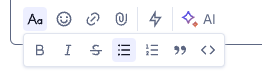
``` Multi-line code block - type triple backticks at the beginning to create a code block that supports multiple lines (not applicable for email)
` Inline code - single backticks format code within a line (not applicable for email)
* or + for bullet point list
1. for numbered list
1. for numbered list
Tip: If you accidentally delete a number, backspace to the previous line and press Enter to recreate it automatically. Manually retyping numbers can create HTML formatting that causes lists to restart at 1 in Slack.
Note: Code block formatting is also available through the formatting menu within the editor.
> for block quote
Additional shortcuts are available when you hover over these below icons