How do I use AI conditions in triggers for routing?
Last updated: August 13, 2025
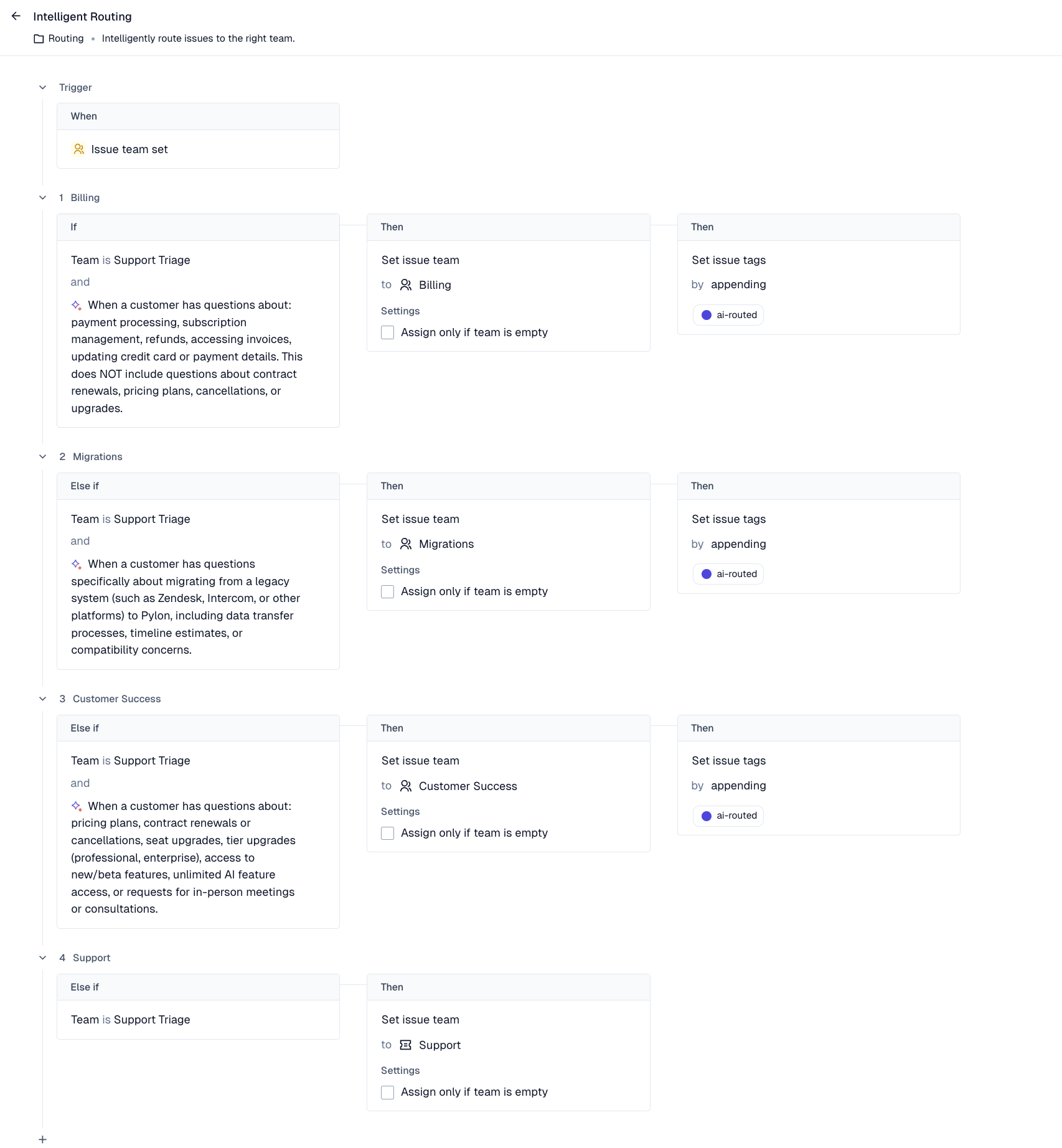
You can use triggers to intelligently route issues between teams based on their content. Here's an example of using a trigger to route issues between Billing, Migrations, and Customer Success teams and falling back to the Support team.
These triggers can also be used to auto close issues meeting your filter conditions.
Note that trigger branches are executed in order from top to bottom, so put the most specific condition first!
Triggers work with both in-app chat and email-based issues. When using the "Send issue message" action in a trigger, it will automatically send an email reply to the customer if the original issue came from email, while also appearing in the issue thread within Pylon.